

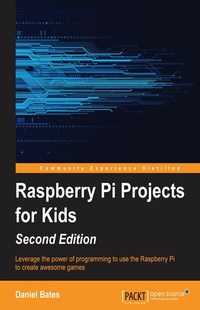
Raspberry Pi Projects for Kids (Second Edition)
Leverage the power of programming to use the Raspberry Pi to create awesome games
Published on 7. October 2025
146 pages
978-1-78528-043-6 (ISBN)
Description

Key Features
Book DescriptionThis book is for kids who wish to develop games and applications using the Raspberry Pi. No prior experience in programming is necessary; you need only a Raspberry Pi and the required peripherals.What you will learn
Gear up to start programming by setting up the Raspberry Pi and taking a tour of available applications
Understand the fundamentals of programming and electronics using the Raspberry Pi
Use the Linux operating system and programming languages such as Scratch and Python to build interesting projects
Gain a basic understanding of how the Python programming language works by writing simple programs
Build a fully functioning game and explore how to modify it to create new levels
Create animations and music to make your games and applications more exciting
Make computer code interact with the physical world
Add markers to your personal mapping program
Get an understanding of Sonic Pi, and discover how to use it to create your own music
Who this book is forThis book is for kids who wish to develop games and applications using the Raspberry Pi. No prior experience in programming is necessary
Book DescriptionThis book is for kids who wish to develop games and applications using the Raspberry Pi. No prior experience in programming is necessary; you need only a Raspberry Pi and the required peripherals.What you will learn
Gear up to start programming by setting up the Raspberry Pi and taking a tour of available applications
Understand the fundamentals of programming and electronics using the Raspberry Pi
Use the Linux operating system and programming languages such as Scratch and Python to build interesting projects
Gain a basic understanding of how the Python programming language works by writing simple programs
Build a fully functioning game and explore how to modify it to create new levels
Create animations and music to make your games and applications more exciting
Make computer code interact with the physical world
Add markers to your personal mapping program
Get an understanding of Sonic Pi, and discover how to use it to create your own music
Who this book is forThis book is for kids who wish to develop games and applications using the Raspberry Pi. No prior experience in programming is necessary
All prices
More details
Edition
Digital original
Language
English
Place of publication
Birmingham
United Kingdom
Target group
Professional and scholarly
US School Grade: College Graduate Student
Edition type
Digital original
File size
2,37 MB
ISBN-13
978-1-78528-043-6 (9781785280436)
Copyright in bibliographic data and cover images is held by Nielsen Book Services Limited or by the publishers or by their respective licensors: all rights reserved.
Schweitzer Classification
Other editions
Additional editions
Daniel Bates
Raspberry Pi Projects for Kids - Second Edition
Book
04/2015
Packt Publishing
€31.90
Shipment within 3-4 weeks
Person
Leonard Bates Daniel :
Daniel Bates is a computer science researcher at the University of Cambridge. His day job involves inventing designs for future mobile phone processors and when he gets home, he likes playing games or working on one of his coding projects (or both!). Daniel has been a volunteer for the Raspberry Pi Foundation since 2011 and is enthusiastic about introducing new people to computing. He has previously written Instant Minecraft: Pi Edition Coding How-to and Raspberry Pi Projects for Kids (First Edition), both published by Packt Publishing.
Daniel Bates is a computer science researcher at the University of Cambridge. His day job involves inventing designs for future mobile phone processors and when he gets home, he likes playing games or working on one of his coding projects (or both!). Daniel has been a volunteer for the Raspberry Pi Foundation since 2011 and is enthusiastic about introducing new people to computing. He has previously written Instant Minecraft: Pi Edition Coding How-to and Raspberry Pi Projects for Kids (First Edition), both published by Packt Publishing.
Content
Table of Contents
Getting Started
Animating with Scratch
Making your own "Angry Birds" game
Creating random insults
Testing your speed
Building an interactive map of your city
Building beats with Sonic Pi
Getting Started
Animating with Scratch
Making your own "Angry Birds" game
Creating random insults
Testing your speed
Building an interactive map of your city
Building beats with Sonic Pi

