

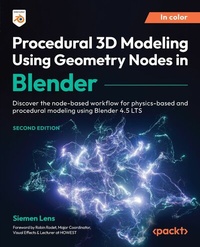
Procedural 3D Modeling Using Geometry Nodes in Blender
Description

Key Features
Develop creative mathematical thinking to work on procedural projects in Blender 4.5 LTS
Learn how to calculate and create your very own math-based physics simulations
Find out how you can utilize Geometry Nodes to scatter objects randomly in a scene
Book DescriptionGeometry Nodes are tools that enable you to manipulate and generate 3D geometry in a node-based workflow. In this updated edition, you'll learn how to use the basic and intermediate features of Geometry Nodes that are essential for creating complex, physics-based simulations and animations in Blender 4.5 LTS. After an introduction to the Geometry Nodes system and its inner workings, you'll learn about different node inputs and outputs, along with the basic nodes necessary for your Geometry Nodes projects. You'll apply your newfound knowledge through exercises that involve modifying curves, meshes, text, and more, as well as work on a range of interesting projects, including creating a procedural plant, a brick wall generator, and a procedural LED panel to explore different aspects of node-based modeling. The concluding chapters take you through a brand-new addition to Geometry Nodes called the Simulation Zone, where you'll create various physics simulations such as a procedural fountain and bugs crawling over objects using the Geometry Node editor. By the end of this book, you'll be able to tackle minor to major Geometry Nodes issues with confidence and create complicated Geometry Nodes trees and complex physics simulations tailored to your needs. *Email sign-up and proof of purchase requiredWhat you will learn
Discover the different node inputs and outputs that Geometry Nodes have to offer
Get to grips with the flow of the Geometry Nodes system
Work with Geometry Nodes use cases through fun projects that advance with each chapter
Link Geometry and Material node editors using Named Attributes
Explore the flow of the Simulation Zone in Blender 4.5 LTS
Create both simple and complex physics simulations mathematically
Understand mathematical terms such as velocity, forces, collisions, and vectors
Work with variables in your Geometry Nodes-based workflow
Who this book is forIf you are an aspiring CG artist, environment artist, or CG generalist looking to learn node-based using Geometry Nodes and simulation workflows, this book is for you. Knowledge of Blender fundamentals is required; for example, understanding the workflow of material nodes and being able to apply that knowledge to your projects. A basic grasp of physics concepts will also help you get the most out of the more complex, physics-driven projects covered in the book.
All prices
More details
Other editions
Additional editions
Persons
Siemen has worked as a product render designer in a furniture company. His goal is to create visually convincing CG art that is pleasing to the eye. For three years, he has familiarized himself with Blender, and today, with this book, he will familiarize you with Geometry Nodes.
Content
An Introduction to Geometry Nodes
Understanding the Functionality of Basic Nodes
Must-Have Add-Ons for Building Node Trees
Making Use of Node Primitives
Distributing Instances onto a Mesh
Working with the Spreadsheet in Blender
Creating and Modifying Text in the Geometry Node Editor
Editing Curves with Nodes
Manipulating Mesh Using Geometry Nodes
Creating a Procedural Plant Generator
Creating a Procedural Brick Wall Generator
Constructing a Procedural LED Panel
Tips and Tricks for the Geometry Node Editor
Troubleshooting the Most Common Problems in Geometry Nodes
Introduction to the Simulation Zone
Experimenting with Points in the Simulation Zone
Creating a Procedural Fountain Using Points
Baking in the Geometry Node Editor
Simulating Bugs Crawling on Objects
Creating a Shrinkwrapping Simulation
Common Issues Users Experience with Simulation Zone
Preface
Welcome to the second edition of Procedural 3D Modeling Using Geometry Nodes in Blender!
This book is designed to provide you with a comprehensive guide to understanding and utilizing Geometry Nodes in your 3D modeling workflows.
Geometry Nodes are a powerful tool in the world of Blender modeling, allowing for greater flexibility and control over your models.
With the ability to create complex shapes, manipulate vertices and faces, and generate intricate patterns, you can now also leverage the Simulation Zone to create dynamic, physics-based effects. This powerful feature allows the result of one frame to influence the next, making it possible to build complex simulations from a simple set of rules.
After the tremendous success of the previous edition, we created a second edition of the book. This book contains new exercises, content about the Simulation Zone, and the Blender version is updated to be compatible with 4.5.
In this book, we will explore the various types of Geometry Nodes, their functions, and how they can be used to enhance your models with everything from particle systems to mesh simulations.
Who this book is for
Whether you are just starting out or are a practicing 3D artist, this book will provide you with the tools and techniques needed to gain proficiency in the art of using Geometry Nodes. With the knowledge and skills gained from this book, you will be able to create stunning, highly detailed models and simulations with ease and efficiency. You will also learn the physics behind creating simulations using nodes and mathematics using the Simulation Zone in Blender.
What this book covers
Chapter 1, An Introduction to Geometry Nodes, teaches you about the different node inputs and outputs, how the node system works, and the flow of the node system in Blender.
Chapter 2, Understanding the Functionality of Basic Nodes, covers the basic nodes we will be working with in this book, which include Math nodes, Curve nodes, and Mesh nodes, and their functions, inputs, outputs, and parameters as the building blocks for the rest of the book.
Chapter 3, Must-Have Add-ons for Building Node Trees, explains the various free add-ons available for Blender and how to activate or download them, along with their functionality and technicalities in depth to enhance your node tree-building journey.
Chapter 4, Making Use of Node Primitives, explores the functions of the node primitives in Blender, including the Curve primitives and the Mesh primitives.
Chapter 5, Distributing Instances onto a Mesh, teaches you how to apply the skills and techniques learned in previous chapters to distribute points on a plane and helps you learn about handy nodes, such as the Random Value node, to add randomization to your projects.
Chapter 6, Working with the Spreadsheet in Blender, dives into the use of the Duplicate Elements node to duplicate elements procedurally. In the end, you'll learn how to use this node to create a procedural Jenga tower.
Chapter 7, Creating and Modifying Text in the Geometry Node Editor, walks you through how to create and modify text in the Geometry Node editor.
Chapter 8, Editing Curves with Nodes, explains how to modify curves using noise and thickness nodes and apply the skills in a procedural growing twig animation!
Chapter 9, Manipulating Mesh Using Geometry Nodes, teaches you how to use Geometry Nodes to manipulate the mesh by extruding, subdividing, smoothing, and applying Boolean effects to create a procedural pyramid generator.
Chapter 10, Creating a Procedural Plant Generator, explains how to create a plant generator using custom curves, distribution, and instancing leaves, and how to make a pot using Geometry Nodes.
Chapter 11, Creating a Procedural Brick Wall Generator, takes you through how to create a procedural brick wall driven by a Curve object in the Viewport.
Chapter 12, Constructing a Procedural LED Panel, covers how to create a procedural LED panel by creating an array of red, green, and blue pixels and using Named Attributes to link the Material editor to the Geometry Node editor.
Chapter 13, Tips and Tricks for the Geometry Node Editor, explores various tips and tricks for the Geometry Node editor, including techniques for vertex proximity, weight painting, and remeshing to enhance your modeling workflow.
Chapter 14, Troubleshooting the Most Common Problems in Geometry Nodes, covers troubleshooting techniques for Geometry Nodes, including methods for fixing shading, optimizing slow node trees, and addressing common issues.
Chapter 15, Introduction to the Simulation Zone, explores how the new Simulation Zone for Geometry Nodes works in Blender and how data flows work in this zone.
Chapter 16, Experimenting with Points in the Simulation Zone, explores how the new Simulation Zone can be used to create various simulations, such as creating a procedural galaxy.
Chapter 17, Creating a Procedural Fountain Using Points, teaches you how physics work and how to utilize this knowledge in the Simulation Zone by creating a procedural fountain with realistic physics.
Chapter 18, Baking in the Geometry Node Editor, explains how you can use the Bake node to solidify information about your simulations and node trees.
Chapter 19, Simulating Bugs Crawling on Objects, teaches you how the Simulation Zone can be used to create crawling bugs on your objects by the use of vector maths.
Chapter 20, Creating a Shrinkwrapping Simulation, shows you how to create a simple shrinkwrapping simulation in the Viewport using Geometry Nodes. We'll also cover how to create a viewport preview and render view in a separate node structure.
Chapter 21, Common Issues Users Experience with Simulation Zone, explores the common issues users might face when interacting with the Simulation Zone for the first few days.
To get the most out of this book
To get the most out of this book, you will need to have Blender version 4.5 LTS installed. You should possess basic knowledge of basic material nodes, modeling, and Viewport control within Blender. This will enable you to follow the instructions and create the desired results from the book. Without these prerequisites, the book may be difficult to understand and follow.
Software/hardware requirements
To follow along with the projects in this book, you'll need the following setup:
Software/hardware covered in the book
Operating system requirements
Blender 4.5
Windows, macOS, or Linux
You can download Blender 4.5 from the official website at https://download.blender.org/release/Blender4.5/.
Note that the author acknowledges the use of cutting-edge AI, such as ChatGPT, with the sole aim of enhancing the language and clarity within the book, thereby ensuring a smooth reading experience for readers. It's important to note that the content itself has been crafted by the author and edited by a professional publishing team.
Download the example project files
A single project file, containing the exercises and demos from the chapters, is hosted on GitHub at https://github.com/PacktPublishing/Procedural-3D-Modeling-Using-Geometry-Nodes-in-Blender-Second-Edn.
We also have other code bundles from our rich catalog of books and videos available at https://github.com/PacktPublishing. Check them out!
Download the color images
To make it easier to view the figures in this book, we also provide a PDF file that has color images of the screenshots used in this book.
You can download the PDF file here: https://packt.link/gbp/9781836203018.
In addition, select complex or detailed figures that may be difficult to read in print or digital formats are also available in better resolution on the book's GitHub repository.
Code in Action
The Code in Action videos for this book can be viewed at https://packt.link/xOZnc
Conventions used
There are some text conventions used throughout this book.
CodeInText: Indicates code words in text, database table names, folder names, filenames, file extensions, pathnames, dummy URLs, user input, and X (formerly, Twitter) handles. For example: "Let's do the same for the nodes responsible for the Viewport layer, but let's name it Viewport Layer with a green color."
Bold: Indicates a new term, an important word, or words that you see on the screen. For instance, words in menus or dialog boxes appear in the text like this. For example: "Once you've done that, it's time to make use of the Mesh...
