

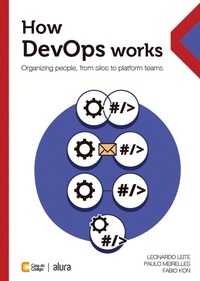
How DevOps Works
Organizing People, from Silos to Platform Teams
Published on 22. January 2025
198 pages
978-85-5519-392-7 (ISBN)
Description

DevOps has emerged as a movement to improve the lives of professionals in the software industry, promoting collaboration between development and infrastructure professionals. However, from the point of view of the organization of professionals, is there a recipe for doing DevOps? How do we (re)organize operational activities (such as deployment, monitoring, incident handling, etc.) between development and infrastructure professionals? Considering that different alternatives for organizing this interaction affect the balance between specialization and interaction between these teams, this issue deserves to be understood in more depth.
In this book, Leonardo Leite, Paulo Meirelles, and Fabio Kon discuss the different ways of doing DevOps. You will understand the conditions, the reasons for adopting or avoiding each alternative, and their causes and consequences. Among these alternatives, the book details the organization around platform teams, a new trend emerging in the DevOps scenario. By combining award-winning scientific research, reports of authentic experiences in the tech industry, and practical guidelines, this content can support discussions and decisions about the DevOps journey in your company, being an excellent resource for you to deepen your understanding of the collective effort of software production.
In this book, Leonardo Leite, Paulo Meirelles, and Fabio Kon discuss the different ways of doing DevOps. You will understand the conditions, the reasons for adopting or avoiding each alternative, and their causes and consequences. Among these alternatives, the book details the organization around platform teams, a new trend emerging in the DevOps scenario. By combining award-winning scientific research, reports of authentic experiences in the tech industry, and practical guidelines, this content can support discussions and decisions about the DevOps journey in your company, being an excellent resource for you to deepen your understanding of the collective effort of software production.
More details
Content
Part 1: DevOps
1 What is DevOps?
2 Impacts of DevOps
3 DevOps Challenges
4 DevOps Tools
Part 2: The different ways to organize DevOps
5 Overview
6 Segregated departments
7 Collaborating departments
8 Single departments
9 API-mediated departments
10 Enabler teams
11 Organizational structures beyond DevOps
12 Conclusions
13 Appendix - Our scientific approach
14 Bibliographic references
1 What is DevOps?
2 Impacts of DevOps
3 DevOps Challenges
4 DevOps Tools
Part 2: The different ways to organize DevOps
5 Overview
6 Segregated departments
7 Collaborating departments
8 Single departments
9 API-mediated departments
10 Enabler teams
11 Organizational structures beyond DevOps
12 Conclusions
13 Appendix - Our scientific approach
14 Bibliographic references
