

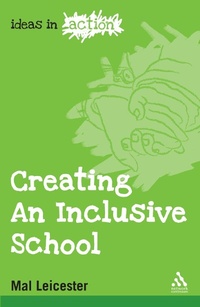
Creating an Inclusive School
1st Edition
Published on 10. August 2008
104 pages
978-0-8264-2246-0 (ISBN)
Description

The issue of "inclusion" is an important one for teachers of children in the early years through to young adulthood. At an individual level each child, regardless of gender, ethnicity, disability or family background, should have the opportunity to fulfill their educational potential. At a whole school level, a good school will have an inclusive ethos, dealing effectively with prejudice, stereotyping, name calling and other forms of bullying. Intrinsically education rests on "inclusive" values. This book will unpack all these sensitive and wide ranging aspects of inclusion using an accessible, practical and non-threatening approach.
Reviews / Votes
"A small book, light in weight but not light in content. With inclusion, entitlement and personalised learning very much on the political agenda of recent years, it is a handy re4ference and a starting point, especially if you are a newly appointed incluysion co-ordinator. Clearly set out, each chapter is subdivided simply into double-page spreads of 'advice' and 'suggestions' for 'application' for each point raised therein. The chapters successively cover the'who, what, when, where and how' of inclusion. The author suggests activities from both a 'bottom up' and 'top down' perspective with education" Special, july 2009More details
Series
Edition
1. Auflage
Language
English
Place of publication
New York
United States
Target group
Professional and scholarly
ISBN-13
978-0-8264-2246-0 (9780826422460)
Copyright in bibliographic data and cover images is held by Nielsen Book Services Limited or by the publishers or by their respective licensors: all rights reserved.
Schweitzer Classification
Other editions
Additional editions
Mal Leicester
Creating an Inclusive School
Book
08/2008
Network Continuum Education
€36.08
Article exhausted; check different version
Person
Mal Leicester is an Emeritus Professor of Education at the University of Nottingham, UK.
Content
Introduction
1. What is Inclusion?
2. Who is Excluded?
3. Why is Inclusion Important?
4. The How of Inclusion: Curriculum and Resources
5. The How of Inclusion: Inclusion in the Classroom
6. A Whole School Approach
1. What is Inclusion?
2. Who is Excluded?
3. Why is Inclusion Important?
4. The How of Inclusion: Curriculum and Resources
5. The How of Inclusion: Inclusion in the Classroom
6. A Whole School Approach
