

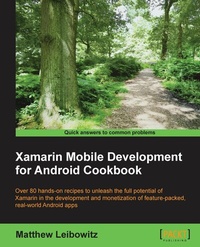
Xamarin Mobile Development for Android Cookbook
Over 80 hands-on recipes to unleash full potential for Xamarin in development and monetization of feature-packed, real-world Android apps
Published on 13. January 2025
456 pages
978-1-78439-587-2 (ISBN)
Description

Over 80 hands-on recipes to unleash the full potential of Xamarin in the development and monetization of feature-packed, real-world Android apps
Key Features
Create a number of Android applications using the Xamarin Android platform
Extensively integrate your Android devices with other Android devices to enhance your app creation experience
A comprehensive guide packed with real-world scenarios and pro-level practices and techniques to help you build successful Android apps
Book DescriptionXamarin is used by developers to write native iOS, Android, and Windows apps with native user interfaces and share code across multiple platforms not just on mobile devices, but on Windows, Mac OS X, and Linux. Developing apps with Xamarin.Android allows you to use and re-use your code and your skills on different platforms, making you more productive in any development. Although it's not a write-once-run-anywhere framework, Xamarin provides native platform integration and optimizations. There is no middleware; Xamarin.Android talks directly to the system, taking your C# and F# code directly to the low levels. This book will provide you with the necessary knowledge and skills to be part of the mobile development era using C#. Covering a wide range of recipes such as creating a simple application and using device features effectively, it will be your companion to the complete application development cycle. Starting with installing the necessary tools, you will be guided on everything you need to develop an application ready to be deployed. You will learn the best practices for interacting with the device hardware, such as GPS, NFC, and Bluetooth. Furthermore, you will be able to manage multimedia resources such as photos and videos captured with the device camera, and so much more! By the end of this book, you will be able to create Android apps as a result of learning and implementing pro-level practices, techniques, and solutions. This book will ascertain a seamless and successful app building experience.What you will learn
Install and use Xamarin.Android with Xamarin Studio and Visual Studio
Design an app's user interface for multiple device configurations
Store and protect data in databases, files, and on the cloud
Utilize lists and collections to present data to the user
Communicate across the network using NFC or Bluetooth
Perform tasks in the background and update the user with notifications
Capture and play multimedia, such as video and audio, with the camera
Implement In-App Billing and Expansion Files and deploy to the store
Who this book is forIf you are a Xamarin developer who wants to create complete Android applications with Xamarin, then this book is ideal for you. No prior knowledge of Android development is needed, however a basic knowledge of C# and .NET would be useful.
Key Features
Create a number of Android applications using the Xamarin Android platform
Extensively integrate your Android devices with other Android devices to enhance your app creation experience
A comprehensive guide packed with real-world scenarios and pro-level practices and techniques to help you build successful Android apps
Book DescriptionXamarin is used by developers to write native iOS, Android, and Windows apps with native user interfaces and share code across multiple platforms not just on mobile devices, but on Windows, Mac OS X, and Linux. Developing apps with Xamarin.Android allows you to use and re-use your code and your skills on different platforms, making you more productive in any development. Although it's not a write-once-run-anywhere framework, Xamarin provides native platform integration and optimizations. There is no middleware; Xamarin.Android talks directly to the system, taking your C# and F# code directly to the low levels. This book will provide you with the necessary knowledge and skills to be part of the mobile development era using C#. Covering a wide range of recipes such as creating a simple application and using device features effectively, it will be your companion to the complete application development cycle. Starting with installing the necessary tools, you will be guided on everything you need to develop an application ready to be deployed. You will learn the best practices for interacting with the device hardware, such as GPS, NFC, and Bluetooth. Furthermore, you will be able to manage multimedia resources such as photos and videos captured with the device camera, and so much more! By the end of this book, you will be able to create Android apps as a result of learning and implementing pro-level practices, techniques, and solutions. This book will ascertain a seamless and successful app building experience.What you will learn
Install and use Xamarin.Android with Xamarin Studio and Visual Studio
Design an app's user interface for multiple device configurations
Store and protect data in databases, files, and on the cloud
Utilize lists and collections to present data to the user
Communicate across the network using NFC or Bluetooth
Perform tasks in the background and update the user with notifications
Capture and play multimedia, such as video and audio, with the camera
Implement In-App Billing and Expansion Files and deploy to the store
Who this book is forIf you are a Xamarin developer who wants to create complete Android applications with Xamarin, then this book is ideal for you. No prior knowledge of Android development is needed, however a basic knowledge of C# and .NET would be useful.
All prices
More details
Edition
Digital original
Language
English
Place of publication
Birmingham
United Kingdom
Target group
US School Grade: College Graduate Student
Edition type
Digital original
File size
9,69 MB
ISBN-13
978-1-78439-587-2 (9781784395872)
Copyright in bibliographic data and cover images is held by Nielsen Book Services Limited or by the publishers or by their respective licensors: all rights reserved.
Schweitzer Classification
Other editions
Additional editions
Matthew Leibowitz
Xamarin Mobile Development for Android Cookbook
Book
11/2015
Packt Publishing
€64.20
Shipment within 3-4 weeks
Person
Leibowitz Matthew :
Matthew Leibowitz is a professional software engineer living in South Africa, and is currently working in a Xamarin development team. He has many years of professional experience as a programmer in developing systems ranging from servers, to desktops, to mobile devices. He has a passion for programming and has recently been awarded Xamarin Certified Mobile Developer certification for his work. He has written various articles on his blog and has participated in several forums. With his experience and great passion for development, Matthew spends his days continually looking for new ways to create a better experience for users and other developers. Some of his work is seen on GitHub under the username mattleibow. In addition to his public code, Matthew is active on Twitter with the same username.
Matthew Leibowitz is a professional software engineer living in South Africa, and is currently working in a Xamarin development team. He has many years of professional experience as a programmer in developing systems ranging from servers, to desktops, to mobile devices. He has a passion for programming and has recently been awarded Xamarin Certified Mobile Developer certification for his work. He has written various articles on his blog and has participated in several forums. With his experience and great passion for development, Matthew spends his days continually looking for new ways to create a better experience for users and other developers. Some of his work is seen on GitHub under the username mattleibow. In addition to his public code, Matthew is active on Twitter with the same username.
Content
Table of Contents
Working with Xamarin.Android
Showing Views & Handling Fragments
Managing App Data
Presenting Data
Communicating with the Outside World
Using Background Tasks
Notifying Users
Talking to Other Apps
Presenting Multimedia
Responding to the User
Connecting To Wearables
Adding In-App Billing
Publishing Apps
Working with Xamarin.Android
Showing Views & Handling Fragments
Managing App Data
Presenting Data
Communicating with the Outside World
Using Background Tasks
Notifying Users
Talking to Other Apps
Presenting Multimedia
Responding to the User
Connecting To Wearables
Adding In-App Billing
Publishing Apps

