

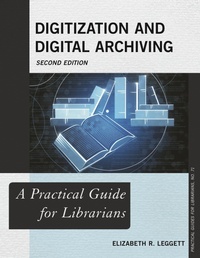
Digitization and Digital Archiving
A Practical Guide for Librarians
2nd Edition
Published on 15. December 2020
258 pages
978-1-5381-3335-4 (ISBN)
Description

To help new archivists and genealogists with what can be a daunting process, Digitization and Digital Archiving: A Practical Guide for Librarians answers common questions, including:
1. What should be stored?
2. Where and how should it be stored?
3. How exactly is information stored in a computer?
4. How does copyright law affect archiving?
5. How can metadata be used to improve collection access?
This revised second edition has been updated to address new trends and the latest innovations in technology, including:
1. A brand-new chapter addressing different common types of born-digital materials which a librarian may need to archive, such as databases or websites
2. Information about identifying and gathering data from floppy disks, an increasingly important task as this technology ages and its data becomes at greater risk of loss
3. Fully updated chapters to address the latest changes in file storage and formats, including more information on the storage of audio and video media
4. Interesting information about the origins of different common technologies to help the reader better understand the past, present, and future of computer technology
This is a comprehensive guide to the process of digital storage and archiving. Assuming only basic computer knowledge, this guide walks the reader through everything he or she needs to know to start or maintain a digital archiving project. Any librarian interested in how digital information is stored can benefit from this guide.
1. What should be stored?
2. Where and how should it be stored?
3. How exactly is information stored in a computer?
4. How does copyright law affect archiving?
5. How can metadata be used to improve collection access?
This revised second edition has been updated to address new trends and the latest innovations in technology, including:
1. A brand-new chapter addressing different common types of born-digital materials which a librarian may need to archive, such as databases or websites
2. Information about identifying and gathering data from floppy disks, an increasingly important task as this technology ages and its data becomes at greater risk of loss
3. Fully updated chapters to address the latest changes in file storage and formats, including more information on the storage of audio and video media
4. Interesting information about the origins of different common technologies to help the reader better understand the past, present, and future of computer technology
This is a comprehensive guide to the process of digital storage and archiving. Assuming only basic computer knowledge, this guide walks the reader through everything he or she needs to know to start or maintain a digital archiving project. Any librarian interested in how digital information is stored can benefit from this guide.
More details
Series
Edition
2nd edition
Language
English
Place of publication
New York
United States
Publishing group
Bloomsbury Publishing Plc
Illustrations
4 b/w illustrations; 3 tables; 88 textboxes
ISBN-13
978-1-5381-3335-4 (9781538133354)
Copyright in bibliographic data and cover images is held by Nielsen Book Services Limited or by the publishers or by their respective licensors: all rights reserved.
Schweitzer Classification
Other editions
Additional editions
Book
12/2020
2nd Edition
Rowman & Littlefield Publishers
€80.40
Shipment within 3-4 weeks
Person
Elizabeth R. Leggett is a technical writer specializing in writing about software and technology. She has worked in libraries and archives at Centre College, the University of Kentucky, and Murray State University.
Content
List of Figures
List of Tables
Preface
Chapter 1. Why Use Digital Preservation?
Chapter 2. How Do Computers Store Information?
Chapter 3. Storing Images
Chapter 4. Storing Text
Chapter 5: Storing Audio and Video
Chapter 6: Storing Born Digital Materials
Chapter 7: Floppy Disks and Optical Media
Chapter 8: Magnetic Tape
Chapter 9: Hard Drives
Chapter 10: Flash Memory
Chapter 11: Cloud Computing
Chapter 12: Equipment for Digitizing and Editing Archival Materials
Chapter 13: Metadata and Accessing Information
Chapter 14: Copyright Law
Chapter 15: Problems With Digital Preservation
Chapter 16: Drawing Up Policies
About the Author
Index
List of Tables
Preface
Chapter 1. Why Use Digital Preservation?
Chapter 2. How Do Computers Store Information?
Chapter 3. Storing Images
Chapter 4. Storing Text
Chapter 5: Storing Audio and Video
Chapter 6: Storing Born Digital Materials
Chapter 7: Floppy Disks and Optical Media
Chapter 8: Magnetic Tape
Chapter 9: Hard Drives
Chapter 10: Flash Memory
Chapter 11: Cloud Computing
Chapter 12: Equipment for Digitizing and Editing Archival Materials
Chapter 13: Metadata and Accessing Information
Chapter 14: Copyright Law
Chapter 15: Problems With Digital Preservation
Chapter 16: Drawing Up Policies
About the Author
Index
