

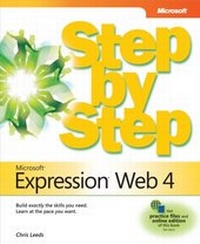
Microsoft Expression Web 4 Step by Step
MS Expression Web 4 SbS _p1
1st Edition
Published on 29. December 2010
544 pages
978-0-7356-5963-6 (ISBN)
Description

The smart way to learn Microsoft Expression Web 4 -- one step at a time!
Experience learning made easy -- and quickly teach yourself how to create dynamic, standards-based Web sites. With Step by Step, you set the pace -- building and practicing the skills you need, just when you need them!
Build your site with customizable templates -- or create your own
Adjust settings in Expression Web 4 to create different sites
Add Photoshop files, Microsoft Silverlight video, and .wmv files
Use CSS, HTML, and XHTML to manage site style and accessibility
Connect to servers using Microsoft ASP.NET and PHP
Choose the right publishing method for your scenario
Your Step by Step digital content includes:
All the books practice files -- ready to download and put to work.
Fully searchable online edition of this book -- with unlimited access on the Web.
Video tutorials illustrating important procedures and concepts
Experience learning made easy -- and quickly teach yourself how to create dynamic, standards-based Web sites. With Step by Step, you set the pace -- building and practicing the skills you need, just when you need them!
Build your site with customizable templates -- or create your own
Adjust settings in Expression Web 4 to create different sites
Add Photoshop files, Microsoft Silverlight video, and .wmv files
Use CSS, HTML, and XHTML to manage site style and accessibility
Connect to servers using Microsoft ASP.NET and PHP
Choose the right publishing method for your scenario
Your Step by Step digital content includes:
All the books practice files -- ready to download and put to work.
Fully searchable online edition of this book -- with unlimited access on the Web.
Video tutorials illustrating important procedures and concepts
More details
Series
Language
English
Place of publication
Redmond
United States
Target group
College/higher education
ISBN-13
978-0-7356-5963-6 (9780735659636)
Copyright in bibliographic data and cover images is held by Nielsen Book Services Limited or by the publishers or by their respective licensors: all rights reserved.
Schweitzer Classification
Other editions
Additional editions
Chris Leeds
Microsoft Expression Web 4 Step by Step
Book
12/2010
Microsoft Press
€54.65
Article exhausted; check different version
Person
Chris Leeds has been a Microsoft MVP since before Expression Studio was added to their catalog. Originally, he was a FrontPage MVP who learned what users needed from FrontPage's novice user base, and then provided instruction to help users reach their goals. He has written two books on Microsoft Expression Web for Microsoft Press and is currently working on a third, Microsoft Expression Web 4.0 Step by Step.
