

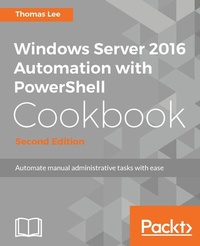
Windows Server 2016 Automation with PowerShell Cookbook
Powerful ways to automate and manage Windows administrative tasks
2nd Edition
Published on 8. July 2025
660 pages
978-1-78712-640-4 (ISBN)
Description

No detailed description available for "Windows Server 2016 Automation with PowerShell Cookbook".
All prices
More details
Edition
2nd Revised edition
Language
English
Place of publication
Birmingham
United Kingdom
Target group
Professional and scholarly
US School Grade: College Graduate Student
Edition type
Revised edition
File size
28,18 MB
ISBN-13
978-1-78712-640-4 (9781787126404)
Copyright in bibliographic data and cover images is held by Nielsen Book Services Limited or by the publishers or by their respective licensors: all rights reserved.
Schweitzer Classification
Other editions
Additional editions
Thomas Lee
Windows Server 2016 Automation with PowerShell Cookbook - Second Edition
Powerful ways to automate and manage Windows administrative tasks
Book
09/2017
Packt Publishing
€76.70
Shipment within 3-4 weeks
Person
Lee Thomas :
Thomas Lee is a consultant/trainer/writer based in the UK and has been in the IT business since the late 1960s. After graduating from Carnegie Mellon University, Thomas joined ComShare where he was a systems programmer building the Commander II time-sharing operating system, a forerunner of today's cloud computing paradigm. In the mid-1970s, he moved to ICL to work on the VME/K operating system. After a sabbatical in 1980/81, he joined Accenture, leaving in 1988 to run his own consulting and training business, which is still active today. Thomas holds numerous Microsoft certifications, including MCSE (one of the first in the world) and later versions, MCT (25 years), and was awarded Microsoft's MVP award 17 times.
Thomas Lee is a consultant/trainer/writer based in the UK and has been in the IT business since the late 1960s. After graduating from Carnegie Mellon University, Thomas joined ComShare where he was a systems programmer building the Commander II time-sharing operating system, a forerunner of today's cloud computing paradigm. In the mid-1970s, he moved to ICL to work on the VME/K operating system. After a sabbatical in 1980/81, he joined Accenture, leaving in 1988 to run his own consulting and training business, which is still active today. Thomas holds numerous Microsoft certifications, including MCSE (one of the first in the world) and later versions, MCT (25 years), and was awarded Microsoft's MVP award 17 times.
Content
- Cover
- Copyright
- Credits
- About the Author
- Acknowledgment
- About the Reviewer
- www.PacktPub.com
- Customer Feedback
- Table of Contents
- Preface
- Chapter 1: What's New in PowerShell and Windows Server
- Introduction
- Exploring Remote Server Administration Tools (RSAT)
- How to do it...
- How it works...
- There's more...
- Discovering new cmdlets in PowerShell 4 and Windows Server 2012 R2
- New cmdlets
- How to do it...
- How it works...
- There's more...
- Discovering new cmdlets in PowerShell 5/5.1 and Windows Server 2016
- Getting ready
- PowerShellGet module
- PackageManagement module
- Microsoft.PowerShell.Archive module
- Microsoft.PowerShell.Utility module
- Other new modules
- Other new cmdlets
- How to do it...
- How it works...
- There's more...
- Exploring PowerShellGet
- How to do it...
- How it works...
- There's more...
- Exploring PackageManagement
- How to do it...
- How it works...
- There's more...
- Creating an internal PowerShell repository
- How to do it...
- How it works...
- There's more...
- Chapter 2: Implementing Nano Server
- Introduction
- Deploying a Nano Server in a VM
- Getting ready
- How to do it...
- How it works...
- There's more...
- Connecting to and managing a Nano Server
- Getting ready
- How to do it...
- How it works...
- There's more...
- Installing features with Nano Server packages
- Getting ready
- How to do it...
- How it works...
- There's more...
- Chapter 3: Managing Windows Updates
- Introduction
- Installing Windows Server Update Services
- Getting ready
- How to do it...
- How it works...
- There's more...
- Configuring WSUS update synchronization
- Getting ready
- How to do it...
- How it works...
- There's more...
- Configuring the Windows Update client
- Getting ready
- How to do it...
- How it works...
- There's more...
- Creating computer target groups
- Getting ready
- How to do it...
- How it works...
- There's more...
- Configuring WSUS auto-approvals
- Getting ready
- How to do it...
- How it works...
- There's more...
- Managing updates
- Getting ready
- How to do it...
- How it works...
- There's more...
- Chapter 4: Managing Printers
- Introduction
- Installing and sharing printers
- Getting ready
- How to do it...
- How it works...
- Publishing a printer
- Getting ready
- How to do it...
- How it works...
- There's more...
- Changing the spool directory
- Getting ready
- How to do it...
- How it works...
- Changing printer drivers
- Getting ready
- How to do it...
- How it works...
- Printing a test page on a printer
- Getting ready
- How to do it...
- How it works...
- Reporting on printer security
- Getting ready
- How to do it...
- How it works...
- Modifying printer security
- Getting ready
- How to do it...
- How it works...
- Deploying shared printers
- Getting ready
- How to do it...
- How it works...
- There's more...
- Enabling Branch Office Direct Printing
- Getting ready
- How to do it...
- How it works...
- There's more...
- Creating a printer pool
- Getting ready
- How to do it...
- How it works...
- Reporting on printer usage
- Getting ready
- How to do it...
- How it works...
- There's more...
- Chapter 5: Managing Server Backup
- Introduction
- Configure and set backup policy
- Getting ready
- How to do it...
- How it works...
- There's more...
- Examine the results of a backup
- Getting ready
- How to do it...
- How it works...
- There's more...
- Initiate a backup manually
- Getting ready
- How to do it...
- How it works...
- There's more...
- Restore files and folders
- Getting ready
- How to do it...
- How it works...
- There's more...
- Backup and restore a Hyper-V Virtual Machine
- Getting ready
- How to do it...
- How it works...
- There's more...
- Backup and perform bare metal recovery
- Getting ready
- How to do it...
- How it works...
- There's more...
- Restore the registry from a backup
- Getting ready
- How to do it...
- How it works...
- There's more...
- Create a daily backup report
- Getting ready
- How to do it...
- How it works...
- There's more...
- Backup and restore using Microsoft Azure
- Getting ready
- How to do it...
- How it works...
- There's more...
- Chapter 6: Managing Performance
- Introduction
- Explore performance counters with Get-Counter
- Getting ready
- How to do it...
- How it works...
- There's more...
- Explore performance counters using CIM cmdlets
- Getting ready
- How to do it...
- How it works...
- There's more...
- Configuring and using Data Collector Sets
- Getting ready
- How to do it...
- How it works...
- There's more...
- Reporting on performance data
- Getting ready
- How to do it...
- How it works...
- There's more...
- Generating performance monitoring graph
- Getting ready
- How to do it...
- How it works...
- There's more...
- Creating a system diagnostics report
- Getting ready
- How to do it...
- How it works...
- There's more...
- Chapter 7: Troubleshooting Windows Server 2016
- Introduction
- Checking network connectivity
- Getting ready
- How to do it...
- How it works...
- There's more...
- Using troubleshooting packs
- Getting ready
- How to do it...
- How it works...
- There's more...
- Use best practice analyzer
- Getting ready
- How to do it...
- How it works...
- There's more...
- Managing event logs
- Getting ready
- How to do it...
- How it works...
- There's more...
- Forward event logs to a central server
- Getting ready
- How to do it...
- How it works...
- There's more...
- Chapter 8: Managing Windows Networking Services
- Introduction
- New ways to do old things
- Getting ready
- How to do it...
- How it works...
- There's more...
- Configuring IP addressing
- Getting ready
- How to do it...
- How it works...
- There's more...
- Converting IP address from static to DHCP
- Getting ready
- How to do it...
- How it works...
- There's more...
- Installing domain controllers and DNS
- Getting ready
- How to do it...
- How it works...
- There's more...
- Configuring zones and resource records in DNS
- Getting ready
- How to do it...
- How it works...
- There's more...
- Installing and authorizing a DHCP server
- Getting ready
- How to do it...
- How it works...
- There's more...
- Configuring DHCP scopes
- Getting ready
- How to do it...
- How it works...
- There's more...
- Configuring DHCP server failover and load balancing
- Getting ready
- How to do it...
- How it works...
- There's more...
- Building a public key infrastructure
- Getting ready
- How to do it...
- How it works...
- There's more...
- Creating and managing AD users, groups, and computers
- Getting ready
- How to do it...
- How it works...
- There's more...
- Adding users to AD using a CSV file
- Getting ready
- How to do it...
- How it works...
- There's more...
- Reporting on AD users
- Getting ready
- How to do it...
- How it works...
- There's more...
- Finding expired computers in AD
- Getting ready
- How to do it...
- How it works...
- There's more...
- Creating a privileged user report
- Getting ready
- How to do it...
- How it works...
- There's more...
- Chapter 9: Managing Network Shares
- Introduction
- Securing your SMB file server
- Getting ready
- How to do it...
- How it works...
- There's more...
- Creating and securing SMB shares
- Getting ready
- How to do it...
- How it works...
- There's more...
- Accessing SMB shares
- Getting ready
- How to do it...
- How it works...
- There's more...
- Creating an iSCSI target
- Getting ready
- How to do it...
- How it works...
- There's more...
- Using an iSCSI target
- Getting ready
- How to do it...
- How it works...
- There's more...
- Creating a scale-out SMB file server
- Getting ready
- How to do it...
- How it works...
- There's more...
- Configuring a DFS Namespace
- Getting ready
- How to do it...
- How it works...
- There's more...
- Configuring DFS Replication
- Getting Ready
- How to do it...
- How it works...
- There's more...
- Chapter 10: Managing Internet Information Server
- Introduction
- Installing IIS
- Getting ready
- How to do it...
- How it works...
- There's more...
- Configuring IIS for SSL
- Getting ready
- How to do it...
- How it works...
- There's more...
- Managing TLS cipher suites
- Getting ready
- How to do it...
- How it works...
- There's more...
- Configuring a central certificate store
- Getting ready
- How to do it...
- How it works...
- Configuring IIS bindings
- Getting ready
- How to do it...
- How it works...
- There's more ...
- Configuring IIS logging and log files
- Getting ready
- How to do it...
- How it works...
- There's more...
- Managing applications and application pools
- Getting ready
- How to do it...
- How it works...
- There's more...
- Managing and monitoring network load balancing
- Getting ready
- How to do it...
- How it works...
- There's more...
- Chapter 11: Managing Hyper-V
- Introduction
- Installing and configuring Hyper-V feature
- Getting ready
- How to do it...
- How it works...
- There's more...
- Using Windows PowerShell Direct
- Getting ready
- How to do it...
- How it works...
- There's more...
- Securing Hyper-V host
- Getting ready
- How to do it...
- How it works...
- There's more...
- Create a virtual machine
- Getting ready
- How to do it...
- How it works...
- There's more...
- Configuring VM hardware
- Getting ready
- How to do it...
- How it works...
- There's more...
- Configuring Hyper-V networking
- Getting ready
- How to do it...
- How it works...
- There's more...
- Implementing nested Hyper-V
- Getting ready
- How to do it...
- How it works...
- There's more...
- Managing VM state
- Getting ready
- How to do it...
- How it works...
- There's more...
- Configuring VM and storage movement
- Getting ready
- How to do it...
- How it works...
- There's more...
- Configuring VM replication
- Getting ready
- How to do it...
- How it works...
- There's more...
- Managing VM checkpoints
- Getting ready
- How to do it...
- How it works...
- There's more...
- Monitoring Hyper-V utilization and performance
- Getting ready
- How to do it...
- How it works...
- There's more...
- Creating a Hyper-V health report
- Getting ready
- How to do it...
- How it works...
- There's more...
- Chapter 12: Managing Azure
- Introduction
- Using PowerShell with Azure
- Getting ready
- How to do it...
- How it works...
- There's more...
- Creating Core Azure Resources
- Getting Ready
- How to do it...
- How it works...
- There's more...
- Exploring your storage account
- Getting ready
- How to do it...
- How it works...
- There's more...
- Creating Azure an SMB File Share
- Getting ready
- How to do it...
- How it works...
- There's more...
- Creating and using websites
- Getting ready
- How to do it...
- How it works...
- There's more...
- Creating and using Azure virtual machines
- Getting ready
- How to do it...
- How it works...
- There's more...
- Chapter 13: Using Desired State Configuration
- Introduction
- Using DSC and built-in resources
- Getting ready
- How to do it...
- How it works...
- There's more...
- Parameterizing DSC configuration
- Getting ready
- How to do it...
- How it works...
- There's more...
- Finding and installing DSC resources
- Getting ready
- How to do it...
- How it works...
- There's more...
- Using DSC with PSGallery resources
- Getting ready
- How to do it...
- How it works...
- There's more...
- Configuring Local Configuration Manager
- Getting ready
- How to do it...
- How it works...
- There's more...
- Implementing a SMB pull server
- Getting ready
- How to do it...
- How it works...
- There's more...
- Implementing a DSC web-based pull server
- Getting ready
- How to do it...
- How it works...
- There's more...
- Using DSC partial configurations
- Getting ready
- How to do it...
- How it works...
- There's more...
- Index

