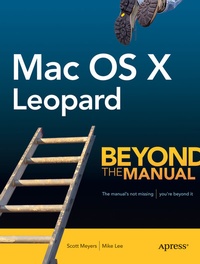
Mac OS X Leopard
Description

Good computer books make assumptions about the reader: what they do and don't know when they pick up the book, and what they want to know when they put it down. For each reader this could be very different; therefore, a book that suits one person may not be the best for another. Mac OS X Leopard: Beyond the Manual makes some assumptions too, ones that tend to differ from other Mac OS X books.
First of all, we assume that you have used a computer in that past: that you know how to use a mouse and you know the proper place to stick a DVD to get it to play in your computer. We won't be showing you these things. (We will, however, demonstrate to our Mac converts how to "right click" on a trackpad with only one button!).
Second, we assume you know what you want to do with your computer. We won't waste your time showing you specifically, step-by-step how to order a pizza from Pizza Galaxy in Milwaukee, Wisconsin with Safari (though, when you're done with this book we think you'll be able to do this just fine. if such a place exists, anyway).
Finally, we assume that you are a reasonably intelligent person who realizes the value of such phrases as "Give a man a fish; you have fed him for today. Teach a man to fish; and you have fed him for a lifetime" and can imagine how that might apply to a computer book.
If this sounds like you, then we think you'll find this book rewarding.
Inside you will find everything you need to get up to speed with Mac OS X Leopard including:
- Using the standard included Leopard applications including Mail, Safari, Preview, and more
- Taking advantage of the Darwin subsystem in Leopard
- Learning all the ins and outs of the Finder and Leopards improved interface
- Administering your computer for yourself and for others
- Working with other computers and operating systems from you Mac
- Configuring the network to take full advantageof the powerful networking capabilities in Leopard
- Working with add on devices via USB,Firewire, and Bluetooth
- Effectively implementing data backup, recovery and security
- Getting started with OS X development in Leopard
Reviews / Votes
From the reviews:
"Chapters illustrate the basic features of Leopard using screen shots and table listings of commands . . I would recommend this book as a good starting point for someone who wants to find out about the development tools available in Leopard." (P. Spoerri, Computing Reviews, Vol. 50 (1), January, 2009)
More details
Other editions
Additional editions