

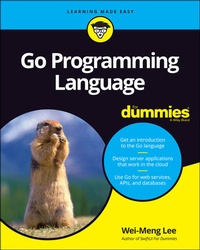
Go Programming Language For Dummies
1st Edition
Published on 29. March 2021
336 pages
978-1-119-78620-7 (ISBN)
Description

Ready, set, program with Go!
Now is the perfect time to learn the Go Programming Language. It's one of the most in-demand languages among tech recruiters and developers love its simplicity and power. Go Programming Language For Dummies is an easy way to add this top job skill to your toolkit. Written for novice and experienced coders alike, this book traverses basic syntax, writing functions, organizing data, building packages, and interfacing with APIs.
Go--or GoLang, as it's also known--has proven to be a strong choice for developers creating applications for the cloud-based world we live in. This book will put you on the path to using the language that's created some of today's leading web applications, so you can steer your career where you want to Go!
* Learn how Go works and start writing programs and modules
* Install and implement the most powerful third-party Go packages
* Use Go in conjunction with web services and MySQL databases
* Keep your codebase organized and use Go to structure data
With this book, you can join the growing numbers of developers using Go to create 21st century solutions. Step inside to take start writing code that puts data in users' hands.
Now is the perfect time to learn the Go Programming Language. It's one of the most in-demand languages among tech recruiters and developers love its simplicity and power. Go Programming Language For Dummies is an easy way to add this top job skill to your toolkit. Written for novice and experienced coders alike, this book traverses basic syntax, writing functions, organizing data, building packages, and interfacing with APIs.
Go--or GoLang, as it's also known--has proven to be a strong choice for developers creating applications for the cloud-based world we live in. This book will put you on the path to using the language that's created some of today's leading web applications, so you can steer your career where you want to Go!
* Learn how Go works and start writing programs and modules
* Install and implement the most powerful third-party Go packages
* Use Go in conjunction with web services and MySQL databases
* Keep your codebase organized and use Go to structure data
With this book, you can join the growing numbers of developers using Go to create 21st century solutions. Step inside to take start writing code that puts data in users' hands.
More details
Other editions
Additional editions
Wei-Meng Lee
Go Programming Language For Dummies
Book
06/2021
1st Edition
Wiley
€33.00
Shipment within 15-20 days
Person
Wei-Meng Lee is founder of Developer Learning Solutions, specializing in hands-on technology training. His name regularly appears in publications like DevX.com, MobiForge.com, and CODE Magazine. He is also the author of SwiftUI For Dummies, Beginning Swift Programming, Python Machine Learning, and Learning WatchKit Programming.
Content
- Intro
- Title Page
- Copyright Page
- Table of Contents
- Introduction
- About This Book
- Foolish Assumptions
- Icons Used in This Book
- Beyond the Book
- Where to Go from Here
- Part 1 Getting Started with Go
- Chapter 1 Hello, Go!
- Seeing What Learning Go Can Do for You
- Installing Go on Your Machine
- macOS
- Windows
- Using an Integrated Development Environment with Go
- Writing Your First Go Program
- Compiling and running the program
- Understanding how a Go program works
- Making sense of the Go file structure
- Compiling for multiple operating systems
- Comparing Go with Other Languages
- Syntax
- Compilation
- Concurrency
- Library support
- Chapter 2 Working with Different Data Types
- Declaring Always-Changing Variables
- Using the var keyword: Type-inferred variables
- Specifying the data type: Explicitly typed variables
- Using the short variable declaration operator
- Declaring Never-Changing Constants
- Removing Unused Variables
- Dealing with Strings
- Performing Type Conversions
- Discovering the type of a variable
- Converting a variable's type
- Interpolating strings
- Chapter 3 Making Decisions
- Using If/Else Statements to Make Decisions
- Laying the foundation for the if/else statement: Logical and comparison operators
- Using the if/else statement
- Short-circuiting: Evaluating conditions in Go
- When You Have Too Many Conditions: Using the Switch Statement
- Switching with fall-throughs
- Matching multiple cases
- Switching without condition
- Chapter 4 Over and Over and Over: Using Loops
- Performing Loops Using the for Statement
- Iterating over a Range of Values
- Iterating through arrays/slices
- Iterating through a string
- Using Labels with the for Loop
- Chapter 5 Grouping Code into Functions
- Defining a Function
- Defining functions with parameters
- Defining functions with multiple parameters
- Passing arguments by value and by pointer
- Returning values from functions
- Naming return values
- Working with variadic functions
- Using Anonymous Functions
- Declaring an anonymous function
- Implementing closure using anonymous functions
- Implementing the filter() function using closure
- Part 2 Working with Data Structures
- Chapter 6 Slicing and Dicing Using Arrays and Slices
- Arming Yourself to Use Arrays
- Declaring an array
- Initializing an array
- Working with multidimensional arrays
- Sleuthing Out the Secrets of Slices
- Creating an empty slice
- Creating and initializing a slice
- Appending to a slice
- Slicing and Ranging
- Extracting part of an array or slice
- Iterating through a slice
- Making copies of an array or slice
- Inserting an item into a slice
- Removing an item from a slice
- Chapter 7 Defining the Blueprints of Your Data Using Structs
- Defining Structs for a Collection of Items
- Creating a Go Struct
- Making a Copy of a Struct
- Defining Methods in Structs
- Comparing Structs
- Chapter 8 Establishing Relationships Using Maps
- Creating Maps in Go
- Initializing a map with a map literal
- Checking the existence of a key
- Deleting a key
- Getting the number of items in a map
- Iterating over a map
- Getting all the keys in a map
- Setting the iteration order in a map
- Sorting the items in a map by values
- Using Structs and Maps in Go
- Creating a map of structs
- Sorting a map of structs
- Chapter 9 Encoding and Decoding Data Using JSON
- Getting Acquainted with JSON
- Object
- String
- Boolean
- Number
- Object
- Array
- null
- Decoding JSON
- Decoding JSON to a struct
- Decoding JSON to arrays
- Decoding embedded objects
- Mapping custom attribute names
- Mapping unstructured data
- Encoding JSON
- Encoding structs to JSON
- Encoding interfaces to JSON
- Chapter 10 Defining Method Signatures Using Interfaces
- Working with Interfaces in Go
- Defining an interface
- Implementing an interface
- Looking at How You May Use Interfaces
- Adding methods to a type that doesn't satisfy an interface
- Using the Stringer interface
- Implementing multiple interfaces
- Using an empty interface
- Determining whether a value implements a specific interface
- Part 3 Multitasking in Go
- Chapter 11 Threading Using Goroutines
- Understanding Goroutines
- Using Goroutines with Shared Resources
- Seeing how shared resources impact goroutines
- Accessing shared resources using mutual exclusion
- Using atomic counters for modifying shared resources
- Synchronizing Goroutines
- Chapter 12 Communicating between Goroutines Using Channels
- Understanding Channels
- How channels work
- How channels are used
- Iterating through Channels
- Asynchronously Waiting on Channels
- Using Buffered Channels
- Part 4 Organizing Your Code
- Chapter 13 Using and Creating Packages in Go
- Working with Packages
- Creating shareable packages
- Organizing packages using directories
- Using Third-Party Packages
- Emojis for Go
- Go Documentation
- Chapter 14 Grouping Packages into Modules
- Creating a Module
- Testing and Building a Module
- Publishing a Module on GitHub
- Part 5 Seeing Go in Action
- Chapter 15 Consuming Web APIs Using Go
- Understanding Web APIs
- Fetching Data from Web Services in Go
- Writing a Go program to connect to a web API
- Decoding JSON data
- Refactoring the code for decoding JSON data
- Fetching from multiple web services at the same time
- Returning Goroutine's results to the main() function
- Chapter 16 Getting Ready to Serve Using REST APIs
- Building Web Services Using REST APIs
- HTTP messages
- REST URLs
- REST methods
- REST response
- Creating a REST API in Go
- Getting your REST API up and running
- Testing the REST API
- Registering additional paths
- Passing in query string
- Specifying request methods
- Storing the course information on the REST API
- Testing the REST API again
- Chapter 17 Working with Databases
- Setting Up a MySQL Database Server
- Interfacing with the MySQL server
- Creating a database and table
- Creating a new account and granting permission
- Connecting to the MySQL Database in Go
- Retrieving a record
- Adding a record
- Modifying a record
- Deleting a record
- Part 6 The Part of Tens
- Chapter 18 Ten Useful Go Packages to Create Applications
- color
- Installation
- Code sample
- now
- Installation
- Code sample
- go-pushbullet
- Installation
- Code sample
- goid
- Installation
- Code sample
- json2go
- Installation
- Code sample
- gojq
- Installation
- Code sample
- turtle
- Installation
- Code sample
- go-http-client
- Installation
- Code sample
- notify
- Installation
- Code sample
- gosx-notifier
- Installation
- Code sample
- Chapter 19 Ten Great Go Resources
- The Official Go Website
- Go by Example
- A Tour of Go
- The Go Frequently Asked Questions
- The Go Playground
- Go Bootcamp
- Effective Go
- Gophercises
- Tutorialspoint
- Stack Overflow
- Index
- EULA
