

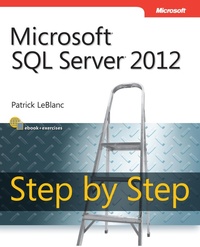
Microsoft SQL Server 2012 Step by Step
1st Edition
Published on 15. February 2013
480 pages
978-0-7356-7003-7 (ISBN)
Description

Your hands-on, step-by-step guide to building applications with Microsoft SQL Server 2012
Teach yourself the programming fundamentals of SQL Server 2012-one step at a time. Ideal for beginning SQL Server database administrators and developers, this tutorial provides clear guidance and practical, learn-by-doing exercises for building database solutions that solve real-world business problems.
Discover how to:
Install and work with core components and tools
Create tables and index structures
Manipulate and retrieve data
Secure, manage, back up, and recover databases
Apply techniques for building high-performing applications
Use clustering, database mirroring, and log shipping
Teach yourself the programming fundamentals of SQL Server 2012-one step at a time. Ideal for beginning SQL Server database administrators and developers, this tutorial provides clear guidance and practical, learn-by-doing exercises for building database solutions that solve real-world business problems.
Discover how to:
Install and work with core components and tools
Create tables and index structures
Manipulate and retrieve data
Secure, manage, back up, and recover databases
Apply techniques for building high-performing applications
Use clustering, database mirroring, and log shipping
More details
Series
Edition
1. Auflage
Language
English
Place of publication
Redmond
United States
Target group
College/higher education
File size
12,93 MB
ISBN-13
978-0-7356-7003-7 (9780735670037)
Copyright in bibliographic data and cover images is held by Nielsen Book Services Limited or by the publishers or by their respective licensors: all rights reserved.
Schweitzer Classification
Other editions
Additional editions
Patrick LeBlanc
Microsoft SQL Server 2012 Step by Step
Book
02/2013
Microsoft Press
€65.79
Article exhausted; check different version
Person
Patrick LeBlanc is a Data Platform Technical Solution Professional at Microsoft, working directly with customers on the business value of SQL Server. He co-authored SharePoint 2010 Business Intelligence 24-Hour Trainer and Knight's Microsoft Business Intelligence 24-Hour Trainer, and founded www.sqllunch.com, a website devoted to teaching SQL Server technologies.
Content
Introduction
Getting started with Microsoft SQL Server 2012
Chapter 1: Overview of Microsoft SQL Server 2012
Chapter 2: Installing, Configuring, and Upgrading Microsoft SQL Server 2012
Chapter 3: Using SQL Server 2012 administration and development tools
Designing databases
Chapter 4: Designing SQL Server databases
Chapter 5: Creating your first table
Chapter 6: Building and maintaining indexes
Advanced database design topics
Chapter 7: Table compression
Chapter 8: Table partitioning
Chapter 9: Database snapshots
Chapter 10: The SELECT statement
Using Transact-SQL (T-SQL)
Chapter 11: Advanced data retrieval topics
Chapter 12: Modifying data
Chapter 13: Built-in scalar functions
Creating other database objects
Chapter 14: Advanced T-SQL topics
Chapter 15: Views
Chapter 16: User-defined functions
Chapter 17: Stored procedures
Chapter 18: Data manipulation triggers
SQL Server replication
Chapter 19: Replication
Database maintenance
Chapter 20: Backups
Chapter 21: Managing and maintaining indexes and statistics
Chapter 22: Maintenance plans
Database management
Chapter 23: SQL Server Profiler
Chapter 24: Extended Events
Chapter 25: SQL Server security
Chapter 26: Resource Governor
Chapter 27: SQL Server Agent
Chapter 28: Database Mail
Chapter 29: Data definition triggers
Chapter 30: Dynamic management objects
High-availability solutions
Chapter 31: AlwaysOn
Chapter 32: Log shipping
About the Author
Getting started with Microsoft SQL Server 2012
Chapter 1: Overview of Microsoft SQL Server 2012
Chapter 2: Installing, Configuring, and Upgrading Microsoft SQL Server 2012
Chapter 3: Using SQL Server 2012 administration and development tools
Designing databases
Chapter 4: Designing SQL Server databases
Chapter 5: Creating your first table
Chapter 6: Building and maintaining indexes
Advanced database design topics
Chapter 7: Table compression
Chapter 8: Table partitioning
Chapter 9: Database snapshots
Chapter 10: The SELECT statement
Using Transact-SQL (T-SQL)
Chapter 11: Advanced data retrieval topics
Chapter 12: Modifying data
Chapter 13: Built-in scalar functions
Creating other database objects
Chapter 14: Advanced T-SQL topics
Chapter 15: Views
Chapter 16: User-defined functions
Chapter 17: Stored procedures
Chapter 18: Data manipulation triggers
SQL Server replication
Chapter 19: Replication
Database maintenance
Chapter 20: Backups
Chapter 21: Managing and maintaining indexes and statistics
Chapter 22: Maintenance plans
Database management
Chapter 23: SQL Server Profiler
Chapter 24: Extended Events
Chapter 25: SQL Server security
Chapter 26: Resource Governor
Chapter 27: SQL Server Agent
Chapter 28: Database Mail
Chapter 29: Data definition triggers
Chapter 30: Dynamic management objects
High-availability solutions
Chapter 31: AlwaysOn
Chapter 32: Log shipping
About the Author
