
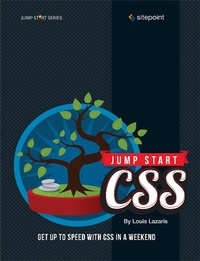
Jump Start CSS
Description
Alles über E-Books | Antworten auf Fragen rund um E-Books, Kopierschutz und Dateiformate finden Sie in unserem Info- & Hilfebereich.
This short SitePoint book provides readers with a fun and yet practical introduction to Cascading Style Sheets (CSS), the language used to style and lay out all web pages. This book will quickly get you up to speed with the fundamentals of CSS and give you the confidence to start experimenting on your own.
It covers:
- Layout techniques
- Images, backgrounds, text
- Navigation
- Getting fancy with CSS3
The book is built around a real-life example project: a recipe website design. It's a fun and easily understandable project that is used to demonstrate the concepts outlined in the book in a practical way. This is a clear, approachable and very easy-to-follow book that will get you to to speed with CSS in no time.
More details
Other editions
Additional editions
Person
Louis Lazaris is a freelance web designer and front-end developer. He has been involved in web design since the days when table layouts and one-pixel GIF's dominated the industry. Louis writes for a number of top web design blogs including his own site, Impressive Webs.

System requirements
File format: ePUB
Copy protection: Adobe-DRM (Digital Rights Management)
System requirements:
- Computer (Windows; MacOS X; Linux): Install the free reader Adobe Digital Editions prior to download (see eBook Help).
- Tablet/smartphone (Android; iOS): Install the free app Adobe Digital Editions or the app PocketBook before downloading (see eBook Help).
- E-reader: Bookeen, Kobo, Pocketbook, Sony, Tolino and many more (not Kindle).
The file format ePub works well for novels and non-fiction books – i.e., „flowing” text without complex layout. On an e-reader or smartphone, line and page breaks automatically adjust to fit the small displays.
This eBook uses Adobe-DRM, a „hard” copy protection. If the necessary requirements are not met, unfortunately you will not be able to open the eBook. You will therefore need to prepare your reading hardware before downloading.
Please note: We strongly recommend that you authorise using your personal Adobe ID after installation of any reading software.
For more information, see our ebook Help page.