

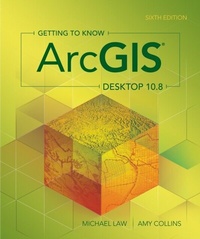
Getting to Know ArcGIS Desktop 10.8
Description

Want to get up and running with ArcGIS® Desktop? Start here.
Getting to Know ArcGIS Desktop 10.8, sixth edition, is the classic textbook that introduces readers to the features and tools of ArcGIS Desktop, specifically ArcMapTM, the popular professional geographic information system (GIS) application from Esri. Rooted in the science of geography, GIS is a framework for gathering, managing, and analyzing data using map visualizations and location intelligence. GIS and ArcGIS have become essential to thousands of businesses and organizations.
Through hands-on exercises, readers get a comprehensive introduction to the features and tools of ArcMap. Learn how to build geodatabases, query data, analyze geospatial data, and more. This edition of Getting to Know ArcGIS Desktop 10.8 has been updated to function with the most current version of the software, ArcGIS Desktop 10.8.x. Data for completing the exercises are available for download.
Explore why Getting to Know ArcGIS Desktop 10.8 is a top-selling choice for classroom use, independent study, and as a reference for students and professionals alike.
All prices
More details
Other editions
Additional editions
Persons
Michael Law has worked professionally with GIS since 2004 when he began at Rand McNally Canada and later worked as a cartographer for Esri Press, where he developed cartography for books, and edited and tested GIS workbooks. Now based in Toronto, Canada, Law continues to work with GIS software, writing technical documentation, teaching training courses, and designing and optimizing user interfaces.
Amy Collins was first introduced to GIS in 2002 when she began working as a technical editor at Esri. There, she honed her GIS skills and cultivated an interest in designing effective instructional materials. Now a writer and editor based in Northern California, she continues to develop GIS materials, among other projects.
Content
Contents
Preface
Acknowledgments
Part 1: Getting to know GIS
Chapter 1: Introducing GIS
Chapter 2: Introducing ArcGIS
Part 2: Getting started with maps and data
Chapter 3: Interacting with maps
Exercise 3a: Display map data
Exercise 3b: Navigate a map
Exercise 3c: Use basic tools
Exercise 3d: Look at feature attributes
Chapter 4: Interacting with data
Exercise 4a:Browse through map data
Exercise 4b: Add data to a map
Exercise 4c: Work with map layers
Chapter 5: Exploring online resources
Exercise 5a: Create a web map
Exercise 5b: Merge online and local layers
Exercise 5c: Share a map package
Part 3: Displaying and presenting data
Chapter 6: Working with coordinate systems and projections
Exercise 6a: Examine coordinate systems
Exercise 6b: Project data
Exercise 6c: Define a map projection
Exercise 6d: Georeference a raster
Chapter 7: Symbolizing features
Exercise 7a: Create custom symbology
Exercise 7b: Symbolize features by categorical attributes
Exercise 7c: Use styles and create layer files
Exercise 7d: Symbolize rasters
Chapter 8: Classifying features
Exercise 8a: Classify features by standard methods
Exercise 8b: Map density
Exercise 8c: Use graduated and chart symbols
Chapter 9: Labeling features
Exercise 9a: Use dynamic labels
Exercise 9b: Set rules for label placement
Exercise 9c: Create graphic labels
Exercise 9d: Convert dynamic labels to annotation
Chapter 10: Making maps for presentation
Exercise 10a: Create a layout
Exercise 10b: Add titles and text
Exercise 10c: Add standard map elements
Exercise 10d: Add final touches and set print options
Part 4: Creating and editing data
Chapter 11: Building geodatabases
Exercise 11a: Create a geodatabase
Exercise 11b: Create feature classes
Chapter 12: Creating features
Exercise 12a: Draw features
Exercise 12b: Use more construction tools
Chapter 13: Editing features
Exercise 13a: Delete and modify features
Exercise 13b: Split and merge features
Exercise 13c: Edit feature attribute values
Chapter 14: Geocoding addresses
Exercise 14a: Create an address locator
Exercise 14b: Match addresses
Exercise 14c: Rematch addresses
Part 5: Getting information about features
Chapter 15: Querying data
Exercise 15a: Select and find features
Exercise 15b: Use attribute queries
Exercise 15c: Create reports
Chapter 16: Selecting features by location
Exercise 16a: Use location queries
Exercise 16b: Combine attribute and location queries
Chapter 17: Joining and relating data
Exercise 17a: Join data by attribute
Exercise 17b: Relate data
Exercise 17c: Join data by location
Part 6: Analyzing geospatial data
Chapter 18: Preparing data for analysis
Exercise 18a: Dissolve features
Exercise 18b: Clip layers
Exercise 18c: Create a data subset
Exercise 18d: Run tools in a model
Chapter 19: Geoprocessing vector data
Exercise 19a: Buffer features
Exercise 19b: Overlay data
Exercise 19c: Calculate attribute values
Exercise 19d: Create graphs
Chapter 20: Using Spatial Analyst
Exercise 20a: Create raster surfaces
Exercise 20b: Combine raster surfaces
Appendix
Data source credits
Glossary
Index
