

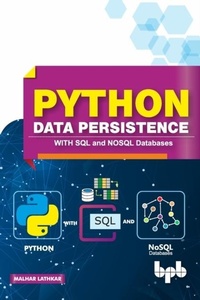
Python Data Persistence
With SQL and NOSQL Databases
1st Edition
Published on 15. January 2019
310 pages
978-93-88176-17-0 (ISBN)
Description

No detailed description available for "Python Data Persistence".
More details
Other editions
Additional editions
Malhar Lathkar
Python Data Persistence with SQL and Nosql Databases
Book
08/2019
BPB Publications
€41.12
Article not available for order
Content
- Cover Page
- Title Page
- Copyright Page
- Preface
- About the Author
- Code Bundle
- Table of Contents
- 1. Getting Started
- 1.1 Installation
- 1.2 Interactive Mode
- 1.3 Scripting Mode
- 1.4 Identifiers
- 1.5 Statements
- 1.6 Indents
- 1.7 Comments
- 1.8 Data Types
- 1.9 Variables
- 1.10 Built-in Functions
- 1.11 Methods of Built-in Data Type Classes
- 2. Program Flow Control
- 2.1 Decision Control
- 2.2 Repetition
- 2.3 while Statement
- 2.4 for Keyword
- 2.5 Using Range
- 2.6 for loop with Dictionary
- 2.7 Repetition Control
- 2.8 Nested Loops
- 2.9 List Comprehension
- 3. Structured Python
- 3.1 Function
- 3.2 math Module
- 3.3 os module
- 3.4 sys Module
- 3.5 User Defined Functions
- 3.6 Function with Parameters
- 3.7 return Keyword
- 3.8 Required Arguments
- 3.9 Parameter with Default Value
- 3.10 Keyword Arguments
- 3.11 Function with Variable Arguments
- 3.12 User Defined Modules
- 3.13 Package
- 3.14 Virtual Environment
- 4. Python - OOP
- 4.1 Class Keyword
- 4.2 Constructor
- 4.3 __slots__
- 4.4 Getters/setters
- 4.5 property() Function
- 4.6 @property Decorator
- 4.7 Class Level Attributes and Methods
- 4.8 Inheritance
- 4.9 Overriding
- 4.10 Magic Methods
- 5. File IO
- 5.1 Opening File
- 5.2 Writing to File
- 5.3 Reading a File
- 5.4 Write/Read Binary File
- 5.5 Simultaneous Read/Write
- 5.6 File Handling using os Module
- 5.7 File/Directory Management Functions
- 5.8 Exceptions
- 6. Object Serialization
- 6.1 pickle Module
- 6.2 shelve Module
- 6.3 dbm Modules
- 6.4 csv module
- 6.5 json Module
- 6.6 xml Package
- 6.7 plistlib Module
- 7. RDBMS Concepts
- 7.1 Drawbacks of Flat File
- 7.2 Relational Database
- 7.3 RDBMS Products
- 7.4 SQLite Installation
- 7.5 SQLite Data Types
- 7.6 CREATE TABLE
- 7.7 Constraints
- 7.8 INSERT Statement
- 7.9 SELECT Statement
- 7.10 UPDATE Statement
- 7.11 DELETE Statement
- 7.12 ALTER TABLE statement
- 7.13 DROP TABLE Statement
- 7.14 Transaction Control
- 7.15 MySQL
- 7.16 SQLiteStudio
- 8. Python DB-API
- 8.1 sqlite3 Module
- 8.2 Connection Object
- 8.3 Cursor Object
- 8.4 Creating Table
- 8.5 Inserting Rows
- 8.6 Updating Data
- 8.7 Deleting Rows
- 8.8 ResultSet Object
- 8.9 User Defined Functions
- 8.10 Row Object
- 8.11 Backup and Restore Database
- 8.12 Using pymysql Module
- 8.13 pyodbc Module
- 9. Python - SQLAlchemy
- 9.1 What is ORM?
- 9.2 SQLAlchemy ORM
- 9.3 ORM - Table Object and Mapped Class
- 9.4 ORM - Session object
- 9.5 ORM - Add Data
- 9.6 ORM - Querying
- 9.7 ORM - Filter criteria
- 9.8 ORM - Update Data
- 9.9 ORM - Relationships
- 9.10 Querying related tables (ORM)
- 9.11 SQLAlchemy Core
- 9.12 Core - Inserting Records
- 9.13 Core - Updating Records
- 10. Python and Excel
- 10.1 Excel with openpyxml
- 10.2 Creating a workbook
- 10.3 Read Data from Worksheet
- 10.4 Read Cell Range to List
- 10.5 Merge and Center
- 10.6 Define Formula
- 10.7 Copy Formula
- 10.8 Charts
- 10.9 Insert Image
- 10.10 Excel with Pandas
- 10.11 Pandas DataFrame to Excel
- 10.12 Read worksheet to Pandas DataFrame
- 11. Python - PyMongo
- 11.1 What is NOSQL?
- 11.2 MongoDB
- 11.3 Installation of MongoDB
- 11.4 MongoDB - Create Database
- 11.5 MongoDB - Insert Document
- 11.6 MongoDB - Querying Collection
- 11.7 MongoDB - Update Document
- 11.8 MongoDB - Delete Document
- 11.9 PyMongo Module
- 11.10 PyMongo - Add Collection
- 11.11 PyMongo - Querying Collection
- 11.12 PyMongo - Update Document
- 11.13 PyMongo - Relationships
- 12. Python - Cassandra
- 12.1 Cassandra Architecture
- 12.2 Installation
- 12.3 CQL Shell
- 12.4 Create Keyspace
- 12.5 Inserting Rows
- 12.6 Querying Cassandra Table
- 12.7 Table with Compound Partition Key
- 12.8 Python Cassandra Driver
- 12.9 Parameterized Queries
- 12.10 User-defined Types
- Appendix A: Alternate Python Implementations
- Appendix B: Alternate Python Distributions
- Appendix C: Built-in Functions
- Appendix D: Built-in Modules
- Appendix E: Magic Methods
- Appendix F: SQLite Dot Commands
- Appendix G: ANSI SQL Statements
- Appendix H: PyMongo API Methods
- Appendix I: Cassandra CQL Shell Commands
