

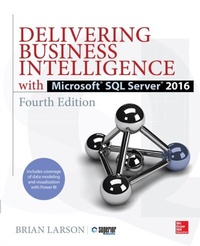
Delivering Business Intelligence with Microsoft SQL Server 2016, Fourth Edition
1st Edition
Published on 4. November 2016
931 pages
978-1-259-64149-7 (ISBN)
Available for download
Description

Distribute Actionable, Timely BI with Microsoft(R) SQL Server(R) 2016 and Power BIDrive better, faster, more informed decision making across your organization using the expert tips and best practices featured in this hands-on guide. Delivering Business Intelligence with Microsoft SQL Server 2016, Fourth Edition, shows, step-by-step, how to distribute high-performance, custom analytics to users enterprise-wide. Discover how to build BI Semantic Models, create data marts and OLAP cubes, write MDX and DAX scripts, and share insights using Microsoft client tools. The book includes coverage of self-service business intelligence with Power BI. Understand the goals and components of successful BI Build data marts, OLAP cubes, and Tabular models Load and cleanse data with SQL Server Integration Services Manipulate and analyze data using MDX and DAX scripts and queries Work with SQL Server Analysis Services and the BI Semantic Model Author interactive reports using SQL Server Data Tools Create KPIs and digital dashboards Implement time-based analytics Embed data model content in custom applications using ADOMD.NET Use Power BI to gather, model, and visualize data in a self-service environment
More details
Other editions
Additional editions
Book
11/2016
4th Edition
McGraw-Hill Education
€56.20
Shipment within 15-20 days
Content
- Cover
- About the Author
- Title Page
- Copyright Page
- Dedication
- Contents at a Glance
- Contents
- Acknowledgments
- Part I Business Intelligence
- Chapter 1 Equipping the Organization for Effective Decision Making
- Effective Decision Making
- Who Is a Decision Maker?
- What Is an Effective Decision?
- Keys to Effective Decision Making
- Are We Going Hither or Yon?
- Is Your Map Upside-Down?
- Panicked Gossip, the Crow's Nest, or the Wireless
- Business Intelligence
- Business Intelligence and Microsoft SQL Server 2016
- Chapter 2 Making the Most of What You've Got: Using Business Intelligence
- What Business Intelligence Can Do for You
- Types of Data Exploration
- Business Intelligence at Many Levels
- The Top of the Pyramid
- Mid-Level
- The Broad Base
- Maximum Miniatures, Inc.
- Business Needs
- Current Systems
- Building the Foundation
- Chapter 3 Seeking the Source: The Source of Business Intelligence
- Seeking the Source
- Transactional Data
- The Data Mart
- Features of a Data Mart
- Data Mart Structure
- Why Analysis Services?
- Chapter 4 Two, Two, Two Models in One: The BI Semantic Model
- Online Analytical Processing
- The BI Semantic Model
- Building OLAP Out of Cubes: The Multidimensional Model
- Features of a Multidimensional Model Implementation
- Architecture of a Multidimensional Model Implementation
- The Parts of a Multidimensional Model Implementation
- Building OLAP Out of Tables: The Tabular Model
- Features of a Tabular Model
- Architecture of a Tabular Model
- Choosing an Implementation Method
- Tools of the Trade
- Chapter 5 First Steps: Beginning the Development of Business Intelligence
- SQL Server Data Tools
- Visual Studio
- Installing SQL Server Data Tools
- Navigating SQL Server Data Tools
- SQL Server Data Tools Options
- SQL Server Management Studio
- Installing SQL Server Management Studio
- The SQL Server Management Studio User Interface
- Don Your Hardhat
- Part II Defining Business Intelligence Structures
- Chapter 6 Building Foundations: Creating Data Marts
- Data Mart
- Who Needs a Data Mart Anyway?
- Designing a Data Mart
- Decision Makers' Needs
- Available Data
- Data Mart Structures
- Creating a Data Mart Using the SQL Server Management Studio
- Creating a Data Mart Using SQL Server Data Tools
- Table Compression
- Types of Table Compression
- The Benefits of Integration
- Chapter 7 Transformers: Integration Services Structure and Components
- Integration Services
- Package Structure
- Package Items
- Control Flow
- Data Flow
- Getting Under the Sink
- Chapter 8 Fill 'er Up: Using Integration Services for Populating Data Marts
- Package Development Features
- Give It a Try
- Programming in Integration Services Packages
- Package Development Tools
- Change Data Capture
- Change Data Capture Architecture
- Loading a Data Mart Table from a Change Data Capture Change Table
- Loading a Fact Table
- Putting Integration Services Packages into Production
- Parameters
- The Integration Services Catalog
- Managing Packages in the Integration Services Catalog
- Executing Packages from the SSIS Catalog
- Meanwhile, Back at the BI Semantic Model
- Part III Working with a Tabular BI Semantic Model
- Chapter 9 Setting the Table: Creating a Tabular BI Semantic Model
- Preparation for Creating Tabular Models
- SQL Server Analysis Services Tabular Instance
- Managing the Workspace Database
- Creating a Tabular Model
- Data Sources for Our Tabular Models
- Measures in a Tabular Model
- Manually Creating a Time Table
- Relationships and Hierarchies
- Validating the Model Using the Analyze in Excel Feature
- A Second Tabular Model
- Data Persistence
- Calculated Columns
- Hierarchies Spanning Multiple Tables
- Putting More on the Table
- Chapter 10 A Fancy Table: Tabular BI Semantic Model Advanced Features
- Enhancing Our Tabular Model
- Table and Column Properties
- Adding Images to a Tabular Model
- Advanced Relationships and Filtering
- Parent/Child Relationships
- Multiple Relationships Between the Same Tables
- Partitions
- Perspectives
- DAX Expressions
- DAX Operators
- The Context for Measures and Calculated Columns
- Filtering Aggregates
- Table-Valued Functions
- Aggregate Functions
- DAX Functions for Time Analytics
- Additional DAX Functions
- Putting DAX Functions to Use
- Variables in the Tabular Model
- Declaring DAX Variables and Assigning a Value
- Using a DAX Variable
- Using Return in a Measure
- Deploying a Tabular Model
- Deploying from SQL Server Data Tools
- Completing the Deployment
- Deploying from the Analysis Services Deployment Wizard
- Another Model Awaits
- Part IV Working with a Multidimensional BI Semantic Model
- Chapter 11 Cubism: Measures and Dimensions
- Building a Multidimensional BI Semantic Model
- Creating a Cube
- Measures
- Measure Groups
- Made-Up Facts: Calculated Measures
- It Doesn't Add Up: Measure Aggregates Other Than Sum
- Dimensions
- Managing Dimensions
- Relating Dimensions to Measure Groups
- Types of Dimensions
- Slowly Changing Dimensions
- You Are Special
- Chapter 12 Bells and Whistles: Special Features of OLAP Cubes
- Where No Cube Has Gone Before
- Deploying and Processing
- Deploying from SQL Server Data Tools
- Deploying from the Analysis Services Deployment Wizard
- Additional Cube Features
- Linked Objects
- The Business Intelligence Wizard
- Key Performance Indicators
- Actions
- Partitions
- Aggregation Design
- Perspectives
- Translations
- Creating Translations
- More Sophisticated Scripting
- Chapter 13 Writing a New Script: MDX Scripting
- Terms and Concepts
- Where Are We?
- Getting There from Here
- Putting MDX Scripting to Work
- Cube Security
- This Year-to-Last Year Comparisons and Year-to-Date Rollups
- Extracting Data from Cubes
- Chapter 14 Pulling It Out and Building It Up: MDX Queries
- The MDX SELECT Statement
- The Basic MDX SELECT Statement
- Additional Tools for Querying
- Additional Dimensions
- Additional MDX Syntax
- Operators
- Functions
- Feel the Power
- Part V Modeling and Visualizing with Power BI
- Chapter 15 Power to the People: Loading Data with Power BI
- The Power BI Architecture
- Many Manifestations
- Power BI Desktop
- PowerBI.com
- Power BI Content on Premises
- Power BI Mobile
- Constant Improvement
- Obtaining the Power BI Desktop Software
- The Power BI Data Engine
- Getting Started with Power BI: Gathering Data
- The Start Dialog Box
- Get Data
- Creating Your First Power BI Content
- Using Live Connection
- Connection Types and Direct Query
- Transforming Data During the Data Import
- The Power BI Query Editor
- A New Sample: World Population
- Transformations
- Advanced Editor and Power Query Formula Language
- Parameters
- Putting Parameters to Use
- Delivering the Power
- Chapter 16 I Can See Clearly Now: Data Visualization with Power BI Reporting
- Enhancing Power BI Data Models
- Relationships and Intermediate Tables
- Formatting and Categories
- Hierarchies
- Power BI Data Visualizations
- Basic Visualization
- High Interactivity
- Mapping
- Additional Visualization Elements
- DAX Calculations
- Calculated Column: Order Weight
- Time Analytics
- Context Override: Percent of Total
- Additional Power BI Features
- Roles
- Synonyms
- Import and Export
- PowerBI.com
- Signing In to PowerBI.com
- Publishing
- Refreshing Data Online
- On-premises Power BI Publishing
- Special Delivery
- Part VI Delivering
- Chapter 17 Special Delivery: Microsoft Business Intelligence Client Tools
- Front-End BI Tools from Microsoft
- Selecting a Front-End BI Tool
- A Bit of Knowledge Is a Big Help
- Reporting Services
- Reporting Services Paginated Reports
- Paginated Report Structure
- Paginated Report Delivery
- Data Regions
- Creating a Reporting Services Paginated Report
- Reporting Services Mobile Reports
- Creating a Reporting Services Mobile Report
- Reporting Services Key Performance Indicators
- Creating a Reporting Services Key Performance Indicator
- Excel
- Creating Pivot Tables and Pivot Charts
- Pivot Chart
- PerformancePoint Services in SharePoint
- Creating a Site Collection Using the Business Intelligence Center Template
- Creating a Dashboard Using PerformancePoint Services
- Putting It All Together
- Chapter 18 Let's Get Together: Integrating Business Intelligence with Your Applications
- ADOMD.NET
- ADOMD.NET
- ADOMD.NET Example
- Integrating a Reporting Services Report with an Application
- Report Server
- Folders
- The Web Portal
- Deploying Reports Using SQL Server Data Tools
- Web Service Access
- Great Capabilities, Great Opportunities
- Index

