

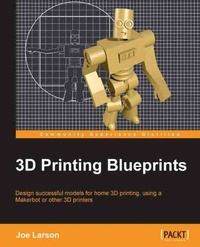
3D Printing Blueprints
Using the free open-source Blender software, anyone can design models for 3D printing. Fantastic fun and a great experience whether or not you have a 3D printer, this book is a crash course in the new technology.
1st Edition
Published on 13. January 2025
310 pages
978-1-84969-709-5 (ISBN)
Description

Using the free open-source Blender software, anyone can design models for 3D printing. Fantastic fun and a great experience whether or not you have a 3D printer, this book is a crash course in the new technology.Key Features - Design 3D models that will print successfully using Blender, a free 3D modelling program
- Customize, edit, repair, and then share your creations on Makerbot's Thingiverse website
- Easy-to-follow guide on 3D printing; learn to create a new model at the end of each chapter
Book DescriptionA new industrial age is here. Machines designed to build useful and interesting objects have moved from the factory to the home. Whether you have a 3D printer or not, learning how to design your first 3D models is the best way to become part of the 3D printing movement. 3D Printing Blueprints will teach you, step by step, the tools and techniques of using Blender, a free 3D modelling program, to build 3D models for printing with simple and fun hands-on projects.3D Printing Blueprints uses engaging and fun projects that teach Blender modeling for 3D printing through hands-on lessons. First you'll learn basic modeling and make a small simple object. Then each new project brings with it new tools and techniques as well as teaching the rules of 3D printing design. Eventually you'll be building objects designed to repair or replace everyday objects. Finally you'll be able to even tackle other people's models and fix them to be 3D printable. Through the course of doing the blueprints you will custom build one-of-a-kind objects that you can call your own. Starting from a custom vase formed from a picture, lessons will progress to a multi-part modular robot toy. Then simple machines will be designed with custom gears and functions. Eventually you'll learn how to download models from the Internet and make custom objects. Finally you'll be able to build models with near real life specifications and make a print that can be used for small object repair. 3D Printing Blueprints will teach you everything you need to know about building custom 3D models to print successfully on modern home 3D printers.What you will learn - Use the rules of Y, H, and T to guide your designs
- Build 3D objects from simple shapes
- Edit shapes using modifiers and directly modify their geometry
- Build objects to real-life specifications
- Make interconnecting parts
- Build machines that will perform simple tasks
- Learn about sculpting tools that will allow for the creation of organic shapes
- Reproduce the shape of real-life objects in the virtual space accurately
- Repair downloaded 3D models that may not be ready to print
- Edit the settings on your 3D printer to make cool print effects
Who this book is for"3D Printing Blueprints" is for anyone with an interest in the 3D printing revolution and the slightest bit of computer skills. Whether you own a 3D printer or not you can design for them. All it takes is Blender, a free 3D modeling tool. Couple this book with a little creativity and someday you'll be able to hold something you designed on the computer in your hands.
- Customize, edit, repair, and then share your creations on Makerbot's Thingiverse website
- Easy-to-follow guide on 3D printing; learn to create a new model at the end of each chapter
Book DescriptionA new industrial age is here. Machines designed to build useful and interesting objects have moved from the factory to the home. Whether you have a 3D printer or not, learning how to design your first 3D models is the best way to become part of the 3D printing movement. 3D Printing Blueprints will teach you, step by step, the tools and techniques of using Blender, a free 3D modelling program, to build 3D models for printing with simple and fun hands-on projects.3D Printing Blueprints uses engaging and fun projects that teach Blender modeling for 3D printing through hands-on lessons. First you'll learn basic modeling and make a small simple object. Then each new project brings with it new tools and techniques as well as teaching the rules of 3D printing design. Eventually you'll be building objects designed to repair or replace everyday objects. Finally you'll be able to even tackle other people's models and fix them to be 3D printable. Through the course of doing the blueprints you will custom build one-of-a-kind objects that you can call your own. Starting from a custom vase formed from a picture, lessons will progress to a multi-part modular robot toy. Then simple machines will be designed with custom gears and functions. Eventually you'll learn how to download models from the Internet and make custom objects. Finally you'll be able to build models with near real life specifications and make a print that can be used for small object repair. 3D Printing Blueprints will teach you everything you need to know about building custom 3D models to print successfully on modern home 3D printers.What you will learn - Use the rules of Y, H, and T to guide your designs
- Build 3D objects from simple shapes
- Edit shapes using modifiers and directly modify their geometry
- Build objects to real-life specifications
- Make interconnecting parts
- Build machines that will perform simple tasks
- Learn about sculpting tools that will allow for the creation of organic shapes
- Reproduce the shape of real-life objects in the virtual space accurately
- Repair downloaded 3D models that may not be ready to print
- Edit the settings on your 3D printer to make cool print effects
Who this book is for"3D Printing Blueprints" is for anyone with an interest in the 3D printing revolution and the slightest bit of computer skills. Whether you own a 3D printer or not you can design for them. All it takes is Blender, a free 3D modeling tool. Couple this book with a little creativity and someday you'll be able to hold something you designed on the computer in your hands.
All prices
More details
Person
Larson Joe :
Joe Larson, known online as "the 3D Printing Professor," is one part artist, one part mathematician, one part teacher, and one part technologist. It all started in his youth, doing BASIC programming and low-resolution digital art on a Commodore 64. As technology progressed, so did Joe's dabbling, eventually taking him to 3D modeling while in high school and college, and he momentarily pursued a degree in computer animation. He abandoned that and instead became a math teacher, and then moved to software development for 10 years before returning to education, teaching technology in college. When Joe first heard about 3D printing, it took root in his mind, and he went back to dust off his 3D modeling skills. In 2012, he won a Makerbot Replicator 3D printer in the Tinkercad/Makerbot Chess Challenge, with a chess set that assembles into a robot. Since then, his designs on Thingiverse have been featured on Thingiverse, Gizmodo, Shapeways, Makezine, and other places. He currently produces weekly videos about design for 3D printing on his YouTube channel, http://www.youtube.com/user/mrjoesays.
Joe Larson, known online as "the 3D Printing Professor," is one part artist, one part mathematician, one part teacher, and one part technologist. It all started in his youth, doing BASIC programming and low-resolution digital art on a Commodore 64. As technology progressed, so did Joe's dabbling, eventually taking him to 3D modeling while in high school and college, and he momentarily pursued a degree in computer animation. He abandoned that and instead became a math teacher, and then moved to software development for 10 years before returning to education, teaching technology in college. When Joe first heard about 3D printing, it took root in his mind, and he went back to dust off his 3D modeling skills. In 2012, he won a Makerbot Replicator 3D printer in the Tinkercad/Makerbot Chess Challenge, with a chess set that assembles into a robot. Since then, his designs on Thingiverse have been featured on Thingiverse, Gizmodo, Shapeways, Makezine, and other places. He currently produces weekly videos about design for 3D printing on his YouTube channel, http://www.youtube.com/user/mrjoesays.

