

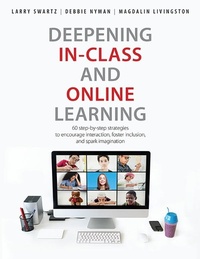
Deepening In-Class and Online Learning
60 step-by-step strategies to encourage interaction, foster inclusion, and spark imagination
Published on 25. August 2021
196 pages
978-1-55138-952-3 (ISBN)
Description

This timely book shows teachers how to make learning joyful as they translate successful classroom strategies to virtual learning. More than 60 step-by-step strategies encourage interaction, foster inclusion, and spark imagination. Each activity is presented in a consistent format, ready-to-use in-class and for online learning. Whether teaching virtually or adding digital activities to in-class instruction, this book explores effective ways for students to present, communicate, and collaborate. Innovative activities range from discussing hot topics and sharing personal stories to visual boards and digital storytelling. An up-to-date glossary of digital tools helps to make sense of the shifting landscape in today's classrooms.
More details
Other editions
Additional editions
Larry Swartz | Debbie Nyman | Magdalin Livingston
Deepening In-Class and Online Learning
60 Step-by-Step Strategies to Encourage Interaction, Foster Inclusion, and Spark Imagination
Book
10/2021
1st Edition
Pembroke Publishing Ltd
€31.00
Shipment within 3-4 weeks
Content
- Cover
- Title Page
- Copyright Page
- Contents
- Foreword
- Introduction
- Chapter 1: Teachers Can Teach Virtually Anything
- How Can We Meet the Challenges of Going Virtual?
- Let's Talk Tech
- Inspiring to Learn
- To Mute or Not to Mute
- Equity in Resources and Parent Involvement
- Considering Mental Health
- Can My Virtual Class Really Become a Community?
- Guest Voice: Teaching Virtually: One Teacher's Journey
- Glossary of Terms, Tools, and Apps
- Chapter 2: Let's Play
- That's Me!
- Are You More Like.?
- Guest Voice: Designing an Alliance of Mutual Respect through Games
- Count with Me.1, 2, 3
- Scavenger Hunt
- This Is a Pencil
- Word Games
- Would You Rather.?
- Brain Break Games
- Guest Voices: Give Me a Break.a Brain Break, Please!
- Chapter 3: Let's Communicate
- Class Meeting
- Guest Voice: Creating Caring Classrooms through Class Meetings
- Prompts/Thinking Stems
- What's the Question?
- Assumption Guide
- The Most Important Thing to Me
- Impromptu Speech
- Gallery Walk
- Hot Topic
- Guest Voice: Jamboard Connections
- Chapter 4: Let's Collaborate
- Brainstorming
- Jigsaw
- Guest Voice: Google Docs
- Graphic Organizer
- Drawing Together
- Playing with a Poem
- Ranking
- May I Quote You?
- Chapter 5: Let's Role-Play
- Let's Imagine
- What If.?
- Hot Seating
- Teacher in Role
- Minimal Script
- Improvised Conversation
- Writing in Role
- Chapter 6: Let's Move
- Name Game
- Move to My Name
- "Yes, Let's!"
- Guest Voice: Yes, Even Dance Can Be Taught Virtually
- Follow the Leader
- Movement Map
- Mindfulness
- Guest Voice: Take a Deep Breath: Online Mindfulness
- Chapter 7: Let's Story
- What's Your Name?
- From Word to Story
- Fact or Fiction
- Every Picture Tells a Story
- Storytelling in Role
- Tic-Tac-Tale
- Talking Object
- Chapter 8: Let's Present
- Portrait Poem
- Public Service Announcement (PSA)
- Talk Show
- Performing a Poem
- Story Theater
- Reader's Theater
- Presenting a Script
- Chapter 9: Let's Innovate
- Vision Board
- Pear Deck
- Guest Voice: Pear Deck in Action
- Kahoot!
- Pixton EDU
- Guest Voice: A Pixton Project
- Flipgrid
- Guest Voice: Flipgrid across the Curriculum
- Digital Storytelling
- Book Trailer
- Chapter 10: Let's Reflect
- Reflecting on Our learning: Ten Strategies
- Final Thoughts from the Authors: Yesterday, Today, Tomorrow
- Dr. Larry Recommends
- Professional Resources
- Index
