

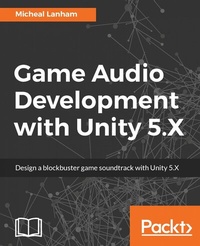
Game Audio Development with Unity 5.X
Design a blockbuster game soundtrack with Unity 5.X
Published on 13. January 2025
404 pages
978-1-78712-080-8 (ISBN)
Description

Create 'AAA' quality game audio with new features and tools built for Unity
Key Features
1. Explore the basics of audio development in Unity to create spatial sound, mixing, effects, composition, adaptive audio and more.
2. Leverage the Audio Mixer of Unity 5.x to create blockbuster sound and music for your game.
3. Learn about developing professional audio for games with FMOD Studio and composing original music with Reaper.
4. Build amazing audio synchronized graphic visualizations with Unity.
5. Understand how real-time character lip syncing can be implemented.
Book DescriptionGame Audio is one of the key components in making a game successful and it is quite popular in the gaming industry. So if you are a game developer with an eye on capturing the gamer market then this book is the right solution for you. In this book, we will take you through a step by step journey which will teach you to implement original and engaging soundtracks and SFX with Unity 5.x. You will be firstly introduced to the basics of game audio and sound development in Unity. After going through the core topics of audio development: audio sources, spatial sound, mixing, effects, and more; you will then have the option of delving deeper into more advanced topics like dynamic and adaptive audio. You will also learn to develop dynamic and adaptive audio using the Unity Audio Mixer. Further, you will learn how professional third party tools like FMOD are used for audio development in Unity. You will then go through the creation of sound visualization techniques and creating your own original music using the simple yet powerful audio workstation Reaper. Lastly, you will go through tips, techniques and strategies to help you optimize game audio performance or troubleshoot issues. At the end of the book, you'll have gained the skills to implement professional sound and music. Along with a good base knowledge audio and music principles you can apply across a range of other game development tools. What you will learn
Develop game audio and other audio effects with Unity
Getting familiar with the new Audio Mixer introduced in Unity 5
Implement dynamic and adaptive audio using various tools and strategies
Explore interesting ways to incorporate audio into a game with sound visualization
Use 3rd party professional audio development tools like FMOD
Compose original music and record vocals
Understand and troubleshoot audio performance issues
Who this book is forThe ideal target audience for this book will be game developers, both Indie as well as semi pro. No prior knowledge of Unity and audio development is assumed,
Key Features
1. Explore the basics of audio development in Unity to create spatial sound, mixing, effects, composition, adaptive audio and more.
2. Leverage the Audio Mixer of Unity 5.x to create blockbuster sound and music for your game.
3. Learn about developing professional audio for games with FMOD Studio and composing original music with Reaper.
4. Build amazing audio synchronized graphic visualizations with Unity.
5. Understand how real-time character lip syncing can be implemented.
Book DescriptionGame Audio is one of the key components in making a game successful and it is quite popular in the gaming industry. So if you are a game developer with an eye on capturing the gamer market then this book is the right solution for you. In this book, we will take you through a step by step journey which will teach you to implement original and engaging soundtracks and SFX with Unity 5.x. You will be firstly introduced to the basics of game audio and sound development in Unity. After going through the core topics of audio development: audio sources, spatial sound, mixing, effects, and more; you will then have the option of delving deeper into more advanced topics like dynamic and adaptive audio. You will also learn to develop dynamic and adaptive audio using the Unity Audio Mixer. Further, you will learn how professional third party tools like FMOD are used for audio development in Unity. You will then go through the creation of sound visualization techniques and creating your own original music using the simple yet powerful audio workstation Reaper. Lastly, you will go through tips, techniques and strategies to help you optimize game audio performance or troubleshoot issues. At the end of the book, you'll have gained the skills to implement professional sound and music. Along with a good base knowledge audio and music principles you can apply across a range of other game development tools. What you will learn
Develop game audio and other audio effects with Unity
Getting familiar with the new Audio Mixer introduced in Unity 5
Implement dynamic and adaptive audio using various tools and strategies
Explore interesting ways to incorporate audio into a game with sound visualization
Use 3rd party professional audio development tools like FMOD
Compose original music and record vocals
Understand and troubleshoot audio performance issues
Who this book is forThe ideal target audience for this book will be game developers, both Indie as well as semi pro. No prior knowledge of Unity and audio development is assumed,
All prices
More details
Edition
Digital original
Language
English
Place of publication
Birmingham
United Kingdom
Target group
US School Grade: College Graduate Student
Edition type
Digital original
File size
18,47 MB
ISBN-13
978-1-78712-080-8 (9781787120808)
Copyright in bibliographic data and cover images is held by Nielsen Book Services Limited or by the publishers or by their respective licensors: all rights reserved.
Schweitzer Classification
Other editions
Additional editions
Micheal Lanham
Game Audio Development with Unity 5.X
Book
06/2017
Packt Publishing
€56.80
Shipment within 3-4 weeks
Person
Lanham Micheal :
Micheal Lanham is a proven software and tech innovator with 20 years of experience. During that time, he has developed a broad range of software applications in areas such as games, graphics, web, desktop, engineering, artificial intelligence, GIS, and machine learning applications for a variety of industries as an R&D developer. At the turn of the millennium, Micheal began working with neural networks and evolutionary algorithms in game development. He was later introduced to Unity and has been an avid developer, consultant, manager, and author of multiple Unity games, graphic projects, and books ever since.
Micheal Lanham is a proven software and tech innovator with 20 years of experience. During that time, he has developed a broad range of software applications in areas such as games, graphics, web, desktop, engineering, artificial intelligence, GIS, and machine learning applications for a variety of industries as an R&D developer. At the turn of the millennium, Micheal began working with neural networks and evolutionary algorithms in game development. He was later introduced to Unity and has been an avid developer, consultant, manager, and author of multiple Unity games, graphic projects, and books ever since.
Content
Table of Contents
Introducing Game Audio in Unity
Scripting Audio
Introduction to the Unity Audio Mixer
Advanced Audio Mixing
Using the Audio Mixer for Adaptive Audio
Using FMOD for Adaptive Audio
Using Fabric for Adaptive Audio
Syncing Audio with the Camera and Visual Effects
Character Lip Syncing and Dialogue
Composing Sound and Music
Audio Performance and Troubleshooting
Introducing Game Audio in Unity
Scripting Audio
Introduction to the Unity Audio Mixer
Advanced Audio Mixing
Using the Audio Mixer for Adaptive Audio
Using FMOD for Adaptive Audio
Using Fabric for Adaptive Audio
Syncing Audio with the Camera and Visual Effects
Character Lip Syncing and Dialogue
Composing Sound and Music
Audio Performance and Troubleshooting

