

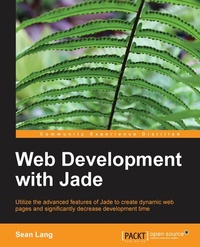
Web Development with Jade
Knowing Jade makes life simpler and more productive for web developers, and this book will teach you the language concisely and thoroughly using lots of practical examples and best practices for a solid grounding.
Published on 7. October 2025
80 pages
978-1-78328-636-2 (ISBN)
Description

Key Features
Book DescriptionThis is a step-by step, tutorial-based book which will enable web developers to explore the functionalities of Jade and learn how to use it to write certain functions and processes for web development. This book is for web developers with at least a basic understanding of HTML and JavaScript. It will enable you to write an easier form of language that then compiles into HTML.What you will learn
Write cleaner, indentationbased markup
Use logical statements to format data for display on the Web
Avoid repetition by eliminating redundant operations
Divide your templates into logical sections with blocks
Avoid common organizational pitfalls when designing Jadebased projects
Apply shorthand for brevity
Utilize Jade for clientside templates
Employ techniques like filters to quickly mockup web pages in higher level languages like stylus or coffeescript
Who this book is for
Book DescriptionThis is a step-by step, tutorial-based book which will enable web developers to explore the functionalities of Jade and learn how to use it to write certain functions and processes for web development. This book is for web developers with at least a basic understanding of HTML and JavaScript. It will enable you to write an easier form of language that then compiles into HTML.What you will learn
Write cleaner, indentationbased markup
Use logical statements to format data for display on the Web
Avoid repetition by eliminating redundant operations
Divide your templates into logical sections with blocks
Avoid common organizational pitfalls when designing Jadebased projects
Apply shorthand for brevity
Utilize Jade for clientside templates
Employ techniques like filters to quickly mockup web pages in higher level languages like stylus or coffeescript
Who this book is for
All prices
More details
Edition
Digital original
Language
English
Place of publication
Birmingham
United Kingdom
Target group
US School Grade: College Graduate Student
Edition type
Digital original
File size
1,45 MB
ISBN-13
978-1-78328-636-2 (9781783286362)
Copyright in bibliographic data and cover images is held by Nielsen Book Services Limited or by the publishers or by their respective licensors: all rights reserved.
Schweitzer Classification
Other editions
Additional editions
Person
Lang Sean :
Sean Lang attends the Milwaukee School of Engineering; he is currently majoring in software engineering. Even though he is a freshman there, he is by no means new to the field. He has been teaching himself software development for the last four years, and during this time, he has done extensive volunteer work for open source software projects. These include roots (a toolkit for building web apps), the Jade template engine, nib (a set of utilities for advanced web page styling), and a myriad of smaller projects. In addition to this, he has been doing freelance web designing and consulting, which is especially convenient because it gives him an opportunity to use the open source tools that he has been developing in production. He started writing this book about Jade to supplement the existing documentation and help teach people the language. Also, he had never written a full book before, so he was really interested and excited to know what being an author is like.
Sean Lang attends the Milwaukee School of Engineering; he is currently majoring in software engineering. Even though he is a freshman there, he is by no means new to the field. He has been teaching himself software development for the last four years, and during this time, he has done extensive volunteer work for open source software projects. These include roots (a toolkit for building web apps), the Jade template engine, nib (a set of utilities for advanced web page styling), and a myriad of smaller projects. In addition to this, he has been doing freelance web designing and consulting, which is especially convenient because it gives him an opportunity to use the open source tools that he has been developing in production. He started writing this book about Jade to supplement the existing documentation and help teach people the language. Also, he had never written a full book before, so he was really interested and excited to know what being an author is like.
Content
Table of Contents

