

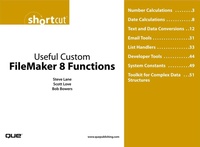
Useful Custom FileMaker 8 Functions (Digital Short Cut)
Description

This Short Cut presents a sampling of custom functions that we've found useful, or that serve as good examples of functions in our day-to-day practice. The functions are broken into groups according to their purpose, much as FileMaker's calculation functions are. Please note that these functions are meant as examples-although the examples were not tested exhaustively, nor is this collection meant to be comprehensive. We hope you'll find some of them helpful directly, or that reading and analyzing others might provide a springboard for your own ideas.
Table of Contents
Number CalculationsDate Calculations
Text and Data Conversions
Email Tools
List Handlers
Developer Tools
System Constants
Toolkit for Complex Data Structures
Data API Within FileMaker
Data Tree
Using XML as a Data Structure
Path-Based Selections
The Functions
More details
Person
Scott Lowe has written for FileMaker Advisor magazine, co-authored Que Publishing's Special Edition Using FileMaker Pro 7, is an authorized Professional Training Foundation Series instructor, and a frequent speaker at the FileMaker Developer's Conference.
Steve Lane has written for FileMaker Advisor magazine and co-authored Advanced FileMaker Pro 6 Web Development and Que's Special Edition Using FileMaker Pro 7. He was awarded the FileMaker Fellowship Award in 2003 for "pushing the boundaries of FileMaker Pro."
Bob Bowers is a columnist and contributing editor for FileMaker Advisor magazine and has co-authored three other books: Advanced FileMaker Pro 5.5 Techniques for Developers and Advanced FileMaker Pro 6 Web Development and SpecialEdition Using FileMaker Pro 7. In 2002 he was awarded the FileMaker Fellowship Award for "developing outstanding technical and educational resources for FileMaker."
