

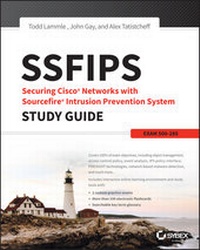
SSFIPS Securing Cisco Networks with Sourcefire Intrusion Prevention System Study Guide
Exam 500-285
Published on 12. October 2015
432 pages
978-1-119-15505-8 (ISBN)
Description

Up the ante on your FirePOWER with Advanced FireSIGHT Administration exam prep
Securing Cisco Networks with Sourcefire IPS Study Guide, Exam 500-285, provides 100% coverage of the FirePOWER with Advanced FireSIGHT Administration exam objectives. With clear and concise information regarding crucial next-generation network security topics, this comprehensive guide includes practical examples and insights drawn from real-world experience, exam highlights, and end of chapter reviews. Learn key exam topics and powerful features of the Cisco FirePOWER Services, including FireSIGHT Management Center, in-depth event analysis, IPS tuning and configuration, and snort rules language.
Gain access to Sybex's superior online learning environment that includes practice questions, flashcards, and interactive glossary of terms.
* Use and configure next-generation Cisco FirePOWER services, including application control, firewall, and routing and switching capabilities
* Understand how to accurately tune your systems to improve performance and network intelligence while leveraging powerful tools for more efficient event analysis
* Complete hands-on labs to reinforce key concepts and prepare you for the practical applications portion of the examination
* Access Sybex's online interactive learning environment and test bank, which includes an assessment test, chapter tests, bonus practice exam questions, electronic flashcards, and a searchable glossary
Securing Cisco Networks with Sourcefire IPS Study Guide, Exam 500-285 provides you with the information you need to prepare for the FirePOWER with Advanced FireSIGHT Administration examination.
More details
Other editions
Additional editions
Todd Lammle | Alex Tatistcheff | John Gay
SSFIPS Securing Cisco Networks with Sourcefire Intrusion Prevention System Study Guide
Exam 500-285
Book
12/2015
1st Edition
Sybex Inc.,U.S.
€68.09
Article exhausted; check different version
Persons
Todd Lammle, CCSI and SFCP (SourceFire Certified Professional), is the authority on Cisco networking. President of GlobalNet Training & Consulting, Inc., a network integration and training firm, Todd has worked with Fortune 500 companies for nearly 35 years. His Cisco book sales have reached almost 1,000,000 copies in print. John Gay is a Field Security Enablement Lead with Cisco Systems. Prior to Cisco's acquisition of Sourcefire, John served as Director of Instructional Delivery. He has worked in the security industry for over 15 years. Alex Tatistcheff, CISSP, GPEN, GCIH, GCIA, SFCE, is currently a Network Consulting Engineer for Cisco Security Solutions specializing in FireSIGHT. Prior to Cisco's acquisition of Sourcefire, he worked for over five years as a Senior Security Instructor.
Content
- Intro
- SSFIPS: Securing Cisco Networks with Sourcefire Intrusion Prevention System
- Acknowledgments
- About the Authors
- Contents at a Glance
- Contents
- Introduction
- Assessment Test
- Chapter 1 Getting Started with FireSIGHT
- Industry Terminology
- Cisco Terminology
- FirePOWER and FireSIGHT
- Out with the Old.
- Appliance Models
- Hardware vs. Virtual Devices
- Device Models
- Defense Center Models
- FireSIGHT Licensing
- License Dependencies
- Network Design
- Inline IPS
- Passive IPS
- Router, Switch, and Firewall
- Policies
- The User Interface
- Initial Appliance Setup
- Setting the Management IP
- Initial Login
- Summary
- Hands-on Lab
- Review Questions
- Chapter 2 Object Management
- What Are Objects?
- Getting Started
- Network Objects
- Individual Network Objects
- Network Object Groups
- Security Intelligence
- Blacklist and Whitelist
- Sourcefire Intelligence Feed
- Custom Security Intelligence Objects
- Port Objects
- VLAN Tag
- URL Objects and Site Matching
- Application Filters
- Variable Sets
- File Lists
- Security Zones
- Geolocation
- Summary
- Hands-on Lab
- Exam Essentials
- Review Questions
- Chapter 3 IPS Policy Management
- IPS Policies
- Default Policies
- Policy Layers
- Creating a Policy
- Policy Editor
- Summary
- Hands-on Labs
- Hands-on Lab 3.1: Creating an IPS Policy
- Hands-on Lab 3.2: Viewing Connection Events
- Exam Essentials
- Review Questions
- Chapter 4 Access Control Policy
- Getting Started with Access Control Policies
- Security Intelligence Lists
- Blacklists, Whitelists, and Alerts
- Security Intelligence Page Specifics
- Configuring Security Intelligence
- Access Control Rules
- Access Control UI Elements
- Rule Categories
- A Simple Policy
- Saving and Applying
- Summary
- Hands-on Lab
- Exam Essentials
- Review Questions
- Chapter 5 FireSIGHT Technologies
- FireSIGHT Technologies
- Network Discovery Policy
- Discovery Information
- User Information
- Host Attributes
- Summary
- Hands-on Labs
- Hands-on Lab 5.1: Configuring a Discovery Policy
- Hands-on Lab 5.2: Viewing Connection Events
- Hands-on Lab 5.3: Viewing the Network Map
- Hands-on Lab 5.4: Creating Host Attributes
- Exam Essentials
- Review Questions
- Chapter 6 Intrusion Event Analysis
- Intrusion Analysis Principles
- False Positives
- False Negatives
- Possible Outcomes
- The Goal of Analysis
- The Dashboard and Context Explorer
- Intrusion Events
- An Introduction to Workflows
- The Time Window
- The Analysis Screen
- The Caveat
- Rule Comment
- Summary
- Hands-on Lab
- Exam Essentials
- Review Questions
- Chapter 7 Network-Based Malware Detection
- AMP Architecture
- SHA-256
- Spero Analysis
- Dynamic Analysis
- Retrospective Events
- Communications Architecture
- File Dispositions
- File Disposition Caching
- File Policy
- Advanced Settings
- File Rules
- File Types and Categories
- File and Malware Event Analysis
- Malware Events
- File Events
- Captured Files
- Network File Trajectory
- Context Explorer
- Summary
- Hands-on Lab
- Exam Essentials
- Review Questions
- Chapter 8 System Settings
- User Preferences
- Event Preferences
- File Preferences
- Default Time Windows
- Default Workflows
- System Configuration
- System Policy
- Health
- Health Monitor
- Health Policy
- Health Events
- Blacklist
- Health Monitor Alerts
- Summary
- Hands-on Lab
- Hands-on Lab 8.1: Creating a New System Policy
- Hands-on Lab 8.2: Viewing Health Information
- Exam Essentials
- Review Questions
- Chapter 9 Account Management
- User Account Management
- Internal versus External User Authentication
- User Privileges
- Predefined User Roles
- Creating New User Accounts
- Managing User Role Escalation
- Configuring External Authentication
- Creating Authentication Objects
- Summary
- Hands-on Lab
- Hands-on Lab 9.1: Configuring a User in the Local Database
- Hands-on Lab 9.2: Configuring Permission Escalation
- Exam Essentials
- Review Questions
- Chapter 10 Device Management
- Device Management
- Configuring the Device on the Defense Center
- NAT Configuration
- Virtual Private Networks
- Point-to-Point VPN
- Star VPN
- Mesh VPN
- Advanced Options
- Summary
- Hands-on Labs
- Hands-on Lab 10.1: Creating a Device Group
- Hands-on Lab 10.2: Renaming the Device
- Hands-on Lab 10.3: Modifying the Name of the Inline Interface Set
- Exam Essentials
- Review Questions
- Chapter 11 Correlation Policy
- Correlation Overview
- Correlation Rules, Responses, and Policies
- Correlation Rules
- Rule Options
- Responses
- Correlation Policy
- White Lists
- Traffic Profiles
- Summary
- Hands-on Lab
- Exam Essentials
- Review Questions
- Chapter 12 Advanced IPS Policy Settings
- Advanced Settings
- Preprocessor Alerting
- Application Layer Preprocessors
- SCADA Preprocessors
- Transport/Network Layer Preprocessors
- Specific Threat Detection
- Detection Enhancement
- Intrusion Rule Thresholds
- Performance Settings
- External Responses
- Summary
- Hands-on Lab
- Hands-on Lab 12.1: Modifying the HTTP Configuration Preprocessor
- Hands-on Lab 12.2: Enabling Inline Normalization
- Hands-on Lab 12.3: Demonstrating the Validation of Preprocessor Settings on Policy Commit
- Exam Essentials
- Review Questions
- Chapter 13 Creating Snort Rules
- Overview of Snort Rules
- Rule Headers
- The Rule Body
- Writing Rules
- Using the System GUI to Build a Rule
- Summary
- Exam Essentials
- Review Questions
- Chapter 14 FireSIGHT v5.4 Facts and Features
- Branding
- Simplified IPS Policy
- Network Analysis Policy
- Why Network Analysis?
- Access Control Policy
- General Settings
- Network Analysis and Intrusion Policies
- Files and Malware Settings
- Transport/Network Layer Preprocessor Settings
- Detection Enhancement Settings
- Performance/Latency Settings
- SSL Inspection
- SSL Objects
- New Rule Keywords
- File_type
- Protected_content
- Platform Enhancements
- International Enhancements
- Minor Changes
- Summary
- Appendix Answers to Review Questions
- Index
- Advert
- EULA
