

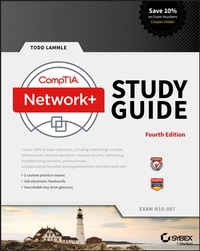
CompTIA Network+ Study Guide
Exam N10-007
4th Edition
Published on 10. April 2018
1008 pages
978-1-119-43222-7 (ISBN)
Description

To complement the CompTIA Network+ Study Guide: Exam N10-007, 4e, and the CompTIA Network+ Deluxe Study Guide: Exam N10-007, 4e, look at CompTIA Network+ Practice Tests: Exam N10-007 (9781119432128).
Todd Lammle's bestselling CompTIA Network+ Study Guide for the N10-007 exam!
CompTIA's Network+ certification tells the world you have the skills to install, configure, and troubleshoot today's basic networking hardware peripherals and protocols. First, however, you have to pass the exam! This detailed CompTIA Authorized study guide by networking guru Todd Lammle has everything you need to prepare for the CompTIA Network+ Exam N10-007.
Todd covers all exam objectives, explains key topics, offers plenty of practical examples, and draws upon his own invaluable 30 years of networking experience to help you learn. The Study Guide prepares you for Exam N10-007, the new CompTIA Network+ Exam:
* Covers all exam objectives including network technologies, network installation and configuration, network media and topologies, security, and much more
* Includes practical examples review questions, as well as access to practice exams and flashcards to reinforce learning
* Networking guru and expert author Todd Lammle offers valuable insights and tips drawn from real-world experience
Plus, receive one year of FREE access to a robust set of online interactive learning tools, including hundreds of sample practice questions, a pre-assessment test, bonus practice exams, and over 100 electronic flashcards. Prepare for the exam and enhance your career--starting now!
Todd Lammle's bestselling CompTIA Network+ Study Guide for the N10-007 exam!
CompTIA's Network+ certification tells the world you have the skills to install, configure, and troubleshoot today's basic networking hardware peripherals and protocols. First, however, you have to pass the exam! This detailed CompTIA Authorized study guide by networking guru Todd Lammle has everything you need to prepare for the CompTIA Network+ Exam N10-007.
Todd covers all exam objectives, explains key topics, offers plenty of practical examples, and draws upon his own invaluable 30 years of networking experience to help you learn. The Study Guide prepares you for Exam N10-007, the new CompTIA Network+ Exam:
* Covers all exam objectives including network technologies, network installation and configuration, network media and topologies, security, and much more
* Includes practical examples review questions, as well as access to practice exams and flashcards to reinforce learning
* Networking guru and expert author Todd Lammle offers valuable insights and tips drawn from real-world experience
Plus, receive one year of FREE access to a robust set of online interactive learning tools, including hundreds of sample practice questions, a pre-assessment test, bonus practice exams, and over 100 electronic flashcards. Prepare for the exam and enhance your career--starting now!
More details
Other editions
New editions

E-Book
04/2024
6th Edition
Wiley-Spektrum
€35.99
Available for download
Additional editions
Book
06/2018
4th Edition
Sybex Inc.,U.S.
Unfortunately, price unknown
Article exhausted; check for reprint
Content
- Cover
- Title Page
- Copyright
- Acknowledgments
- About the Author
- Contents at a Glance
- Contents
- Introduction
- Assessment Test
- Answers to Assessment Test
- Chapter 1 Introduction to Networks
- First Things First: What's a Network?
- The Local Area Network
- Common Network Components
- Wide Area Network
- Network Architecture: Peer-to-Peer or Client-Server?
- Physical Network Topologies
- Bus Topology
- Star Topology
- Ring Topology
- Mesh Topology
- Point-to-Point Topology
- Point-to-Multipoint Topology
- Hybrid Topology
- Topology Selection, Backbones, and Segments
- Selecting the Right Topology
- The Network Backbone
- Network Segments
- CAN
- SAN
- Summary
- Exam Essentials
- Written Lab
- Review Questions
- Chapter 2 The Open Systems Interconnection Specifications
- Internetworking Models
- The Layered Approach
- Advantages of Reference Models
- The OSI Reference Model
- The Application Layer
- The Presentation Layer
- The Session Layer
- The Transport Layer
- The Network Layer
- The Data Link Layer
- The Physical Layer
- Introduction to Encapsulation
- Modulation Techniques
- Summary
- Exam Essentials
- Written Lab
- Review Questions
- Chapter 3 Networking Topologies, Connectors, and Wiring Standards
- Physical Media
- Coaxial Cable
- Twisted-Pair Cable
- Fiber-Optic Cable
- Transceivers
- Media Converters
- Serial Cables
- Cable Properties
- Transmission Speeds
- Distance
- Duplex
- Noise Immunity (Security, EMI)
- Frequency
- Wiring Standards
- T568A vs. T568B
- Straight-Through Cable
- Crossover Cable
- Rolled/Rollover Cable
- T1 Crossover Cable
- Installing Wiring Distributions
- MDF/IDF
- Summary
- Exam Essentials
- Written Lab
- Review Questions
- Chapter 4 The Current Ethernet Specifications
- Network Basics
- Ethernet Basics
- Collision Domain
- Broadcast Domain
- CSMA/CD
- Broadband/Baseband
- Bit Rates vs. Baud Rate
- Wavelength
- Half- and Full-Duplex Ethernet
- Ethernet at the Data Link Layer
- Binary to Decimal and Hexadecimal Conversion
- Ethernet Addressing
- Ethernet Frames
- Ethernet at the Physical Layer
- Ethernet over Other Standards (IEEE 1905.1-2013)
- Ethernet over Power Line
- Ethernet over HDMI
- Summary
- Exam Essentials
- Written Lab
- Review Questions
- Chapter 5 Networking Devices
- Common Network Connectivity Devices
- Network Interface Card
- Hub
- Bridge
- Switch
- Router
- Firewall
- IDS/IPS
- HIDS
- Access Point
- Wireless Range Extender
- Contention Methods
- Dynamic Host Configuration Protocol Server
- IPAM
- Other Specialized Devices
- Multilayer Switch
- Load Balancer
- Domain Name Service Server
- Proxy Server
- Encryption Devices
- Analog Modem
- Packet Shaper
- VPN Concentrator
- Media Converter
- VoIP PBX
- VoIP Endpoint
- NGFW/Layer 7 Firewall
- VoIP Gateway
- Planning and Implementing a Basic SOHO Network Using Network Segmentation
- Determining Requirements
- Switches and Bridges at the Data Link Layer
- Hubs at the Physical Layer
- Environmental Considerations
- Summary
- Exam Essentials
- Written Lab
- Review Questions
- Chapter 6 Introduction to the Internet Protocol
- Introducing TCP/IP
- A Brief History of TCP/IP
- TCP/IP and the DoD Model
- The Process/Application Layer Protocols
- The Host-to-Host Layer Protocols
- The Internet Layer Protocols
- Data Encapsulation
- Summary
- Exam Essentials
- Written Lab
- Review Questions
- Chapter 7 IP Addressing
- IP Terminology
- The Hierarchical IP Addressing Scheme
- Network Addressing
- Private IP Addresses (RFC 1918)
- IPv4 Address Types
- Layer 2 Broadcasts
- Layer 3 Broadcasts
- Unicast Address
- Multicast Address (Class D)
- Internet Protocol Version 6 (IPv6)
- Why Do We Need IPv6?
- The Benefits of and Uses for IPv6
- IPv6 Addressing and Expressions
- Shortened Expression
- Address Types
- Special Addresses
- Stateless Autoconfiguration (EUI-64)
- DHCPv6 (Stateful)
- Migrating to IPv6
- Summary
- Exam Essentials
- Written Labs
- Written Lab 7.1
- Written Lab 7.2
- Written Lab 7.3
- Review Questions
- Chapter 8 IP Subnetting, Troubleshooting IP, and Introduction to NAT
- Subnetting Basics
- How to Create Subnets
- Subnet Masks
- Classless Inter-Domain Routing (CIDR)
- Subnetting Class C Addresses
- Subnetting Class B Addresses
- Troubleshooting IP Addressing
- Determining IP Address Problems
- Introduction to Network Address Translation (NAT)
- Types of Network Address Translation
- NAT Names
- How NAT Works
- Summary
- Exam Essentials
- Written Lab
- Review Questions
- Chapter 9 Introduction to IP Routing
- Routing Basics
- The IP Routing Process
- Testing Your IP Routing Understanding
- Static and Dynamic Routing
- Summary
- Exam Essentials
- Written Lab
- Review Questions
- Chapter 10 Routing Protocols
- Routing Protocol Basics
- Administrative Distances
- Classes of Routing Protocols
- Distance Vector Routing Protocols
- Routing Information Protocol (RIP)
- RIP Version 2 (RIPv2)
- VLSM and Discontiguous Networks
- EIGRP
- Border Gateway Protocol (BGP)
- Link State Routing Protocols
- Open Shortest Path First (OSPF)
- Intermediate System-to-Intermediate System (IS-IS)
- High Availability
- Hot Standby Router Protocol (HSRP)
- Virtual Router Redundancy Protocol
- Advanced IPv6 Concepts
- Router Advertisement
- Neighbor Discovery
- Tunneling
- Dual Stack
- IPv6 Routing Protocols
- RIPng
- EIGRPv6
- OSPFv3
- Summary
- Exam Essentials
- Written Lab
- Review Questions
- Chapter 11 Switching and Virtual LANs
- Networking Before Layer 2 Switching
- Switching Services
- Limitations of Layer 2 Switching
- Bridging vs. LAN Switching
- Three Switch Functions at Layer 2
- Distributed Switching
- Spanning Tree Protocol
- Spanning Tree Port States
- STP Convergence
- Rapid Spanning Tree Protocol 802.1w
- Virtual LANs
- VLAN Basics
- Quality of Service
- VLAN Memberships
- Static VLANs
- Dynamic VLANs
- Identifying VLANs
- VLAN Identification Methods
- VLAN Trunking Protocol
- VTP Modes of Operation
- Do We Really Need to Put an IP Address on a Switch?
- Switch Port Protection
- Port Bonding
- Device Hardening
- Two Additional Advanced Features of Switches
- Power over Ethernet (802.3af, 802.3at)
- Port Mirroring/Spanning (SPAN/RSPAN)
- Summary
- Exam Essentials
- Written Lab
- Review Questions
- Chapter 12 Wireless Networking
- Introduction to Wireless Technology
- Cellular
- The 802.11 Standards
- 2.4 GHz (802.11b)
- 2.4 GHz (802.11g)
- 5 GHz (802.11a)
- 5 GHz (802.11h)
- 2.4 GHz/5 GHz (802.11n)
- 5 GHz (802.11ac)
- Comparing 802.11 Standards
- Range Comparisons
- Wireless Network Components
- Wireless Access Points
- Wireless Network Interface Card
- Wireless Antennas
- Installing a Wireless Network
- Ad Hoc Mode: Independent Basic Service Set
- Infrastructure Mode: Basic Service Set
- Wireless Controllers
- Mobile Hot Spots
- Signal Degradation
- Other Network Infrastructure Implementations
- Technologies that facilitate the Internet of Things (IoT)
- Installing and Configuring WLAN Hardware
- Site Survey
- Providing Capacity
- Multiple Floors
- Location-Based WLAN
- Site Survey Tools
- Wireless Security
- Wireless Threats
- Open Access
- Service Set Identifiers, Wired Equivalent Privacy, and Media Access Control Address Authentication
- Remote Authentication Dial-In User Service (802.1X)
- Temporal Key Integrity Protocol
- Wi-Fi Protected Access or WPA2 Pre-Shared Key
- Summary
- Exam Essentials
- Written Lab
- Review Questions
- Chapter 13 Authentication and Access Control
- Security Filtering
- Access Control Lists
- Tunneling
- Encryption
- Remote Access
- Managing User Account and Password Security
- Managing User Accounts
- Managing Passwords
- Single Sign-On
- Local Authentication
- LDAP
- Certificates
- Multifactor Authentication
- User-Authentication Methods
- Public Key Infrastructure (PKI)
- Kerberos
- Authentication, Authorization, and Accounting (AAA)
- Web Services
- Unified Voice Services
- Network Controllers
- Network Access Control (NAC)
- Challenge Handshake Authentication Protocol (CHAP)
- MS-CHAP
- Extensible Authentication Protocol (EAP)
- Hashes
- Network Access Control
- Summary
- Exam Essentials
- Written Lab
- Review Questions
- Chapter 14 Network Threats and Mitigation
- Recognizing Security Threats
- Denial of Service
- Distributed DoS (DDoS)
- Authentication Issues
- Viruses
- Zero-Day Attacks
- Insider Threat/Malicious Employee
- Vulnerabilities
- Exploits vs. Vulnerabilities
- Unnecessary Running Services
- Open Ports
- Unpatched/Legacy Systems
- Unencrypted Channels
- TEMPEST/RF Emanation
- Malicious Users
- Buffer Overflow
- DNS Poisoning
- Wireless Threats
- Attackers and Their Tools
- Misconfiguration Issues
- Social Engineering (Phishing)
- Understanding Mitigation Techniques
- Active Detection
- Passive Detection
- Proactive Defense
- Basic Forensic Concepts
- Policies and Procedures
- Security Policies
- Security Training
- Patches and Upgrades
- Firmware Updates
- Driver Updates
- File Hashing
- Generating New Keys
- Upgrading vs. Downgrading
- Asset Disposal
- Detection
- Anti-malware Software
- Host Based
- Cloud/Server Based
- Configuration Backups
- Updating Antivirus Components
- Fixing an Infected Computer
- Summary
- Exam Essentials
- Written Lab
- Review Questions
- Chapter 15 Physical Security and Risk
- Using Hardware and Software Security Devices
- Defining Firewalls
- Network-Based Firewalls
- Host-Based Firewalls
- Firewall Technologies
- Access Control Lists
- Port Security
- Demilitarized Zone
- Protocol Switching
- Dynamic Packet Filtering
- Proxy Services
- Firewalls at the Application Layer vs. the Network Layer
- Stateful vs. Stateless Network Layer Firewalls
- NGFW/Layer7 Firewall
- Scanning Services and Other Firewall Features
- Content Filtering
- Signature Identification
- Context Awareness
- Virtual Wire vs. Routed
- Zones
- Intrusion Detection and Prevention Systems
- Network-Based IDS
- Host-Based IDS
- Vulnerability Scanners
- VPN Concentrators
- Understanding Problems Affecting Device Security
- Physical Security
- Logical Security Configurations
- Risk-Related Concepts
- Summary
- Exam Essentials
- Written Lab
- Review Questions
- Chapter 16 Wide Area Networks
- What's a WAN?
- Defining WAN Terms
- The Public Switched Telephone Network
- WAN Connection Types
- Bandwidth or Speed
- T-Series Connections
- The T1 Connection
- The T3 Connection
- Transmission Media
- Wired Connections
- Wavelength Division Multiplexing
- Passive Optical Network
- Wireless Technologies
- Broadband Services
- DSL Technology and xDSL
- Cable Modem
- Wireless WAN Technologies
- Cellular WAN
- WAN Protocols
- Integrated Services Digital Network
- Frame Relay Technology
- Point-to-Point Protocol
- DMVPN
- SIP Trunks
- Asynchronous Transfer Mode
- MPLS
- WAN Troubleshooting
- Loss of Internet Connectivity
- Interface Errors/Monitoring
- Split Horizon
- DNS Issues
- Router Configurations
- Company Security Policy
- Summary
- Exam Essentials
- Written Lab
- Review Questions
- Chapter 17 Troubleshooting Tools
- Protocol Analyzers
- Throughput Testers
- Connectivity Software
- Using traceroute
- Using ipconfig and ifconfig
- Using the ifconfig Utility
- Using the iptables utility
- Using the ping Utility
- Using the Address Resolution Protocol
- The Windows ARP Table
- Using the arp Utility
- Using the nslookup Utility
- Resolving Names with the Hosts Table
- Using the Mtr Command (pathping)
- Using the Nmap Utility
- Using the route Command
- Using the route Command Options
- Some Examples of the route Command
- Using the nbtstat Utility
- The -a Switch
- The -A Switch
- The -c Switch
- The -n Switch
- The -r Switch
- The -R Switch
- The -S Switch
- The -s Switch
- Using the netstat Utility
- The -a Switch
- The -e Switch
- The -r Switch
- The -s Switch
- The -p Switch
- The -n Switch
- Using tcpdump
- Examples of Using tcpdump
- Using the File Transfer Protocol
- Starting FTP and Logging In to an FTP Server
- Downloading Files
- Uploading Files
- Using the Telnet Utility
- How to Enable Telnet in Windows
- Don't Use Telnet, Use Secure Shell
- Summary
- Exam Essentials
- Written Lab
- Review Questions
- Chapter 18 Software and Hardware Tools
- Understanding Network Scanners
- Packet Sniffers/Network Monitors
- Intrusion Detection and Prevention Software
- Port Scanners
- Wi-Fi Analyzer
- Bandwidth Speed Tester
- Baseline
- Network Monitoring and Logging
- Network Monitoring
- SNMP
- Syslog
- SIEM
- Utilization
- Identifying Hardware Tools
- Cable Testers
- Protocol Analyzer
- Certifiers
- Time-Domain Reflectometer
- Optical Time-Domain Reflectometer
- Multimeter
- Spectrum Analyzer
- Toner Generator (Probe)
- Metrics
- Butt Set
- Punch-Down Tool
- Cable Stripper/Snips
- Voltage Event Recorder (Power)
- Environmental Monitors
- Summary
- Exam Essentials
- Written Lab
- Review Questions
- Chapter 19 Network Troubleshooting
- Narrowing Down the Problem
- Did You Check the Super Simple Stuff?
- Is Hardware or Software Causing the Problem?
- Is It a Workstation or a Server Problem?
- Which Segments of the Network Are Affected?
- Is It Bad Cabling?
- Troubleshooting Steps
- Step 1: Identify the Problem
- Step 2: Establish a Theory of Probable Cause
- Step 3: Test the Theory to Determine Cause
- Step 4: Establish a Plan of Action to Resolve the Problem and Identify Potential Effects
- Step 5: Implement the Solution or Escalate as Necessary
- Step 6: Verify Full System Functionality, and If Applicable, Implement Preventative Measures
- Step 7: Document Findings, Actions, and Outcomes
- Troubleshooting Tips
- Don't Overlook the Small Stuff
- Prioritize Your Problems
- Check the Software Configuration
- Don't Overlook Physical Conditions
- Don't Overlook Cable Problems
- Check for Viruses
- Summary
- Exam Essentials
- Written Lab
- Review Questions
- Chapter 20 Management, Monitoring, and Optimization
- Managing Network Documentation
- Using SNMP
- Schematics and Diagrams
- Network Monitoring
- Baselines
- Processes
- On-Boarding and Off-Boarding of Mobile Devices
- NAC
- Policies, Procedures, and Regulations
- Safety Practices
- Implementing Network Segmentation
- Network Optimization
- Reasons to Optimize Your Network's Performance
- How to Optimize Performance
- Unified Communications
- Traffic Shaping
- Load Balancing
- High Availability
- Caching Engines
- Fault Tolerance
- Archives/Backups
- Common Address Redundancy Protocol
- Virtual Networking
- Locating and Installing Equipment
- Change Management Procedures
- Summary
- Exam Essentials
- Written Lab
- Review Questions
- Appendix A Answers to Written Labs
- Chapter 1: Introduction to Networks
- Chapter 2: The Open Systems Interconnection Specifications
- Chapter 3: Networking Topologies, Connectors, and Wiring Standards
- Chapter 4: The Current Ethernet Specifications
- Chapter 5: Networking Devices
- Chapter 6: Introduction to the Internet Protocol
- Chapter 7: IP Addressing
- Written Lab 7.1
- Written Lab 7.2
- Written Lab 7.3
- Chapter 8: IP Subnetting, Troubleshooting IP, and Introduction to NAT
- Chapter 9: Introduction to IP Routing
- Chapter 10: Routing Protocols
- Chapter 11: Switching and Virtual LANs
- Chapter 12: Wireless Networking
- Chapter 13: Authentication and Access Control
- Chapter 14: Network Threats and Mitigation
- Chapter 15: Physical Security and Risk
- Chapter 16: Wide Area Networks
- Chapter 17: Troubleshooting Tools
- Chapter 18: Software and Hardware Tools
- Chapter 19: Network Troubleshooting
- Chapter 20: Management, Monitoring, and Optimization
- Appendix B Answers to Review Questions
- Chapter 1: Introduction to Networks
- Chapter 2: The Open Systems Interconnection Specifications
- Chapter 3: Networking Topologies, Connectors, and Wiring Standards
- Chapter 4: The Current Ethernet Specifications
- Chapter 5: Networking Devices
- Chapter 6: Introduction to the Internet Protocol
- Chapter 7: IP Addressing
- Chapter 8: IP Subnetting, Troubleshooting IP, and Introduction to NAT
- Chapter 9: Introduction to IP Routing
- Chapter 10: Routing Protocols
- Chapter 11: Switching and Virtual LANs
- Chapter 12: Wireless Networking
- Chapter 13: Authentication and Access Control
- Chapter 14: Network Threats and Mitigation
- Chapter 15: Physical Security and Risk
- Chapter 16: Wide Area Networks
- Chapter 17: Troubleshooting Tools
- Chapter 18: Software and Hardware Tools
- Chapter 19: Network Troubleshooting
- Chapter 20: Management, Monitoring, and Optimization
- Appendix C Subnetting Class A
- Subnetting Practice Examples: Class A Addresses
- Practice Example #1A: 255.255.0.0 (/16)
- Practice Example #2A: 255.255.240.0 (/20)
- Practice Example #3A: 255.255.255.192 (/26)
- Subnetting in Your Head: Class A Addresses
- Written Lab 1
- Written Lab 2
- Answers to Written Lab 1
- Answers to Written Lab 2
- Index
- Advert
- EULA
