

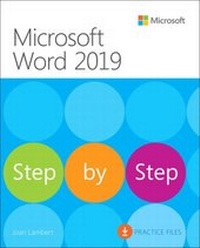
Microsoft Word 2019 Step by Step
1st Edition
Published on 15. February 2019
624 pages
978-1-5093-0622-0 (ISBN)
Description

The quick way to learn Microsoft Word 2019 and Word for Office 365!
This is learning made easy. Get more done quickly with Microsoft Word 2019 and Word for Office 365. Jump in wherever you need answers--brisk lessons and informative screenshots show you exactly what to do, step by step.
Create great-looking, well-organized documents to enhance communication
Use headings, bookmarks, and footnotes for more intuitive access to knowledge
Visualize information by using diagrams and charts
Illustrate concepts by using 3D models, icons, and screen clippings
Collaborate, track changes, and coauthor documents in real-time
Enforce security and privacy in electronic documents
Quickly build tables of contents, indexes, and equations
Generate individualized emails, letters, labels, envelopes, directories, and catalogs
Supercharge efficiency with custom styles, themes, templates, and building blocks
Look up just the tasks and lessons you need
This is learning made easy. Get more done quickly with Microsoft Word 2019 and Word for Office 365. Jump in wherever you need answers--brisk lessons and informative screenshots show you exactly what to do, step by step.
Create great-looking, well-organized documents to enhance communication
Use headings, bookmarks, and footnotes for more intuitive access to knowledge
Visualize information by using diagrams and charts
Illustrate concepts by using 3D models, icons, and screen clippings
Collaborate, track changes, and coauthor documents in real-time
Enforce security and privacy in electronic documents
Quickly build tables of contents, indexes, and equations
Generate individualized emails, letters, labels, envelopes, directories, and catalogs
Supercharge efficiency with custom styles, themes, templates, and building blocks
Look up just the tasks and lessons you need
All prices
More details
Edition
1. Auflage
Language
English
Place of publication
Boston
United States
Publishing group
Microsoft Press,U.S.
Target group
Professional and scholarly
File size
15,09 MB
ISBN-13
978-1-5093-0622-0 (9781509306220)
Copyright in bibliographic data and cover images is held by Nielsen Book Services Limited or by the publishers or by their respective licensors: all rights reserved.
Schweitzer Classification
Other editions
Additional editions
Joan Lambert
Microsoft Word 2019 Step by Step
Book
04/2019
Microsoft Press
€37.50
Shipment within 3-4 weeks
Person
Joan Lambert has worked closely with Microsoft technologies since 1986, and in the training and certification industry since 1997, guiding the translation of technical information and requirements into useful, relevant, and measurable resources for people seeking certification of their computer skills or who simply want to get things done efficiently.
Joan is the author or coauthor of more than 50 books about Windows and Office (for Windows, Mac, and iPad), five generations of Microsoft Office Specialist certification study guides, video-based training courses for SharePoint and OneNote, QuickStudy guides for Windows 10 and Office 2016, and GO! series books about Outlook.
Joan is a Microsoft Certified Professional, Microsoft Office Specialist Master (for all versions of Office since Office 2003), Microsoft Certified Technology Specialist (for Windows and Windows Server), Microsoft Certified Technology Associate (for Windows), Microsoft Dynamics Specialist, and Microsoft Certified Trainer.
Joan is a Pacific Northwest native, now blissfully based in America's Finest City with her simply divine daughter, Trinity; her German host daughter, Elly; and their faithful canine, feline, and aquatic companions.
Joan is the author or coauthor of more than 50 books about Windows and Office (for Windows, Mac, and iPad), five generations of Microsoft Office Specialist certification study guides, video-based training courses for SharePoint and OneNote, QuickStudy guides for Windows 10 and Office 2016, and GO! series books about Outlook.
Joan is a Microsoft Certified Professional, Microsoft Office Specialist Master (for all versions of Office since Office 2003), Microsoft Certified Technology Specialist (for Windows and Windows Server), Microsoft Certified Technology Associate (for Windows), Microsoft Dynamics Specialist, and Microsoft Certified Trainer.
Joan is a Pacific Northwest native, now blissfully based in America's Finest City with her simply divine daughter, Trinity; her German host daughter, Elly; and their faithful canine, feline, and aquatic companions.
Content
Introduction
Part 1: Get started with Word 2019
Chapter 1: Word 2019 basics
Chapter 2: Create and manage documents
Chapter 3: Enter and edit text
Part 2: Create professional documents
Chapter 4: Modify the structure and appearance of text
Chapter 5: Organize information in columns and tables
Chapter 6: Add simple graphic elements
Part 3: Enhance document content
Chapter 7: Insert and modify diagrams and 3D models
Chapter 8: Insert and modify charts
Chapter 9: Format document elements
Chapter 10: Organize and arrange content
Part 4: Review and finalize documents
Chapter 11: Collaborate on documents
Chapter 12: Finalize and distribute documents
Part 5: Use advanced Word functions
Chapter 13: Reference content and content sources
Chapter 14: Merge data with documents and labels
Chapter 15: Create custom document elements
Chapter 16: Customize options and the user interface
Keyboard shortcuts
Glossary
Part 1: Get started with Word 2019
Chapter 1: Word 2019 basics
Chapter 2: Create and manage documents
Chapter 3: Enter and edit text
Part 2: Create professional documents
Chapter 4: Modify the structure and appearance of text
Chapter 5: Organize information in columns and tables
Chapter 6: Add simple graphic elements
Part 3: Enhance document content
Chapter 7: Insert and modify diagrams and 3D models
Chapter 8: Insert and modify charts
Chapter 9: Format document elements
Chapter 10: Organize and arrange content
Part 4: Review and finalize documents
Chapter 11: Collaborate on documents
Chapter 12: Finalize and distribute documents
Part 5: Use advanced Word functions
Chapter 13: Reference content and content sources
Chapter 14: Merge data with documents and labels
Chapter 15: Create custom document elements
Chapter 16: Customize options and the user interface
Keyboard shortcuts
Glossary
