

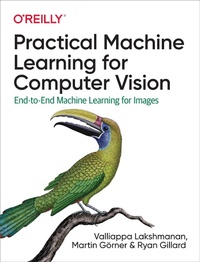
Practical Machine Learning for Computer Vision
Published on 21. July 2021
482 pages
978-1-0981-0232-6 (ISBN)
Description

This practical book shows you how to employ machine learning models to extract information from images. ML engineers and data scientists will learn how to solve a variety of image problems including classification, object detection, autoencoders, image generation, counting, and captioning with proven ML techniques. This book provides a great introduction to end-to-end deep learning: dataset creation, data preprocessing, model design, model training, evaluation, deployment, and interpretability.Google engineers Valliappa Lakshmanan, Martin Grner, and Ryan Gillard show you how to develop accurate and explainable computer vision ML models and put them into large-scale production using robust ML architecture in a flexible and maintainable way. You'll learn how to design, train, evaluate, and predict with models written in TensorFlow or Keras.You'll learn how to:Design ML architecture for computer vision tasksSelect a model (such as ResNet, SqueezeNet, or EfficientNet) appropriate to your taskCreate an end-to-end ML pipeline to train, evaluate, deploy, and explain your modelPreprocess images for data augmentation and to support learnabilityIncorporate explainability and responsible AI best practicesDeploy image models as web services or on edge devicesMonitor and manage ML models
More details
Other editions
Additional editions
Valliappa Lakshmanan | Martin Goerner | Ryan Gillard
Practical Machine Learning for Computer Vision
End-to-End Machine Learning for Images
Book
08/2021
O'Reilly
€89.50
Shipment within 15-20 days
Content
- Intro
- Copyright
- Table of Contents
- Preface
- Who Is This Book For?
- How to Use This Book
- Organization of the Book
- Conventions Used in This Book
- Using Code Examples
- O'Reilly Online Learning
- How to Contact Us
- Acknowledgments
- Chapter 1. Machine Learning for Computer Vision
- Machine Learning
- Deep Learning Use Cases
- Summary
- Chapter 2. ML Models for Vision
- A Dataset for Machine Perception
- 5-Flowers Dataset
- Reading Image Data
- Visualizing Image Data
- Reading the Dataset File
- A Linear Model Using Keras
- Keras Model
- Training the Model
- A Neural Network Using Keras
- Neural Networks
- Deep Neural Networks
- Summary
- Glossary
- Chapter 3. Image Vision
- Pretrained Embeddings
- Pretrained Model
- Transfer Learning
- Fine-Tuning
- Convolutional Networks
- Convolutional Filters
- Stacking Convolutional Layers
- Pooling Layers
- AlexNet
- The Quest for Depth
- Filter Factorization
- 1x1 Convolutions
- VGG19
- Global Average Pooling
- Modular Architectures
- Inception
- SqueezeNet
- ResNet and Skip Connections
- DenseNet
- Depth-Separable Convolutions
- Xception
- Neural Architecture Search Designs
- NASNet
- The MobileNet Family
- Beyond Convolution: The Transformer Architecture
- Choosing a Model
- Performance Comparison
- Ensembling
- Recommended Strategy
- Summary
- Chapter 4. Object Detection and Image Segmentation
- Object Detection
- YOLO
- RetinaNet
- Segmentation
- Mask R-CNN and Instance Segmentation
- U-Net and Semantic Segmentation
- Summary
- Chapter 5. Creating Vision Datasets
- Collecting Images
- Photographs
- Imaging
- Proof of Concept
- Data Types
- Channels
- Geospatial Data
- Audio and Video
- Manual Labeling
- Multilabel
- Object Detection
- Labeling at Scale
- Labeling User Interface
- Multiple Tasks
- Voting and Crowdsourcing
- Labeling Services
- Automated Labeling
- Labels from Related Data
- Noisy Student
- Self-Supervised Learning
- Bias
- Sources of Bias
- Selection Bias
- Measurement Bias
- Confirmation Bias
- Detecting Bias
- Creating a Dataset
- Splitting Data
- TensorFlow Records
- Reading TensorFlow Records
- Summary
- Chapter 6. Preprocessing
- Reasons for Preprocessing
- Shape Transformation
- Data Quality Transformation
- Improving Model Quality
- Size and Resolution
- Using Keras Preprocessing Layers
- Using the TensorFlow Image Module
- Mixing Keras and TensorFlow
- Model Training
- Training-Serving Skew
- Reusing Functions
- Preprocessing Within the Model
- Using tf.transform
- Data Augmentation
- Spatial Transformations
- Color Distortion
- Information Dropping
- Forming Input Images
- Summary
- Chapter 7. Training Pipeline
- Efficient Ingestion
- Storing Data Efficiently
- Reading Data in Parallel
- Maximizing GPU Utilization
- Saving Model State
- Exporting the Model
- Checkpointing
- Distribution Strategy
- Choosing a Strategy
- Creating the Strategy
- Serverless ML
- Creating a Python Package
- Submitting a Training Job
- Hyperparameter Tuning
- Deploying the Model
- Summary
- Chapter 8. Model Quality and Continuous Evaluation
- Monitoring
- TensorBoard
- Weight Histograms
- Device Placement
- Data Visualization
- Training Events
- Model Quality Metrics
- Metrics for Classification
- Metrics for Regression
- Metrics for Object Detection
- Quality Evaluation
- Sliced Evaluations
- Fairness Monitoring
- Continuous Evaluation
- Summary
- Chapter 9. Model Predictions
- Making Predictions
- Exporting the Model
- Using In-Memory Models
- Improving Abstraction
- Improving Efficiency
- Online Prediction
- TensorFlow Serving
- Modifying the Serving Function
- Handling Image Bytes
- Batch and Stream Prediction
- The Apache Beam Pipeline
- Managed Service for Batch Prediction
- Invoking Online Prediction
- Edge ML
- Constraints and Optimizations
- TensorFlow Lite
- Running TensorFlow Lite
- Processing the Image Buffer
- Federated Learning
- Summary
- Chapter 10. Trends in Production ML
- Machine Learning Pipelines
- The Need for Pipelines
- Kubeflow Pipelines Cluster
- Containerizing the Codebase
- Writing a Component
- Connecting Components
- Automating a Run
- Explainability
- Techniques
- Adding Explainability
- No-Code Computer Vision
- Why Use No-Code?
- Loading Data
- Training
- Evaluation
- Summary
- Chapter 11. Advanced Vision Problems
- Object Measurement
- Reference Object
- Segmentation
- Rotation Correction
- Ratio and Measurements
- Counting
- Density Estimation
- Extracting Patches
- Simulating Input Images
- Regression
- Prediction
- Pose Estimation
- PersonLab
- The PoseNet Model
- Identifying Multiple Poses
- Image Search
- Distributed Search
- Fast Search
- Better Embeddings
- Summary
- Chapter 12. Image and Text Generation
- Image Understanding
- Embeddings
- Auxiliary Learning Tasks
- Autoencoders
- Variational Autoencoders
- Image Generation
- Generative Adversarial Networks
- GAN Improvements
- Image-to-Image Translation
- Super-Resolution
- Modifying Pictures (Inpainting)
- Anomaly Detection
- Deepfakes
- Image Captioning
- Dataset
- Tokenizing the Captions
- Batching
- Captioning Model
- Training Loop
- Prediction
- Summary
- Afterword
- Index
- About the Authors
- Colophon
