

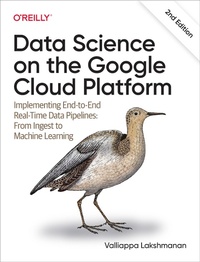
Data Science on the Google Cloud Platform
Published on 29. March 2022
462 pages
978-1-0981-1892-1 (ISBN)
Description

Learn how easy it is to apply sophisticated statistical and machine learning methods to real-world problems when you build using Google Cloud Platform (GCP). This hands-on guide shows data engineers and data scientists how to implement an end-to-end data pipeline with cloud native tools on GCP.
Throughout this updated second edition, you''ll work through a sample business decision by employing a variety of data science approaches. Follow along by building a data pipeline in your own project on GCP, and discover how to solve data science problems in a transformative and more collaborative way.
You''ll learn how to:
- Employ best practices in building highly scalable data and ML pipelines on Google Cloud
- Automate and schedule data ingest using Cloud Run
- Create and populate a dashboard in Data Studio
- Build a real-time analytics pipeline using Pub/Sub, Dataflow, and BigQuery
- Conduct interactive data exploration with BigQuery
- Create a Bayesian model with Spark on Cloud Dataproc
- Forecast time series and do anomaly detection with BigQuery ML
- Aggregate within time windows with Dataflow
- Train explainable machine learning models with Vertex AI
- Operationalize ML with Vertex AI Pipelines
More details
Other editions
Additional editions
Valliappa Lakshmanan
Data Science on the Google Cloud Platform
Implementing End-to-End Real-Time Data Pipelines: From Ingest to Machine Learning
Book
04/2022
2nd Edition
O'Reilly
€74.00
Shipment within 15-20 days
Content
- Intro
- Copyright
- Table of Contents
- Preface
- Who This Book Is For
- Conventions Used in This Book
- Using Code Examples
- O'Reilly Online Learning
- How to Contact Us
- Acknowledgments
- Chapter 1. Making Better Decisions Based on Data
- Many Similar Decisions
- The Role of Data Scientists
- Scrappy Environment
- Full Stack Cloud Data Scientists
- Collaboration
- Best Practices
- Simple to Complex Solutions
- Cloud Computing
- Serverless
- A Probabilistic Decision
- Probabilistic Approach
- Probability Density Function
- Cumulative Distribution Function
- Choices Made
- Choosing Cloud
- Not a Reference Book
- Getting Started with the Code
- Agile Architecture for Data Science on Google Cloud
- What Is Agile Architecture?
- No-Code, Low-Code
- Use Managed Services
- Summary
- Suggested Resources
- Chapter 2. Ingesting Data into the Cloud
- Airline On-Time Performance Data
- Knowability
- Causality
- Training-Serving Skew
- Downloading Data
- Hub-and-Spoke Architecture
- Dataset Fields
- Separation of Compute and Storage
- Scaling Up
- Scaling Out with Sharded Data
- Scaling Out with Data-in-Place
- Ingesting Data
- Reverse Engineering a Web Form
- Dataset Download
- Exploration and Cleanup
- Uploading Data to Google Cloud Storage
- Loading Data into Google BigQuery
- Advantages of a Serverless Columnar Database
- Staging on Cloud Storage
- Access Control
- Ingesting CSV Files
- Partitioning
- Scheduling Monthly Downloads
- Ingesting in Python
- Cloud Run
- Securing Cloud Run
- Deploying and Invoking Cloud Run
- Scheduling Cloud Run
- Summary
- Code Break
- Suggested Resources
- Chapter 3. Creating Compelling Dashboards
- Explain Your Model with Dashboards
- Why Build a Dashboard First?
- Accuracy, Honesty, and Good Design
- Loading Data into Cloud SQL
- Create a Google Cloud SQL Instance
- Create Table of Data
- Interacting with the Database
- Querying Using BigQuery
- Schema Exploration
- Using Preview
- Using Table Explorer
- Creating BigQuery View
- Building Our First Model
- Contingency Table
- Threshold Optimization
- Building a Dashboard
- Getting Started with Data Studio
- Creating Charts
- Adding End-User Controls
- Showing Proportions with a Pie Chart
- Explaining a Contingency Table
- Modern Business Intelligence
- Digitization
- Natural Language Queries
- Connected Sheets
- Summary
- Suggested Resources
- Chapter 4. Streaming Data: Publication and Ingest with Pub/Sub and Dataflow
- Designing the Event Feed
- Transformations Needed
- Architecture
- Getting Airport Information
- Sharing Data
- Time Correction
- Apache Beam/Cloud Dataflow
- Parsing Airports Data
- Adding Time Zone Information
- Converting Times to UTC
- Correcting Dates
- Creating Events
- Reading and Writing to the Cloud
- Running the Pipeline in the Cloud
- Publishing an Event Stream to Cloud Pub/Sub
- Speed-Up Factor
- Get Records to Publish
- How Many Topics?
- Iterating Through Records
- Building a Batch of Events
- Publishing a Batch of Events
- Real-Time Stream Processing
- Streaming in Dataflow
- Windowing a Pipeline
- Streaming Aggregation
- Using Event Timestamps
- Executing the Stream Processing
- Analyzing Streaming Data in BigQuery
- Real-Time Dashboard
- Summary
- Suggested Resources
- Chapter 5. Interactive Data Exploration with Vertex AI Workbench
- Exploratory Data Analysis
- Exploration with SQL
- Reading a Query Explanation
- Exploratory Data Analysis in Vertex AI Workbench
- Jupyter Notebooks
- Creating a Notebook
- Jupyter Commands
- Installing Packages
- Jupyter Magic for Google Cloud
- Exploring Arrival Delays
- Basic Statistics
- Plotting Distributions
- Quality Control
- Arrival Delay Conditioned on Departure Delay
- Evaluating the Model
- Random Shuffling
- Splitting by Date
- Training and Testing
- Summary
- Suggested Resources
- Chapter 6. Bayesian Classifier with Apache Spark on Cloud Dataproc
- MapReduce and the Hadoop Ecosystem
- How MapReduce Works
- Apache Hadoop
- Google Cloud Dataproc
- Need for Higher-Level Tools
- Jobs, Not Clusters
- Preinstalling Software
- Quantization Using Spark SQL
- JupyterLab on Cloud Dataproc
- Independence Check Using BigQuery
- Spark SQL in JupyterLab
- Histogram Equalization
- Bayesian Classification
- Bayes in Each Bin
- Evaluating the Model
- Dynamically Resizing Clusters
- Comparing to Single Threshold Model
- Orchestration
- Submitting a Spark Job
- Workflow Template
- Cloud Composer
- Autoscaling
- Serverless Spark
- Summary
- Suggested Resources
- Chapter 7. Logistic Regression Using Spark ML
- Logistic Regression
- How Logistic Regression Works
- Spark ML Library
- Getting Started with Spark Machine Learning
- Spark Logistic Regression
- Creating a Training Dataset
- Training the Model
- Predicting Using the Model
- Evaluating a Model
- Feature Engineering
- Experimental Framework
- Feature Selection
- Feature Transformations
- Feature Creation
- Categorical Variables
- Repeatable, Real Time
- Summary
- Suggested Resources
- Chapter 8. Machine Learning with BigQuery ML
- Logistic Regression
- Presplit Data
- Interrogating the Model
- Evaluating the Model
- Scale and Simplicity
- Nonlinear Machine Learning
- XGBoost
- Hyperparameter Tuning
- Vertex AI AutoML Tables
- Time Window Features
- Taxi-Out Time
- Compounding Delays
- Causality
- Time Features
- Departure Hour
- Transform Clause
- Categorical Variable
- Feature Cross
- Summary
- Suggested Resources
- Chapter 9. Machine Learning with TensorFlow in Vertex AI
- Toward More Complex Models
- Preparing BigQuery Data for TensorFlow
- Reading Data into TensorFlow
- Training and Evaluation in Keras
- Model Function
- Features
- Inputs
- Training the Keras Model
- Saving and Exporting
- Deep Neural Network
- Wide-and-Deep Model in Keras
- Representing Air Traffic Corridors
- Bucketing
- Feature Crossing
- Wide-and-Deep Classifier
- Deploying a Trained TensorFlow Model to Vertex AI
- Concepts
- Uploading Model
- Creating Endpoint
- Deploying Model to Endpoint
- Invoking the Deployed Model
- Summary
- Suggested Resources
- Chapter 10. Getting Ready for MLOps with Vertex AI
- Developing and Deploying Using Python
- Writing model.py
- Writing the Training Pipeline
- Predefined Split
- AutoML
- Hyperparameter Tuning
- Parameterize Model
- Shorten Training Run
- Metrics During Training
- Hyperparameter Tuning Pipeline
- Best Trial to Completion
- Explaining the Model
- Configuring Explanations Metadata
- Creating and Deploying Model
- Obtaining Explanations
- Summary
- Suggested Resources
- Chapter 11. Time-Windowed Features for Real-Time Machine Learning
- Time Averages
- Apache Beam and Cloud Dataflow
- Reading and Writing
- Time Windowing
- Machine Learning Training
- Machine Learning Dataset
- Training the Model
- Streaming Predictions
- Reuse Transforms
- Input and Output
- Invoking Model
- Reusing Endpoint
- Batching Predictions
- Streaming Pipeline
- Writing to BigQuery
- Executing Streaming Pipeline
- Late and Out-of-Order Records
- Possible Streaming Sinks
- Summary
- Suggested Resources
- Chapter 12. The Full Dataset
- Four Years of Data
- Creating Dataset
- Training Model
- Evaluation
- Summary
- Suggested Resources
- Conclusion
- Appendix A. Considerations for Sensitive Data Within Machine Learning Datasets
- Handling Sensitive Information
- Sensitive Data in Columns
- Sensitive Data in Natural Language Datasets
- Sensitive Data in Free-Form Unstructured Data
- Sensitive Data in a Combination of Fields
- Sensitive Data in Unstructured Content
- Protecting Sensitive Data
- Removing Sensitive Data
- Masking Sensitive Data
- Coarsening Sensitive Data
- Establishing a Governance Policy
- Index
- About the Author
- Colophon
