

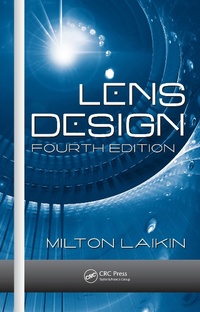
Lens Design
4th Edition
Published on 3. October 2018
512 pages
978-0-8493-8279-6 (ISBN)
Description

There is no shortage of lens optimization software on the market to deal with today's complex optical systems for all sorts of custom and standardized applications. But all of these software packages share one critical flaw: you still have to design a starting solution. Continuing the bestselling tradition of the author's previous books, Lens Design, Fourth Edition is still the most complete and reliable guide for detailed design information and procedures for a wide range of optical systems.
Milton Laikin draws on his varied and extensive experience, ranging from innovative cinematographic and special-effects optical systems to infrared and underwater lens systems, to cover a vast range of special-purpose optical systems and their detailed design and analysis. This edition has been updated to replace obsolete glass types and now includes several new designs and sections on stabilized systems, the human eye, spectrographic systems, and diffractive systems. A new CD-ROM accompanies this edition, offering extensive lens prescription data and executable ZEMAX files corresponding to figures in the text.
Filled with sage advice and completely illustrated, Lens Design, Fourth Edition supplies hands-on guidance for the initial design and final optimization for a plethora of commercial, consumer, and specialized optical systems.
Milton Laikin draws on his varied and extensive experience, ranging from innovative cinematographic and special-effects optical systems to infrared and underwater lens systems, to cover a vast range of special-purpose optical systems and their detailed design and analysis. This edition has been updated to replace obsolete glass types and now includes several new designs and sections on stabilized systems, the human eye, spectrographic systems, and diffractive systems. A new CD-ROM accompanies this edition, offering extensive lens prescription data and executable ZEMAX files corresponding to figures in the text.
Filled with sage advice and completely illustrated, Lens Design, Fourth Edition supplies hands-on guidance for the initial design and final optimization for a plethora of commercial, consumer, and specialized optical systems.
More details
Series
Edition
4th edition
Language
English
Place of publication
Baton Rouge
United States
Publishing group
Taylor & Francis Inc
Target group
Professional and scholarly
Students, engineers, and designers in optical engineering, lens design, optics, optical systems, optical physics, spectroscope design, and other areas related to the design of optical systems for consumer, military, scientific, commercial, and industrial applications.
Edition type
Revised edition
Illustrations
186 s/w Abbildungen, 171 s/w Tabellen
171 Tables, black and white; 186 Illustrations, black and white
File size
24,82 MB
ISBN-13
978-0-8493-8279-6 (9780849382796)
Copyright in bibliographic data and cover images is held by Nielsen Book Services Limited or by the publishers or by their respective licensors: all rights reserved.
Schweitzer Classification
Other editions
Additional editions
Previous edition
E-Book
12/2016
1st Edition
CRC Press
€324.99
Available for download
Person
Content
The Method of Lens Design. The Achromatic Doublet. The Air-Spaced Triplet. Triplet Modifications. Petzval Lenses. Double Gauss and Near Symmetric Types. Telephoto Lenses. Inverted Telephoto Lens. Very-Wide-Angle Lenses. Eyepieces. Microscope Objectives. In-Water Lenses. Afocal Optical Systems. Relay Lenses. Catadioptric and Mirror Optical Systems. Periscope Systems. IR Lenses. Ultraviolet Lenses and Optical Lithography. F-Theta Scan Lenses. Endoscope. Enlarging and Copying Lenses. Projection Lenses. Telecentric Systems. Laser-Focusing Lenses (Optical Disc). Heads-Up Display Lenses. The Achromatic Wedge. Wedge-Plate and Rotary-Prism Cameras. Anamorphic Attachments. Illumination Systems. Lenses for Aerial Photography. Radiation-Resistant Lenses. Lenses for Microprojection. First-Order Theory, Mechanically Compensated Zoom. First Order Theory, Optically Compensated Zoom Lenses. Mechanically Compensated Zoom Lenses. The Optically Compensated Zoom Lenses. Copy Lenses with Variable Magnification. Variable Focal Length Lenses. Gradient-Index Lenses. Stabilized Optical Systems. The Human Emmetropic Eye. Spectrographic Systems. Diffractive Systems. Appendix A: Film and CCD Formats. Appendix B: Flange Distance. Appendix C: Thermal and Mechanical Properties. Appendix D: Commercially Available Lens Design Programs. Index.
