

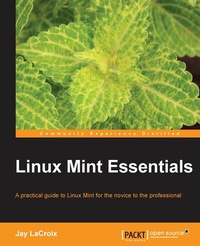
Linux Mint Essentials
A practical guide to Linux Mint for the novice to the professional
Published on 7. October 2025
324 pages
978-1-78216-816-4 (ISBN)
Description

.
Key Features
Book DescriptionA task-oriented look at Linux Mint, using actual real-world examples to stimulate learning. Each topic is presented in an easy-to-follow order, with hands-on activities to reinforce the content. If you are starting out with Linux from a different platform or are well versed with Linux Mint and want a guide that shows you how to exploit certain functionality, this book is for you. No previous Linux experience is assumed.What you will learn
.
Who this book is for
Key Features
Book DescriptionA task-oriented look at Linux Mint, using actual real-world examples to stimulate learning. Each topic is presented in an easy-to-follow order, with hands-on activities to reinforce the content. If you are starting out with Linux from a different platform or are well versed with Linux Mint and want a guide that shows you how to exploit certain functionality, this book is for you. No previous Linux experience is assumed.What you will learn
.
Who this book is for
All prices
More details
Edition
Digital original
Language
English
Place of publication
Birmingham
United Kingdom
Target group
Professional and scholarly
US School Grade: College Graduate Student
Edition type
Digital original
File size
12,70 MB
ISBN-13
978-1-78216-816-4 (9781782168164)
Copyright in bibliographic data and cover images is held by Nielsen Book Services Limited or by the publishers or by their respective licensors: all rights reserved.
Schweitzer Classification
Other editions
Additional editions
Person
LaCroix Jay :
Jeremy "Jay" LaCroix is a technologist and open-source enthusiast, specializing in Linux. He has a net field experience of 20 years across different firms as a Solutions Architect and holds a master's degree in Information Systems Technology Management from Capella University. In addition, Jay also has an active Linux-focused YouTube channel with over 250K followers and over 20M views, available at LearnLinuxTV, where he posts instructional tutorial videos and other Linux-related content. He has also written Linux Mint Essentials and Mastering Linux Network Administration, published by Packt Publishing.
Jeremy "Jay" LaCroix is a technologist and open-source enthusiast, specializing in Linux. He has a net field experience of 20 years across different firms as a Solutions Architect and holds a master's degree in Information Systems Technology Management from Capella University. In addition, Jay also has an active Linux-focused YouTube channel with over 250K followers and over 20M views, available at LearnLinuxTV, where he posts instructional tutorial videos and other Linux-related content. He has also written Linux Mint Essentials and Mastering Linux Network Administration, published by Packt Publishing.
Content
Table of Contents
Meet Linux Mint
Creating Boot Media & Installation
Getting Acquainted With Cinnamon
Introduction to the Terminal
User Management and Permissions
Installing and Removing Software
Storage and Media
Multimedia
Networking
Security and Disaster Recovery
Advanced Administration
Troubleshooting
Appendix: Reinstalling Mint while maintaining data/settings
Appendix: The MATE edition of Linux Mint
Appendix: Creating Your Own Live Media with mint-constructor
Meet Linux Mint
Creating Boot Media & Installation
Getting Acquainted With Cinnamon
Introduction to the Terminal
User Management and Permissions
Installing and Removing Software
Storage and Media
Multimedia
Networking
Security and Disaster Recovery
Advanced Administration
Troubleshooting
Appendix: Reinstalling Mint while maintaining data/settings
Appendix: The MATE edition of Linux Mint
Appendix: Creating Your Own Live Media with mint-constructor

