


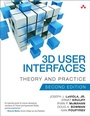
3D User Interfaces
Theory and Practice
2nd Edition
Published on 7. April 2017
400 pages
978-0-13-403450-8 (ISBN)
Description

The Complete, Up-To-Date Guide to Building Great 3D User Interfaces for Any Application
3D interaction is suddenly everywhere. But simply using 3D input or displays isn't enough: 3D interfaces must be carefully designed for optimal user experience. 3D User Interfaces: Theory and Practice, Second Edition is today's most comprehensive primary reference to building state-of-the-art 3D user interfaces and interactions. Five pioneering researchers and practitioners cover the full spectrum of emerging applications, techniques, and best practices. The authors combine theoretical foundations, analysis of leading devices, and empirically validated design guidelines. This edition adds two new chapters on human factors and general human-computer interaction-indispensable foundational knowledge for building any 3D user interface. It also demonstrates advanced concepts at work through two running case studies: a first-person VR game and a mobile augmented reality application.
Coverage Includes
3D user interfaces: evolution, elements, and roadmaps
Key applications: virtual and augmented reality (VR, AR), mobile/wearable devices
What 3D UI designers should know about human sensory systems and cognition ergonomics
How proven human-computer interaction techniques apply to 3D UIs
3D UI output hardware for visual, auditory, and haptic/ tactile systems
Obtaining 3D position, orientation, and motion data for users in physical space
3D object selection and manipulation
Navigation and wayfinding techniques for moving through virtual and physical spaces
Changing application state with system control techniques, issuing commands, and enabling other forms of user input
Strategies for choosing, developing, and evaluating 3D user interfaces
Utilizing 2D, "magic," "natural," multimodal, and two-handed interaction
The future of 3D user interfaces: open research problems and emerging technologies
3D interaction is suddenly everywhere. But simply using 3D input or displays isn't enough: 3D interfaces must be carefully designed for optimal user experience. 3D User Interfaces: Theory and Practice, Second Edition is today's most comprehensive primary reference to building state-of-the-art 3D user interfaces and interactions. Five pioneering researchers and practitioners cover the full spectrum of emerging applications, techniques, and best practices. The authors combine theoretical foundations, analysis of leading devices, and empirically validated design guidelines. This edition adds two new chapters on human factors and general human-computer interaction-indispensable foundational knowledge for building any 3D user interface. It also demonstrates advanced concepts at work through two running case studies: a first-person VR game and a mobile augmented reality application.
Coverage Includes
3D user interfaces: evolution, elements, and roadmaps
Key applications: virtual and augmented reality (VR, AR), mobile/wearable devices
What 3D UI designers should know about human sensory systems and cognition ergonomics
How proven human-computer interaction techniques apply to 3D UIs
3D UI output hardware for visual, auditory, and haptic/ tactile systems
Obtaining 3D position, orientation, and motion data for users in physical space
3D object selection and manipulation
Navigation and wayfinding techniques for moving through virtual and physical spaces
Changing application state with system control techniques, issuing commands, and enabling other forms of user input
Strategies for choosing, developing, and evaluating 3D user interfaces
Utilizing 2D, "magic," "natural," multimodal, and two-handed interaction
The future of 3D user interfaces: open research problems and emerging technologies
More details
Series
Edition
2nd edition
Language
English
Place of publication
Boston
United States
Publishing group
Pearson Education (US)
Target group
Professional and scholarly
ISBN-13
978-0-13-403450-8 (9780134034508)
Copyright in bibliographic data and cover images is held by Nielsen Book Services Limited or by the publishers or by their respective licensors: all rights reserved.
Schweitzer Classification
Other editions
Additional editions
Book
04/2017
2nd Edition
Addison Wesley
€68.50
Shipment within 15-20 days
Persons
JOSEPH J. LAVIOLA, JR., Associate Professor of Computer Science, directs the Interactive Systems and User Experience Research Cluster of Excellence at the University of Central Florida.
ERNST KRUIJFF, Interim Professor for Computer Graphics and Interactive Systems at the Institute of Visual Computing, Bonn-Rhein-Sieg University of Applied Sciences, leads the 3DMi group's design of multisensory 3D user interfaces.
RYAN P. McMAHAN, Associate Professor of Computer Science at UT Dallas, directs its Future Immersive Virtual Environments (FIVE) Lab.
DOUG A. BOWMAN, Professor of Computer Science at Virginia Tech, directs its 3D Interaction Research Group and Center for Human-Computer Interaction. He is an ACM Distinguished Scientist.
IVAN POUPYREV is Technical Program Lead working on advanced interaction research at Google's Advanced Technology and Products (ATAP) division.
ERNST KRUIJFF, Interim Professor for Computer Graphics and Interactive Systems at the Institute of Visual Computing, Bonn-Rhein-Sieg University of Applied Sciences, leads the 3DMi group's design of multisensory 3D user interfaces.
RYAN P. McMAHAN, Associate Professor of Computer Science at UT Dallas, directs its Future Immersive Virtual Environments (FIVE) Lab.
DOUG A. BOWMAN, Professor of Computer Science at Virginia Tech, directs its 3D Interaction Research Group and Center for Human-Computer Interaction. He is an ACM Distinguished Scientist.
IVAN POUPYREV is Technical Program Lead working on advanced interaction research at Google's Advanced Technology and Products (ATAP) division.
Content
Foreword to the Second Edition xvi
Foreword to the First Edition xviii
Preface to the Second Edition xx
Preface to the First Edition xxiii
Acknowledgments xxv
About the Authors xxix
PART I: FOUNDATIONS OF 3D USER INTERFACES 1
Chapter 1 Introduction to 3D User Interfaces 3
1.1 What Are 3D User Interfaces? 4
1.2 Why 3D User Interfaces? 4
1.3 Terminology 6
1.4 Application Areas 8
1.5 Conclusion 9
Chapter 2 3D User Interfaces: History and Roadmap 11
2.1 History of 3D UIs 12
2.2 Roadmap to 3D UIs 14
2.3 Scope of this Book 27
2.4 Introduction to Case Studies 27
2.5 Conclusion 30
PART II: HUMAN FACTORS AND HUMAN-COMPUTER INTERACTION BASICS 31
Chapter 3 Human Factors Fundamentals 33
3.1 Introduction 34
3.2 Information Processing 35
3.3 Perception 41
3.4 Cognition 58
3.5 Physical Ergonomics 66
3.6 Guidelines 74
3.7 Conclusion 75
Recommended Reading 76
Chapter 4 General Principles of Human-Computer Interaction 77
4.1 Introduction 78
4.2 Understanding the User Experience 80
4.3 Design Principles and Guidelines 95
4.4 Engineering the User Experience 109
4.5 Conclusion 121
Recommended Reading 121
PART III: HARDWARE TECHNOLOGIES FOR 3D USER INTERFACES 123
Chapter 5 3D User Interface Output Hardware 125
5.1 Introduction 126
5.2 Visual Displays 127
5.3 Auditory Displays 153
5.4 Haptic Displays 158
5.5 Characterizing Displays by Level of Fidelity 170
5.6 Design Guidelines: Choosing Output Devices for 3D User Interfaces 171
5.7 Case Studies 178
5.8 Conclusion 183
Recommended Reading 183
Chapter 6 3D User Interface Input Hardware 187
6.1 Introduction 188
6.2 Traditional Input Devices 190
6.3 3D Spatial Input Devices 200
6.4 Complementary Input for 3D User Interfaces 226
6.5 Special-Purpose Input Devices 228
6.6 Do It Yourself (DIY) Input Devices 234
6.7 Choosing Input Devices for 3D User Interfaces 238
6.8 Case Studies 244
6.9 Conclusion 247
Recommended Reading 248
PART IV: 3D INTERACTION TECHNIQUES 251
Chapter 7 Selection and Manipulation 255
7.1 Introduction 256
7.2 3D Manipulation Tasks 257
7.3 Classifications for 3D Manipulation 262
7.4 Grasping Metaphors 264
7.5 Pointing Metaphors 273
7.6 Surface Metaphors 280
7.7 Indirect Metaphors 286
7.8 Bimanual Metaphors 297
7.9 Hybrid Metaphors 301
7.10 Other Aspects of 3D Manipulation 303
7.11 Design Guidelines 309
7.12 Case Studies 312
7.13 Conclusion 314
Recommended Reading 315
Chapter 8 Travel 317
8.1 Introduction 318
8.2 3D Travel Tasks 319
8.3 Classifications for 3D Travel 322
8.4 Walking Metaphors 325
8.5 Steering Metaphors 339
8.6 Selection-Based Travel Metaphors 344
8.7 Manipulation-Based Travel Metaphors 349
8.8 Other Aspects of Travel Techniques 353
8.9 Wayfinding in 3D Environments 361
8.10 Design Guidelines 367
8.11 Case Studies 371
8.12 Conclusion 376
Recommended Reading 377
Chapter 9 System Control 379
9.1 Introduction 380
9.2 System Control Issues 381
9.3 Classification 384
9.4 Physical Controllers 384
9.5 Graphical Menus 386
9.6 Voice Commands 396
9.7 Gestural Commands 398
9.8 Tools 404
9.9 Multimodal Techniques 409
9.10 Design Guidelines412
9.11 Case Studies 414
9.12 Conclusion 417
Recommended Reading 417
PART V: DESIGNING AND DEVELOPING 3D USER INTERFACES 419
Chapter 10 Strategies in Designing and Developing 3D User Interfaces 421
10.1 Introduction 422
10.2 Designing for Humans 423
10.3 Inventing 3D User Interfaces 436
10.4 Design Guidelines 447
10.5 Case Studies 451
10.6 Conclusion 454
Recommended Reading 454
Chapter 11 Evaluation of 3D User Interfaces 455
11.1 Introduction 456
11.2 Evaluation Methods for 3D UIs 457
11.3 Evaluation Metrics for 3D UIs 460
11.4 Characteristics of 3D UI Evaluations 463
11.5 Classification of Evaluation Methods 468
11.6 Three Multimethod Approaches 470
11.7 Guidelines for 3D UI Evaluation 487
11.8 Case Studies 489
11.9 Conclusion 493
Recommended Reading 493
Acknowledgment 494
Part VI: THE FUTURE OF 3D INTERFACES 495
Chapter 12 The Future of 3D User Interfaces 497
12.1 User Experience with 3D Displays 498
12.2 3D UI Design 500
12.3 3D UI Development and Evaluation 505
12.4 3D UIs in the Real World 507
12.5 Applications of 3D UIs 509
Bibliography 513
Index 563
Foreword to the First Edition xviii
Preface to the Second Edition xx
Preface to the First Edition xxiii
Acknowledgments xxv
About the Authors xxix
PART I: FOUNDATIONS OF 3D USER INTERFACES 1
Chapter 1 Introduction to 3D User Interfaces 3
1.1 What Are 3D User Interfaces? 4
1.2 Why 3D User Interfaces? 4
1.3 Terminology 6
1.4 Application Areas 8
1.5 Conclusion 9
Chapter 2 3D User Interfaces: History and Roadmap 11
2.1 History of 3D UIs 12
2.2 Roadmap to 3D UIs 14
2.3 Scope of this Book 27
2.4 Introduction to Case Studies 27
2.5 Conclusion 30
PART II: HUMAN FACTORS AND HUMAN-COMPUTER INTERACTION BASICS 31
Chapter 3 Human Factors Fundamentals 33
3.1 Introduction 34
3.2 Information Processing 35
3.3 Perception 41
3.4 Cognition 58
3.5 Physical Ergonomics 66
3.6 Guidelines 74
3.7 Conclusion 75
Recommended Reading 76
Chapter 4 General Principles of Human-Computer Interaction 77
4.1 Introduction 78
4.2 Understanding the User Experience 80
4.3 Design Principles and Guidelines 95
4.4 Engineering the User Experience 109
4.5 Conclusion 121
Recommended Reading 121
PART III: HARDWARE TECHNOLOGIES FOR 3D USER INTERFACES 123
Chapter 5 3D User Interface Output Hardware 125
5.1 Introduction 126
5.2 Visual Displays 127
5.3 Auditory Displays 153
5.4 Haptic Displays 158
5.5 Characterizing Displays by Level of Fidelity 170
5.6 Design Guidelines: Choosing Output Devices for 3D User Interfaces 171
5.7 Case Studies 178
5.8 Conclusion 183
Recommended Reading 183
Chapter 6 3D User Interface Input Hardware 187
6.1 Introduction 188
6.2 Traditional Input Devices 190
6.3 3D Spatial Input Devices 200
6.4 Complementary Input for 3D User Interfaces 226
6.5 Special-Purpose Input Devices 228
6.6 Do It Yourself (DIY) Input Devices 234
6.7 Choosing Input Devices for 3D User Interfaces 238
6.8 Case Studies 244
6.9 Conclusion 247
Recommended Reading 248
PART IV: 3D INTERACTION TECHNIQUES 251
Chapter 7 Selection and Manipulation 255
7.1 Introduction 256
7.2 3D Manipulation Tasks 257
7.3 Classifications for 3D Manipulation 262
7.4 Grasping Metaphors 264
7.5 Pointing Metaphors 273
7.6 Surface Metaphors 280
7.7 Indirect Metaphors 286
7.8 Bimanual Metaphors 297
7.9 Hybrid Metaphors 301
7.10 Other Aspects of 3D Manipulation 303
7.11 Design Guidelines 309
7.12 Case Studies 312
7.13 Conclusion 314
Recommended Reading 315
Chapter 8 Travel 317
8.1 Introduction 318
8.2 3D Travel Tasks 319
8.3 Classifications for 3D Travel 322
8.4 Walking Metaphors 325
8.5 Steering Metaphors 339
8.6 Selection-Based Travel Metaphors 344
8.7 Manipulation-Based Travel Metaphors 349
8.8 Other Aspects of Travel Techniques 353
8.9 Wayfinding in 3D Environments 361
8.10 Design Guidelines 367
8.11 Case Studies 371
8.12 Conclusion 376
Recommended Reading 377
Chapter 9 System Control 379
9.1 Introduction 380
9.2 System Control Issues 381
9.3 Classification 384
9.4 Physical Controllers 384
9.5 Graphical Menus 386
9.6 Voice Commands 396
9.7 Gestural Commands 398
9.8 Tools 404
9.9 Multimodal Techniques 409
9.10 Design Guidelines412
9.11 Case Studies 414
9.12 Conclusion 417
Recommended Reading 417
PART V: DESIGNING AND DEVELOPING 3D USER INTERFACES 419
Chapter 10 Strategies in Designing and Developing 3D User Interfaces 421
10.1 Introduction 422
10.2 Designing for Humans 423
10.3 Inventing 3D User Interfaces 436
10.4 Design Guidelines 447
10.5 Case Studies 451
10.6 Conclusion 454
Recommended Reading 454
Chapter 11 Evaluation of 3D User Interfaces 455
11.1 Introduction 456
11.2 Evaluation Methods for 3D UIs 457
11.3 Evaluation Metrics for 3D UIs 460
11.4 Characteristics of 3D UI Evaluations 463
11.5 Classification of Evaluation Methods 468
11.6 Three Multimethod Approaches 470
11.7 Guidelines for 3D UI Evaluation 487
11.8 Case Studies 489
11.9 Conclusion 493
Recommended Reading 493
Acknowledgment 494
Part VI: THE FUTURE OF 3D INTERFACES 495
Chapter 12 The Future of 3D User Interfaces 497
12.1 User Experience with 3D Displays 498
12.2 3D UI Design 500
12.3 3D UI Development and Evaluation 505
12.4 3D UIs in the Real World 507
12.5 Applications of 3D UIs 509
Bibliography 513
Index 563
