

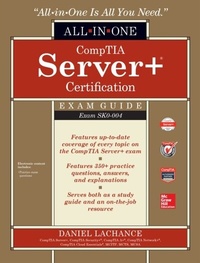
CompTIA Server+ Certification All-in-One Exam Guide (Exam SK0-004)
1st Edition
Published on 23. December 2016
498 pages
978-1-259-83802-6 (ISBN)
Available for download
Description

Complete coverage of every objective for the CompTIA Server+ examTake the CompTIA Server+ exam with confidence using this highly effective self-study guide. CompTIA Server+ Certification All-in-One Exam Guide (Exam SK0-004) offers complete coverage of every topic on the latest version of the exam. You will get in-depth explanations of the latest server types and components, virtualization, IPv4 and IPv6 networking, cloud computing, security, troubleshooting, and more. The book and electronic content provide 350+ accurate practice questions along with in-depth answers, explanations, learning objectives, and exam tips.Coverage includes: General concepts CompTIA Server+ essentials Server hardware Server operating systems Storage Network concepts Security Troubleshooting Performance optimizationElectronic content includes: Practice exam questions
More details
Content
- Cover
- Title Page
- Copyright Page
- Contents
- Preface
- Acknowledgments
- Introduction
- Chapter 1 Introduction to CompTIA Server+ Essentials
- Why This Book Is Relevant
- Server Hardware Basics
- Server Form Factors
- Server CPUs
- Server Memory
- Buses and Slots
- Virtualization
- Environmental Factors
- Storage
- Network Concepts
- Cables and Connectors
- IP
- Ports and Protocols
- Server Operating Systems
- Server Roles
- Maintenance
- Monitoring
- Security Considerations
- Hardening
- Network Security
- Troubleshooting and Optimizing Performance
- Optimizing Performance
- Troubleshooting
- Preparing for the Worst
- Chapter Review
- Questions
- Questions and Answers
- Chapter 2 Server Hardware
- Server Form Factors
- Tower Servers
- Rack-mounted Equipment
- Blade Servers
- Server Components
- BIOS
- UEFI
- CPUs
- Memory
- Buses
- NICs
- Storage
- USB
- Power
- Voltage
- Wattage
- UPS
- Environmental Controls
- Temperature
- Air Flow
- Humidity
- Fire Suppression
- Hands-on Exercises
- Exercise 2-1: Calculate Rack Space
- Exercise 2-2: Create a Windows Server 2012 R2 Virtual Machine Configuration
- Exercise 2-3: Create a Red Hat Enterprise Linux 7 Virtual Machine Configuration
- Chapter Review
- Server Form Factors
- Server Components
- Power
- Environmental Controls
- Questions
- Questions and Answers
- Chapter 3 Server Operating Systems
- Server Roles
- Infrastructure Roles
- Other Server Roles
- Virtualization Servers
- Hypervisor Types
- Hypervisor Host Configuration
- Virtual Machine Guest Configuration
- Server Installation
- Installing a Type 1 Hypervisor
- Installing a Server Operating System
- Server Administration Methods
- KVM
- Out-of-band Remote Administration
- In-band Remote Administration
- Server Documentation
- Asset Life Cycle
- Asset Inventory
- Service Level Agreements
- Other Documentation
- Maintaining Servers
- Patch Management
- Proactive Maintenance
- Reactive Maintenance
- Hands-on Exercises
- Exercise 3-1: Install the Microsoft Windows Server 2012 R2 Operating System
- Exercise 3-2: Install the DNS Server Role in Windows Server 2012 R2
- Exercise 3-3: Configure the DNS Server in Windows Server 2012 R2
- Exercise 3-4: Install the DHCP Server in Windows Server 2012 R2
- Exercise 3-5: Install an Active Directory Server in Windows Server 2012 R2
- Exercise 3-6: Install the Red Hat Enterprise Linux 7 Operating System
- Exercise 3-7: Configure Windows Server 2012 R2 to Use Internet NTP Time
- Chapter Review
- Server Roles
- Virtualization Servers
- Server Installation
- Server Administration Methods
- Server Documentation
- Server Maintenance
- Questions
- Questions and Answers
- Chapter 4 Storage
- Storage Technologies
- Magnetic Hard Disks
- Solid-State Drives
- Hybrid Drives
- Storage Tiers
- Disk Interfaces
- Optical Drives
- Cloud Storage
- Direct-Attached Storage
- Network-Attached Storage
- Storage Area Networks
- Storage Capacity and Future Growth
- Base 2 vs. Base 10
- Where Did All the Disk Space Go?
- Using Less Disk Space
- RAID Configuration
- RAID Levels
- Storage Device Installation
- MBR and GPT
- File Systems
- Sample Scenario 1
- Sample Scenario 2
- Hands-on Exercises
- Exercise 4-1: Configure a Windows Server 2012 R2 iSCSI Target
- Exercise 4-2: Use the Red Hat Enterprise Linux 7 iSCSI Initiator to Connect to an iSCSI Target
- Exercise 4-3: Configure Software RAID Using Windows Server 2012 R2
- Exercise 4-4: Configure Software RAID Using Red Hat Enterprise Linux 7
- Exercise 4-5: Monitor Disk Space Using File Server Resource Manager
- Exercise 4-6: Set a Disk Quota Using File Server Resource Manager
- Exercise 4-7: Retrieve Disk Information Using PowerShell
- Chapter Review
- Storage Device Characteristics
- Disk Interfaces
- Local and Network Storage
- Storage Capacity Planning
- RAID
- Disk Initialization and File Systems
- Questions
- Questions and Answers
- Chapter 5 Network Concepts
- The OSI Model
- Cable Installation and Management
- Cable Placement
- Cable Labeling
- Cable Types
- Network Hardware
- Network Interface Cards
- Network Switches
- Routers
- Configuring IPv4
- PAT
- NAT
- IP
- IPv4 Addressing
- Subnet Mask
- Reserved Internal IP Address Ranges
- When to Use Subnetting
- Configuring IPv6
- IPv6 Addressing
- IPv6 Settings
- IPv6 Transition Technologies
- Network Infrastructure Services
- Default Gateway
- DNS Servers
- WINS Servers
- DHCP
- TCP and UDP
- TCP
- UDP
- Hands-on Exercises
- Exercise 5-1: Manually Configure IPv6 on Windows Server 2012 R2
- Exercise 5-2: Manually Configure IPv6 on Red Hat Enterprise Linux 7
- Exercise 5-3: Install and Configure NAT on Windows Server 2012 R2
- Exercise 5-4: Use Wireshark to Capture and Analyze HTTP Traffic
- Chapter Review
- The OSI Model
- Cables and Connectors
- Network Interface Cards
- IPv4 and IPv6
- IP, TCP, and UDP
- Questions
- Questions and Answers
- Chapter 6 Security
- Physical Security
- Premises Access
- The Human Element
- Authentication
- Under Lock and Key
- Logical Access Control
- Groups
- Dynamic Access Control
- Roles
- Rights and Permissions
- File System Permissions
- Peripheral Devices
- Network Security
- NAC
- VLANs
- Firewalls
- Security Zones
- PKI
- IPSec
- VPNs
- Intrusion Detection and Prevention Systems
- Hardening
- Operating System Hardening
- Hardware Hardening
- Application Hardening
- Data Security
- Data and Mobile Devices
- Encrypting Data at Rest
- Tape Encryption
- Secure Media Disposal
- Hands-on Exercises
- Exercise 6-1: Set NTFS File System Permissions
- Exercise 6-2: Set Shared Folder Permissions
- Exercise 6-3: Set File System Permissions in Linux
- Exercise 6-4: Use EFS to Encrypt Files in Windows
- Exercise 6-5: Use OpenSSL to Encrypt Files in Linux
- Exercise 6-6: Use iptables to Set Firewall Rules in Linux
- Exercise 6-7: Enable Encrypted Communication on a Windows IIS Web Server
- Chapter Review
- Physical Security
- Authentication
- Logical Access Control
- Network Security
- Firewalls
- PKI
- IPSec
- VPNs
- Intrusion Detection and Prevention
- Hardening
- Data Security
- Secure Media Disposal
- Questions
- Questions and Answers
- Chapter 7 Troubleshooting and Performance Optimization
- Troubleshooting Methodology
- Identify the Problem
- Establish a Theory of Probable Cause
- Test the Theory
- Establish a Plan of Action
- Implement a Solution or Escalate
- Verify Functionality
- Perform Root Cause Analysis
- Document the Solution
- Hardware Problems and Solutions
- Software Problems and Solutions
- Storage Problems and Solutions
- Windows Tools
- Linux Tools
- Network Problems and Solutions
- Name Resolution Issues
- Security Problems and Solutions
- Malware Troubleshooting
- Too Few Permissions
- Too Many Permissions
- Too Much Running
- Confidentiality and Integrity
- Performance Optimization
- Hardware Optimization
- Software Optimization
- Network Optimization
- Hands-on Exercises
- Exercise 7-1: Explore Windows Performance Monitoring Tools
- Exercise 7-2: Explore Linux Performance Monitoring Tools
- Exercise 7-3: Use Windows PowerShell to Retrieve Event Log Information
- Exercise 7-4: View Linux Log File Entries
- Chapter Review
- Troubleshooting Methodology
- Hardware Problems and Solutions
- Software Problems and Solutions
- Storage Problems and Solutions
- Network Problems and Solutions
- Security Problems and Solutions
- Performance Optimization
- Questions
- Questions and Answers
- Chapter 8 Preparing for the Worst
- Disaster Recovery
- Alternate Sites
- Data Replication
- Business Impact Analysis
- Business Continuity
- Disaster Recovery Plan
- Business Continuity Plan
- Data Backup
- Backup Types
- Backup Media
- On-premises Backup
- Cloud Backup
- Backup and Restore Best Practices
- Hands-on Exercises
- Exercise 8-1: Configure the Volume Shadow Service on Windows Server 2012 R2
- Exercise 8-2: Restore Previous Versions of Files in Windows
- Exercise 8-3: Configure and Use Windows Server Backup
- Exercise 8-4: Use the Linux tar Command for Data Backup
- Chapter Review
- Disaster Recovery Sites
- Data Replication
- Business Impact
- Disaster Recovery Plan
- Business Continuity Plan
- Data Backups
- Questions
- Questions and Answers
- Appendix A About the Hands-on Exercises and Lab Set-up
- Lab Exercise Overview
- Windows
- Linux
- Requirements for Hands-on Exercises
- Hardware Requirements
- VMware Workstation 10
- Install VMware Workstation 10
- Acquiring Windows and Linux Installation Media
- Lab Exercise Miscellany
- Appendix B URL Reference
- Appendix C Real-World Best Practices
- Server Installation
- Virtualization
- Cloud Computing
- Storage
- Networks
- Security
- Appendix D CompTIA Server+ Certification Exam Objectives (SK0-004)
- 1.0 Server Architecture
- 1.1 Explain the purpose and function of server form factors
- 1.2 Given a scenario, install, configure and maintain server components
- 1.3 Compare and contrast power and cooling components
- 2.0 Server Administration
- 2.1 Install and configure server operating systems
- 2.2 Compare and contrast server roles and requirements for each
- 2.3 Given a scenario, use access and control methods to administer a server
- 2.4 Given a scenario, perform proper server maintenance techniques
- 2.5 Explain the importance of asset management and documentation
- 2.6 Explain the purpose and operation of virtualization components
- 3.0 Storage
- 3.1 Given a scenario, install and deploy primary storage devices based on given specifications and interfaces
- 3.2 Given a scenario, configure RAID using best practices
- 3.3 Summarize hardware and features of various storage technologies
- 3.4 Given a scenario, calculate appropriate storage capacity and plan for future growth
- 4.0 Security
- 4.1 Compare and contrast physical security methods and concepts
- 4.2 Given a scenario, apply server hardening techniques
- 4.3 Explain basic network security systems and protocols
- 4.4 Implement logical access control methods based on company policy
- 4.5 Implement data security methods and secure storage disposal techniques
- 4.6 Given a scenario, implement proper environmental controls and techniques
- 5.0 Networking
- 5.1 Given a scenario, configure servers to use IP addressing and network infrastructure services
- 5.2 Compare and contrast various ports and protocols
- 5.3 Given a scenario, install cables and implement proper cable management procedures
- 6.0 Disaster Recovery
- 6.1 Explain the importance of disaster recovery principles
- 6.2 Given a scenario, implement appropriate backup techniques
- 7.0 Troubleshooting
- 7.1 Explain troubleshooting theory and methodologies
- 7.2 Given a scenario, effectively troubleshoot hardware problems, selecting the appropriate tools and methods
- 7.3 Given a scenario, effectively troubleshoot software problems, selecting the appropriate tools and methods
- 7.4 Given a scenario, effectively diagnose network problems, selecting the appropriate tools and methods
- 7.5 Given a scenario, effectively troubleshoot storage problems, selecting the appropriate tools and methods
- 7.6 Given a scenario, effectively diagnose security issues, selecting the appropriate tools and methods
- Appendix E About the Download
- System Requirements
- Downloading Total Tester Premium Practice Exam Software
- Total Tester Premium Practice Exam Software
- Installing and Running Total Tester
- Technical Support
- Glossary
- Index

