

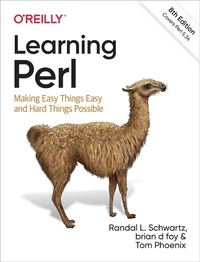
Learning Perl
Description

If you''re just getting started with Perl, this is the book you want?whether you''re a programmer, system administrator, or web hacker. Nicknamed "the Llama" by two generations of users, this best seller closely follows the popular introductory Perl course taught by the authors since 1991. This eighth edition covers recent changes to the language up to version 5.34.
Perl is suitable for almost any task on almost any platform, from short fixes to complete web applications. Learning Perl teaches you the basics and shows you how to write simple, single-file programs?roughly 90% of the Perl programs in use today. And each chapter includes exercises to help you practice what you''ve just learned. Other books may teach you to program in Perl, but this book will turn you into a Perl programmer.
Topics include:
- Perl data and variable types
- Subroutines
- File operations
- Regular expressions
- String manipulation (including Unicode)
- Lists and sorting
- Process management
- Use of third-party modules
More details
Other editions
Additional editions
Previous edition
Content
- Cover
- Copyright
- Table of Contents
- Preface
- Typographical Conventions
- Code Examples
- O'Reilly Online Learning
- How to Contact Us
- History of This Book
- Changes from the Previous Edition
- Acknowledgments
- From Randal
- From brian
- From Tom
- From All of Us
- Chapter 1. Introduction
- Questions and Answers
- Is This the Right Book for You?
- What About the Exercises and Their Answers?
- What If I'm a Perl Course Instructor?
- What Does "Perl" Stand For?
- Why Did Larry Create Perl?
- Why Didn't Larry Just Use Some Other Language?
- Is Perl Easy or Hard?
- How Did Perl Get to Be So Popular?
- What's Happening with Perl Now?
- What's Perl Really Good For?
- What Is Perl Not Good For?
- How Can I Get Perl?
- What Is CPAN?
- Is There Any Kind of Support?
- What If I Find a Bug in Perl?
- How Do I Make a Perl Program?
- A Simple Program
- What's Inside That Program?
- How Do I Compile My Perl Program?
- A Whirlwind Tour of Perl
- Exercises
- Chapter 2. Scalar Data
- Numbers
- All Numbers Have the Same Format Internally
- Integer Literals
- Nondecimal Integer Literals
- Floating-Point Literals
- Numeric Operators
- Strings
- Single-Quoted String Literals
- Double-Quoted String Literals
- String Operators
- Automatic Conversion Between Numbers and Strings
- Perl's Built-in Warnings
- Interpreting Nondecimal Numerals
- Scalar Variables
- Choosing Good Variable Names
- Scalar Assignment
- Compound Assignment Operators
- Output with print
- Interpolation of Scalar Variables into Strings
- Creating Characters by Code Point
- Operator Precedence and Associativity
- Comparison Operators
- The if Control Structure
- Boolean Values
- Getting User Input
- The chomp Operator
- The while Control Structure
- The undef Value
- The defined Function
- Exercises
- Chapter 3. Lists and Arrays
- Accessing Elements of an Array
- Special Array Indices
- List Literals
- The qw Shortcut
- List Assignment
- The pop and push Operators
- The shift and unshift Operators
- The splice Operator
- Interpolating Arrays into Strings
- The foreach Control Structure
- Perl's Favorite Default: $_
- The reverse Operator
- The sort Operator
- The each Operator
- Scalar and List Context
- Using List-Producing Expressions in Scalar Context
- Using Scalar-Producing Expressions in List Context
- Forcing Scalar Context
- &STDIN& in List Context
- Exercises
- Chapter 4. Subroutines
- Defining a Subroutine
- Invoking a Subroutine
- Return Values
- Arguments
- Private Variables in Subroutines
- Variable-Length Parameter Lists
- A Better &max Routine
- Empty Parameter Lists
- Notes on Lexical (my) Variables
- The use strict Pragma
- The return Operator
- Omitting the Ampersand
- Nonscalar Return Values
- Persistent, Private Variables
- Subroutine Signatures
- Prototypes
- Exercises
- Chapter 5. Input and Output
- Input from Standard Input
- Input from the Diamond Operator
- The Double Diamond
- The Invocation Arguments
- Output to Standard Output
- Formatted Output with printf
- Arrays and printf
- Filehandles
- Opening a Filehandle
- Binmoding Filehandles
- Bad Filehandles
- Closing a Filehandle
- Fatal Errors with die
- Warning Messages with warn
- Automatically die-ing
- Using Filehandles
- Changing the Default Output Filehandle
- Reopening a Standard Filehandle
- Output with say
- Filehandles in a Scalar
- Exercises
- Chapter 6. Hashes
- What Is a Hash?
- Why Use a Hash?
- Hash Element Access
- The Hash as a Whole
- Hash Assignment
- The Big Arrow
- Hash Functions
- The keys and values Functions
- The each Function
- Typical Use of a Hash
- The exists Function
- The delete Function
- Hash Element Interpolation
- The %ENV Hash
- Exercises
- Chapter 7. Regular Expressions
- Sequences
- Practice Some Patterns
- The Wildcard
- Quantifiers
- Grouping in Patterns
- Alternation
- Character Classes
- Character Class Shortcuts
- Negating the Shortcuts
- Unicode Properties
- Anchors
- Word Anchors
- Exercises
- Chapter 8. Matching with Regular Expressions
- Matches with m//
- Match Modifiers
- Case-Insensitive Matching with /i
- Matching Any Character with /s
- Adding Whitespace with /x
- Combining Option Modifiers
- Choosing a Character Interpretation
- Beginning- and End-of-Line Anchors
- Other Options
- The Binding Operator =~
- The Match Variables
- The Persistence of Captures
- Captures in Alternations
- Noncapturing Parentheses
- Named Captures
- The Automatic Match Variables
- Precedence
- Examples of Precedence
- And There's More
- A Pattern Test Program
- Exercises
- Chapter 9. Processing Text with Regular Expressions
- Substitutions with s///
- Global Replacements with /g
- Different Delimiters
- Substitution Modifiers
- The Binding Operator
- Nondestructive Substitutions
- Case Shifting
- Metaquoting
- The split Operator
- The join Function
- m// in List Context
- More Powerful Regular Expressions
- Nongreedy Quantifiers
- Fancier Word Boundaries
- Matching Multiple-Line Text
- Updating Many Files
- In-Place Editing from the Command Line
- Exercises
- Chapter 10. More Control Structures
- The unless Control Structure
- The else Clause with unless
- The until Control Structure
- Statement Modifiers
- The Naked Block Control Structure
- The elsif Clause
- Autoincrement and Autodecrement
- The Value of Autoincrement
- The for Control Structure
- The Secret Connection Between foreach and for
- Loop Controls
- The last Operator
- The next Operator
- The redo Operator
- Labeled Blocks
- The Conditional Operator
- Logical Operators
- The Value of a Short-Circuit Operator
- The defined-or Operator
- Control Structures Using Partial-Evaluation Operators
- Exercises
- Chapter 11. Perl Modules
- Finding Modules
- Installing Modules
- Using Your Own Directories
- Using Simple Modules
- The File::Basename Module
- Using Only Some Functions from a Module
- The File::Spec Module
- Path::Class
- Databases and DBI
- Dates and Times
- Exercises
- Chapter 12. File Tests
- File Test Operators
- Testing Several Attributes of the Same File
- Stacked File Test Operators
- The stat and lstat Functions
- The localtime Function
- Bitwise Operators
- Using Bitstrings
- Exercises
- Chapter 13. Directory Operations
- The Current Working Directory
- Changing the Directory
- Globbing
- An Alternate Syntax for Globbing
- Directory Handles
- Manipulating Files and Directories
- Removing Files
- Renaming Files
- Links and Files
- Making and Removing Directories
- Modifying Permissions
- Changing Ownership
- Changing Timestamps
- Exercises
- Chapter 14. Strings and Sorting
- Finding a Substring with index
- Manipulating a Substring with substr
- Formatting Data with sprintf
- Using sprintf with "Money Numbers"
- Advanced Sorting
- Sorting a Hash by Value
- Sorting by Multiple Keys
- Exercises
- Chapter 15. Process Management
- The system Function
- Avoiding the Shell
- The Environment Variables
- The exec Function
- Using Backquotes to Capture Output
- Using Backquotes in a List Context
- External Processes with IPC::System::Simple
- Processes as Filehandles
- Getting Down and Dirty with fork
- Sending and Receiving Signals
- Exercises
- Chapter 16. Some Advanced Perl Techniques
- Slices
- Array Slice
- Hash Slice
- Key-Value Slices
- Trapping Errors
- Using eval
- More Advanced Error Handling
- Picking Items from a List with grep
- Transforming Items from a List with map
- Fancier List Utilities
- Exercises
- Appendix A. Exercise Answers
- Answers to Chapter 1 Exercises
- Answers to Chapter 2 Exercises
- Answers to Chapter 3 Exercises
- Answers to Chapter 4 Exercises
- Answers to Chapter 5 Exercises
- Answers to Chapter 6 Exercises
- Answers to Chapter 7 Exercises
- Answers to Chapter 8 Exercises
- Answers to Chapter 9 Exercises
- Answers to Chapter 10 Exercises
- Answers to Chapter 11 Exercises
- Answers to Chapter 12 Exercises
- Answers to Chapter 13 Exercises
- Answers to Chapter 14 Exercises
- Answers to Chapter 15 Exercises
- Answers to Chapter 16 Exercises
- Appendix B. Beyond the Llama
- Further Documentation
- Regular Expressions
- Packages
- Extending Perl's Functionality
- Writing Your Own Modules
- Databases
- Mathematics
- Lists and Arrays
- Bits and Pieces
- Formats
- Networking and IPC
- System V IPC
- Sockets
- Security
- Debugging
- Command-Line Options
- Built-in Variables
- References
- Complex Data Structures
- Object-Oriented Programming
- Anonymous Subroutines and Closures
- Tied Variables
- Operator Overloading
- Using Other Languages Inside Perl
- Embedding
- Converting find Command Lines to Perl
- Command-Line Options in Your Programs
- Embedded Documentation
- More Ways to Open Filehandles
- Graphical User Interfaces (GUIs)
- And More.
- Appendix C. A Unicode Primer
- Unicode
- UTF-8 and Friends
- Getting Everyone to Agree
- Fancy Characters
- Using Unicode in Your Source
- Fancier Characters
- Dealing with Unicode in Perl
- Fancier Characters by Name
- Reading from STDIN or Writing to STDOUT or STDERR
- Reading from and Writing to Files
- Dealing with Command-Line Arguments
- Dealing with Databases
- Further Reading
- Appendix D. Experimental Features
- A Short History of Perl Development
- Perl 5.10 and Beyond
- Installing a Recent Perl
- Experimental Features
- Turning Off Experimental Warnings
- Enable or Disable Features Lexically
- Don't Rely on Experimental Features
- Index
- About the Authors
- Colophon
