

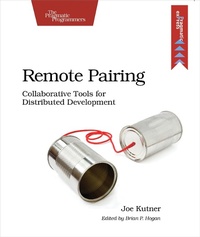
Remote Pairing
Collaborative Tools for Distributed Development
Published on 2. December 2013
108 pages
978-1-68050-456-9 (ISBN)
Description

You've heard about pair programming's benefits: fewer bugs, improved skills, and faster delivery. But what happens when you want to pair with someone in another city, country, or even hemisphere? With the right tools, you won't have to relocate to refactor. In this book, you'll learn techniques used by the most productive remote programmers in the industry to pair with anyone on the globe on any kind of project. You'll use collaborative editors, screen sharing, secure networking, and virtualization to create a remote pairing environment that feels as if your partner is sitting right next to you.
Two heads are better than one, but only if they're working on the same problem. When pairing remotely, this requires a specialized environment that you'll learn how to create. We'll use the same open-source tools as the pros to improve collaboration and increase productivity. You'll learn techniques, patterns, and best practices you can apply to projects of all kinds. These tools are so effective that many co-located programmers use them despite sitting side-by-side--you don't have to work outside of an office for this book to improve your programming techniques.
We'll start by creating a secure collaborative editing environment capable of handling the low-bandwidth networks at some coffee shops. Then we'll share your screen using free open source tools and protocols. We'll deploy all of this to a server in the cloud so you can access your development environment from anywhere. Then we'll use one of the most advanced integrated development environments to collaborate, sketch on a virtual whiteboard, and resolve conflicts.
Finally, we'll talk with programmers at Pivotal Labs, Big Nerd Ranch, and other top-notch distributed development firms to learn how they handle the challenges of remote pairing on a daily basis. With their help and advice, you can be productive from any location on the planet.
What You Need: Many of the examples in this book require an internet connection. You'll only need one computer for most of the exercises, and you can run them by yourself. But having a second computer and even a second person may improve the experience.
Two heads are better than one, but only if they're working on the same problem. When pairing remotely, this requires a specialized environment that you'll learn how to create. We'll use the same open-source tools as the pros to improve collaboration and increase productivity. You'll learn techniques, patterns, and best practices you can apply to projects of all kinds. These tools are so effective that many co-located programmers use them despite sitting side-by-side--you don't have to work outside of an office for this book to improve your programming techniques.
We'll start by creating a secure collaborative editing environment capable of handling the low-bandwidth networks at some coffee shops. Then we'll share your screen using free open source tools and protocols. We'll deploy all of this to a server in the cloud so you can access your development environment from anywhere. Then we'll use one of the most advanced integrated development environments to collaborate, sketch on a virtual whiteboard, and resolve conflicts.
Finally, we'll talk with programmers at Pivotal Labs, Big Nerd Ranch, and other top-notch distributed development firms to learn how they handle the challenges of remote pairing on a daily basis. With their help and advice, you can be productive from any location on the planet.
What You Need: Many of the examples in this book require an internet connection. You'll only need one computer for most of the exercises, and you can run them by yourself. But having a second computer and even a second person may improve the experience.
More details
Other editions
Additional editions
Book
02/2014
The Pragmatic Programmers
€16.50
Shipment within 3-4 weeks
Person
Joe Kutner works exclusively from remote locations as a freelance programmer and consultant. He's paired remotely on everything from web applications to mobile applications with clients from Indiana to India.
Content
- Cover
- Table of Contents
- Acknowledgments
- Preface
- Who Should Read This Book?
- Why Should You Read This Book?
- What's in This Book?
- What Do You Need to Use This Book?
- Having a Partner Is Optional
- 1. Introduction to Pair Programming
- Laying the Ground Rules
- Examining the Evidence
- Pairing Up
- Getting Started with Some Basic Tools
- What's Next?
- 2. Collaborating with Text Only
- Installing tmux
- Using tmux as a Solo Programmer
- Sharing a tmux Session
- Using tmux for Pairing
- What's Next?
- 3. Using the Cloud to Connect
- Creating a Reverse Proxy Server
- Creating the Secure Tunnel
- Tunneling Web Traffic Through a Proxy
- Simple Tunneling with tmate
- What's Next?
- 4. Collaborating with Shared Screens
- Choosing a Screen-Sharing Tool
- Using VNC for Complete Screen Sharing
- Using NX for Partial Screen Sharing
- What's Next?
- 5. Building a Pairing Server
- Initializing the Pairing Server with Vagrant
- Provisioning with Puppet
- Using the Server
- Running the Server in the Cloud
- What's Next?
- 6. Collaborating with an IDE
- Installing Saros and Eclipse
- Sharing an Eclipse Project with Saros
- Whiteboarding with Saros
- What's Next?
- 7. Remote Pairing in the Wild
- Pairing at Test Double
- Pairing at Pivotal Labs
- Pairing at Big Nerd Ranch
- Patterns of Pairing
- Wrapping Up
- Bibliography
