

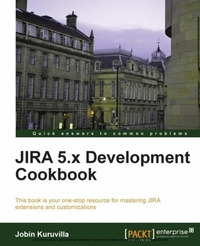
JIRA 5.x Development Cookbook
This book is your one-stop resource for mastering JIRA extensions and customizations
Published on 13. January 2025
512 pages
978-1-78216-909-3 (ISBN)
Description

This book is your one-stop resource for mastering JIRA extensions and customizations
Key Features
Extend and customize JIRA; work with custom fields, workflows, reports, gadgets, JQL functions, plugins, and more
Customize the look and feel of your JIRA user interface by adding new tabs, web items and sections, drop down menus, and more
Master JQL (JIRA Query Language) that enables advanced searching capabilities through which users can search for issues in their JIRA instance and then exploit all the capabilities of the issue navigator
Book DescriptionJIRA provides issue tracking and project tracking for software development teams to improve code quality and the speed of development. "JIRA 5.x Development Cookbook" is a one stop resource to master extensions and customizations in JIRA. You will learn how to create your own JIRA plugins, customize the look and feel of your JIRA UI, work with workflows, issues, custom fields, and much more. "JIRA 5.x Development Cookbook" starts with recipes on simplifying the plugin development process followed by a complete chapter dedicated to the plugin framework to master plugins in JIRA. Then we will move on to writing custom field plugins to create new field types or custom searchers. We then learn how to program and customize workflows to transform JIRA into a user friendly system. Reporting support in an application like JIRA is inevitable! With so much data spanning across different projects, issues, and so on, and a lot of planning done for the project, we will cover how to work on reports and gadgets to get customized data according to our needs. We will then look at customizing the various searching aspects of JIRA such as JQL, searching in plugins, managing filters, and so on. "JIRA 5.x Development Cookbook" steers towards programming issues, such as creating, editing, and deleting issues, creating new issue operations, managing the various other operations available on issues via the JIRA APIs, and so on. In the latter half of "JIRA 5.x Development Cookbook", you will learn how to customize JIRA by adding new tabs, menus, and web items, communicate with JIRA via the REST, SOAP or XML/RPC interfaces, and work with the JIRA database. The book ends with a chapter on useful and general JIRA recipes.What you will learn
Create and deploy your own JIRA plugins
Deal with custom fields on an issue and program custom field options
Program and customize workflows to transform JIRA into a user friendly system
Put together reports that show statistics for particular people, projects, versions, or other fields within issues
Simplify reporting by writing your own JIRA gadgets, which can be added into a user s dashboard
Create, edit, and delete issues
Master database handling in JIRA --retrieve issue information from the database, extend the database, retrieve custom field details from the database, access database entities from plugins, and more
Communicate with JIRA via the REST, SOAP, or XML/RPC interfaces
Who this book is forIf you are a JIRA developer or project manager who wants to fully exploit the exciting capabilities of JIRA, then this is the perfect book for you.
Key Features
Extend and customize JIRA; work with custom fields, workflows, reports, gadgets, JQL functions, plugins, and more
Customize the look and feel of your JIRA user interface by adding new tabs, web items and sections, drop down menus, and more
Master JQL (JIRA Query Language) that enables advanced searching capabilities through which users can search for issues in their JIRA instance and then exploit all the capabilities of the issue navigator
Book DescriptionJIRA provides issue tracking and project tracking for software development teams to improve code quality and the speed of development. "JIRA 5.x Development Cookbook" is a one stop resource to master extensions and customizations in JIRA. You will learn how to create your own JIRA plugins, customize the look and feel of your JIRA UI, work with workflows, issues, custom fields, and much more. "JIRA 5.x Development Cookbook" starts with recipes on simplifying the plugin development process followed by a complete chapter dedicated to the plugin framework to master plugins in JIRA. Then we will move on to writing custom field plugins to create new field types or custom searchers. We then learn how to program and customize workflows to transform JIRA into a user friendly system. Reporting support in an application like JIRA is inevitable! With so much data spanning across different projects, issues, and so on, and a lot of planning done for the project, we will cover how to work on reports and gadgets to get customized data according to our needs. We will then look at customizing the various searching aspects of JIRA such as JQL, searching in plugins, managing filters, and so on. "JIRA 5.x Development Cookbook" steers towards programming issues, such as creating, editing, and deleting issues, creating new issue operations, managing the various other operations available on issues via the JIRA APIs, and so on. In the latter half of "JIRA 5.x Development Cookbook", you will learn how to customize JIRA by adding new tabs, menus, and web items, communicate with JIRA via the REST, SOAP or XML/RPC interfaces, and work with the JIRA database. The book ends with a chapter on useful and general JIRA recipes.What you will learn
Create and deploy your own JIRA plugins
Deal with custom fields on an issue and program custom field options
Program and customize workflows to transform JIRA into a user friendly system
Put together reports that show statistics for particular people, projects, versions, or other fields within issues
Simplify reporting by writing your own JIRA gadgets, which can be added into a user s dashboard
Create, edit, and delete issues
Master database handling in JIRA --retrieve issue information from the database, extend the database, retrieve custom field details from the database, access database entities from plugins, and more
Communicate with JIRA via the REST, SOAP, or XML/RPC interfaces
Who this book is forIf you are a JIRA developer or project manager who wants to fully exploit the exciting capabilities of JIRA, then this is the perfect book for you.
More details
Edition
Digital original
Language
English
Place of publication
Birmingham
United Kingdom
Target group
US School Grade: College Graduate Student
Edition type
Digital original
File size
7,38 MB
ISBN-13
978-1-78216-909-3 (9781782169093)
Copyright in bibliographic data and cover images is held by Nielsen Book Services Limited or by the publishers or by their respective licensors: all rights reserved.
Schweitzer Classification
Other editions
Additional editions
Jobin Kuruvilla
Jira 5.X Development Cookbook
Book
04/2013
Packt Publishing
€75.70
Shipment within 3-4 weeks
Person
Jobin Kuruvilla is an Atlassian Consultant with experience in customizing JIRA and writing JIRA plugins for various customers. He is currently working with Go2Group as an Atlassian platinum expert, and is involved in managing Atlassian products for big enterprises as well as small starter license installations.
Jobin is the author of JIRA Development Cookbook, Packt Publishing, released in 2011, which is a well-received book in the JIRA community. He also runs a website named J-Tricks (http://www.j-tricks.com), using which he shares numerous tutorials to help the developer community, who he believes have contributed immensely to his personal development. It is indeed those tutorials that sowed the first seeds of JIRA Development Cookbook.
Jobin started his career as a Java/J2EE developer in one of the biggest IT companies in India. After spending his initial years in the SOA world, he got hooked into this amazing product called JIRA, which he came across during the evaluation of a number of third-party tools. Soon, Jobin realized the power of JIRA, and pledged to spread the word. He has been doing it ever since, and he reckons there is a long way to go!
Jobin is the author of JIRA Development Cookbook, Packt Publishing, released in 2011, which is a well-received book in the JIRA community. He also runs a website named J-Tricks (http://www.j-tricks.com), using which he shares numerous tutorials to help the developer community, who he believes have contributed immensely to his personal development. It is indeed those tutorials that sowed the first seeds of JIRA Development Cookbook.
Jobin started his career as a Java/J2EE developer in one of the biggest IT companies in India. After spending his initial years in the SOA world, he got hooked into this amazing product called JIRA, which he came across during the evaluation of a number of third-party tools. Soon, Jobin realized the power of JIRA, and pledged to spread the word. He has been doing it ever since, and he reckons there is a long way to go!
Content
Table of Contents
