

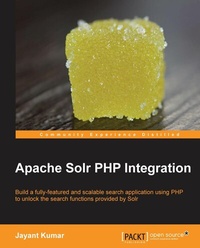
Apache Solr PHP Integration
Build a fully-featured and scalable search application using PHP to unlock the search functions provided by Solr with this book and ebook.
Published on 13. January 2025
118 pages
978-1-78216-493-7 (ISBN)
Description

Build a fully-featured and scalable search application using PHP to unlock the search functions provided by Solr with this book and ebook.
Key Features
Understand the tools that can be used to communicate between PHP and Solr, and how they work internally
Explore the essential search functions of Solr such as sorting, boosting, faceting, and highlighting using your PHP code
Take a look at some advanced features of Solr such as spell checking, grouping, and auto complete with implementations using PHP code
Book DescriptionThe Search tool is a very powerful for any website. No matter what type of website, the search tool helps visitors find what they are looking for using key words and narrow down the results using facets. Solr is the popular, blazing fast, open source enterprise search platform from the Apache Lucene project. It is highly scalable, providing distributed search and index replication, and it powers the search and navigation features of many of the world's largest websites.This book is a practical, hands-on, end-to-end guide that provides you with all the tools required to build a fully-featured search application using Apache Solr and PHP. The book contains practical examples and step-by-step instructions.Starting off with the basics of installing Apache Solr and integrating it with Php, the book then proceeds to explore the features provided by Solr to improve searches using Php. You will learn how to build and maintain a Solr index using Php, discover the query modes available with Solr, and how to use them to tune the Solr queries to retrieve relevant results. You will look at how to build and use facets in your search, how to tune and use fast result highlighting, and how to build a spell check and auto complete feature using Solr. You will finish by learning some of the advanced concepts required to runa large-scale enterprise level search infrastructure.What you will learn
Install Solr and integrate it with PHP
Insert, update, and delete documents from the Solr index using PHP
Perform select queries using the dismax and edismax query modes
Sort, boost, and re-use select queries using PHP
Employ faceting and result highlighting
Debug and fine-tune Solr search queries for relevance
Implement the spell checker and auto complete features using Solr and PHP
Search for documents similar to a particular document and Retrieve index stats using PHP
Deploy distributed searching using sharing and load-balancing of Solr queries
Who this book is forIf you are a developer who knows PHP and is interested in integrating search into your applications, this is the book for you. No advanced knowledge of Solr is required. Very basic knowledge of system commands and the command-line interface on both Linux and Windows is required. You should also be familiar with the concept of Web servers.
Key Features
Understand the tools that can be used to communicate between PHP and Solr, and how they work internally
Explore the essential search functions of Solr such as sorting, boosting, faceting, and highlighting using your PHP code
Take a look at some advanced features of Solr such as spell checking, grouping, and auto complete with implementations using PHP code
Book DescriptionThe Search tool is a very powerful for any website. No matter what type of website, the search tool helps visitors find what they are looking for using key words and narrow down the results using facets. Solr is the popular, blazing fast, open source enterprise search platform from the Apache Lucene project. It is highly scalable, providing distributed search and index replication, and it powers the search and navigation features of many of the world's largest websites.This book is a practical, hands-on, end-to-end guide that provides you with all the tools required to build a fully-featured search application using Apache Solr and PHP. The book contains practical examples and step-by-step instructions.Starting off with the basics of installing Apache Solr and integrating it with Php, the book then proceeds to explore the features provided by Solr to improve searches using Php. You will learn how to build and maintain a Solr index using Php, discover the query modes available with Solr, and how to use them to tune the Solr queries to retrieve relevant results. You will look at how to build and use facets in your search, how to tune and use fast result highlighting, and how to build a spell check and auto complete feature using Solr. You will finish by learning some of the advanced concepts required to runa large-scale enterprise level search infrastructure.What you will learn
Install Solr and integrate it with PHP
Insert, update, and delete documents from the Solr index using PHP
Perform select queries using the dismax and edismax query modes
Sort, boost, and re-use select queries using PHP
Employ faceting and result highlighting
Debug and fine-tune Solr search queries for relevance
Implement the spell checker and auto complete features using Solr and PHP
Search for documents similar to a particular document and Retrieve index stats using PHP
Deploy distributed searching using sharing and load-balancing of Solr queries
Who this book is forIf you are a developer who knows PHP and is interested in integrating search into your applications, this is the book for you. No advanced knowledge of Solr is required. Very basic knowledge of system commands and the command-line interface on both Linux and Windows is required. You should also be familiar with the concept of Web servers.
All prices
More details
Edition
Digital original
Language
English
Place of publication
Birmingham
United Kingdom
Target group
Professional and scholarly
US School Grade: College Graduate Student
Edition type
Digital original
File size
1,94 MB
ISBN-13
978-1-78216-493-7 (9781782164937)
Copyright in bibliographic data and cover images is held by Nielsen Book Services Limited or by the publishers or by their respective licensors: all rights reserved.
Schweitzer Classification
Other editions
Additional editions
Jayant Kumar
Apache Solr PHP Integration
Book
11/2013
Packt Publishing
€27.81
Shipment within 3-4 weeks
Person
Kumar Jayant :
Jayant Kumar is an experienced software professional with a bachelor of engineering degree in computer science and more than 14 years of experience in architecting and developing large-scale web applications. Jayant is an expert on search technologies and PHP and has been working with Lucene and Solr for more than 11 years now. He is the key person responsible for introducing Lucene as a search engine on www.naukri.com, the most successful job portal in India. Jayant is also the author of the book Apache Solr PHP Integration, Packt Publishing, which has been very successful. Jayant has played many different important roles throughout his career, including software developer, team leader, project manager, and architect, but his primary focus has been on building scalable solutions on the Web. Currently, he is associated with the digital division of HT Media as the chief architect responsible for the job site www.shine.com. Jayant is an avid blogger and his blog can be visited at http://jayant7k.blogspot.in. His LinkedIn profile is available at http://www.linkedin.com/in/jayantkumar.
Jayant Kumar is an experienced software professional with a bachelor of engineering degree in computer science and more than 14 years of experience in architecting and developing large-scale web applications. Jayant is an expert on search technologies and PHP and has been working with Lucene and Solr for more than 11 years now. He is the key person responsible for introducing Lucene as a search engine on www.naukri.com, the most successful job portal in India. Jayant is also the author of the book Apache Solr PHP Integration, Packt Publishing, which has been very successful. Jayant has played many different important roles throughout his career, including software developer, team leader, project manager, and architect, but his primary focus has been on building scalable solutions on the Web. Currently, he is associated with the digital division of HT Media as the chief architect responsible for the job site www.shine.com. Jayant is an avid blogger and his blog can be visited at http://jayant7k.blogspot.in. His LinkedIn profile is available at http://www.linkedin.com/in/jayantkumar.
Content
Table of Contents

