

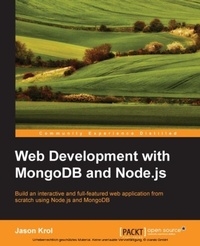
Web Development with MongoDB and Node.js
Build an interactive and full-featured web application from scratch using Node.js and MongoDB
Published on 7. October 2025
294 pages
978-1-78398-731-3 (ISBN)
Description

Key Features
Book DescriptionThis book is designed for developers of any skill level that want to get up and running using Node.js and MongoDB to build full featured web applications. A basic understanding of JavaScript and HTML is the only requirement for this book.What you will learn
Set up a development environment and install Node.js and MongoDB
Write and configure a web server using Node.js powered by the Express.js framework
Build dynamic HTML pages using the Handlebars template engine
Persist application data using MongoDB and Mongoose ODM
Create and consume RESTful APIs
Test your code using automated testing tools
Deploy to the cloud using services such as Heroku, Amazon Web Services, and Microsoft Azure
Explore Single Page Application frameworks to take your web applications to the next level
Who this book is for
Book DescriptionThis book is designed for developers of any skill level that want to get up and running using Node.js and MongoDB to build full featured web applications. A basic understanding of JavaScript and HTML is the only requirement for this book.What you will learn
Set up a development environment and install Node.js and MongoDB
Write and configure a web server using Node.js powered by the Express.js framework
Build dynamic HTML pages using the Handlebars template engine
Persist application data using MongoDB and Mongoose ODM
Create and consume RESTful APIs
Test your code using automated testing tools
Deploy to the cloud using services such as Heroku, Amazon Web Services, and Microsoft Azure
Explore Single Page Application frameworks to take your web applications to the next level
Who this book is for
All prices
More details
Edition
Digital original
Language
English
Place of publication
Birmingham
United Kingdom
Target group
Professional and scholarly
US School Grade: College Graduate Student
Edition type
Digital original
File size
5,44 MB
ISBN-13
978-1-78398-731-3 (9781783987313)
Copyright in bibliographic data and cover images is held by Nielsen Book Services Limited or by the publishers or by their respective licensors: all rights reserved.
Schweitzer Classification
Other editions
Additional editions
Jason Krol
Web Development with Mongodb and Node.Js
Book
09/2014
Packt Publishing
€56.00
Shipment within 3-4 weeks
Person
Krol Jason :
Jason Krol is a passionate web developer with over 15 years of professional experience creating highly interactive web applications using the latest in both client and server technologies. Over the past few years, Jason has been focusing on developing Single-Page Applications using JavaScript in the full stack with Node.js, MongoDB, and Backbone.js. After co-owning and running a successful web development agency for a number of years, Jason recently joined AWeber Communications, an e-mail marketing service provider in the suburbs of Philadelphia.
Jason Krol is a passionate web developer with over 15 years of professional experience creating highly interactive web applications using the latest in both client and server technologies. Over the past few years, Jason has been focusing on developing Single-Page Applications using JavaScript in the full stack with Node.js, MongoDB, and Backbone.js. After co-owning and running a successful web development agency for a number of years, Jason recently joined AWeber Communications, an e-mail marketing service provider in the suburbs of Philadelphia.
Content
Table of Contents
Welcome to JavaScript in the full stack
Getting up and running
NodeJS Basics
Writing an Express server
Serving up HTML pages
Controllers and ViewModels
Data-Driven Apps with MongoDB and Mongoose
Creating a RESTful API
Testing your code
Deploying with Cloud based services
Single Page Applications with popular Front-end Frameworks
Popular NodeJS Web Frameworks
Welcome to JavaScript in the full stack
Getting up and running
NodeJS Basics
Writing an Express server
Serving up HTML pages
Controllers and ViewModels
Data-Driven Apps with MongoDB and Mongoose
Creating a RESTful API
Testing your code
Deploying with Cloud based services
Single Page Applications with popular Front-end Frameworks
Popular NodeJS Web Frameworks

