

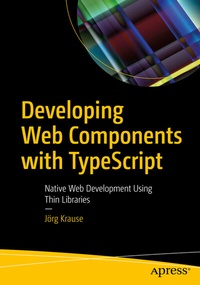
Developing Web Components with TypeScript
Description

Create professional and progressive web apps with the native HTML API on the latest technology stack. This book describes the basics of web components and how to create them using plain JavaScript as well as how to make professional applications based on web components using TypeScript.
Developing Web Components with TypeScript looks at APIs using examples, techniques, and tricks. You will start with a brief introduction to web components, including slots and templates, handling custom events, and styling components with or without shadow DOM. Then, it introduces TypeScript as part of the tool set. It shows the internal construction of a professional thin library. It also helps you learn how to deal with web components in real-life projects; this includes techniques such as creating a single-page app without framework code. All code samples used here are supported by all modern browsers for you to follow along. Library code and examples are available on GitHub.
What You Will Learn
- Create isolated web components using shadow DOM, slots, and templates
- Understand the advantage of an enhanced toolset, especially TypeScript
- Pick up styles and customizations
- Master professional web apps using native APIs
- Understand the life cycle of a component
Who This Book Is For
Professional developers who want to move from desktop to web and away from fat frameworks to achieve their goal.More details
Other editions
Additional editions
Person
Jörg Krause has been working with software and software technology since the early 1980s, beginning with a ZX 81 and taking his first steps as a programmer in BASIC and assembly language. He studied information technology at Humboldt University, Berlin, but left early, in the 1990s, to start his own company. He has worked with Internet technology and software development since the early days when CompuServe and FidoNet dominated. He has worked with Microsoft technologies and software since Windows 95. In 1998, he worked on one of the first commercial e-commerce solutions and wrote his first book. Due to its wide success, he started working as a freelance consultant and author in order to share his experience and knowledge with others. He has written several books for Apress, Hanser, Addison Wesley, and other major publishers along with several self-published books-a total of over 60 titles. He also publishes articles in magazines and speaks at major conferences in Germany. Currently, Jörg works as an independent consultant, software developer, and author in Berlin, Germany.
In his occasional spare time, Jörg enjoys reading thrillers and science fiction novels and going on a round of golf.
Follow him on Twitter at @joergisgeek for updates and insights.
