

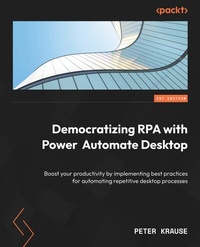
Democratizing RPA with Power Automate Desktop
Boost your productivity by implementing best practices for automating repetitive desktop processes
Published on 23. September 2024
308 pages
978-1-80323-038-2 (ISBN)
Description

No detailed description available for "Democratizing RPA with Power Automate Desktop".
All prices
More details
Edition
Digital original
Language
English
Place of publication
Birmingham
United Kingdom
Target group
Professional and scholarly
US School Grade: College Graduate Student
Edition type
Digital original
Product notice
Reflowable
File size
22,46 MB
ISBN-13
978-1-80323-038-2 (9781803230382)
Copyright in bibliographic data and cover images is held by Nielsen Book Services Limited or by the publishers or by their respective licensors: all rights reserved.
Schweitzer Classification
Other editions
Additional editions
Peter Krause
Democratizing RPA with Power Automate Desktop
Boost your productivity by implementing best practices for automating repetitive desktop processes
Book
04/2023
Packt Publishing
€42.10
Shipment within 3-4 weeks
Person
Krause Peter :
Peter Krause looks back on more than 30 years of IT experience, during which he has experienced the entire spectrum from mainframes to client servers to today's software as a service (SaaS) services. In 2003, he witnessed the birth of Microsoft CRM, = the foundation of today's Power Platform. From that time on, Microsoft technology has shaped his professional life, where he has held roles in nearly every IT project. Peter is a certified trainer and works at Microsoft Corporation as a solution architect, where he helps enterprise customers successfully build their businesses in the cloud.
Peter Krause looks back on more than 30 years of IT experience, during which he has experienced the entire spectrum from mainframes to client servers to today's software as a service (SaaS) services. In 2003, he witnessed the birth of Microsoft CRM, = the foundation of today's Power Platform. From that time on, Microsoft technology has shaped his professional life, where he has held roles in nearly every IT project. Peter is a certified trainer and works at Microsoft Corporation as a solution architect, where he helps enterprise customers successfully build their businesses in the cloud.
Content
Table of Contents
Getting Started with Power Automate Desktop
Using Power Automate Desktop and Creating First Flow
Editing and Debugging UI Flows
Basic Structure Elements and Flow Control
Variables, UI Elements, and Images
Actions for UI Automation
Automate Your Desktop and Workstation
Automating Standard Business Applications
Leveraging Cloud Services and Power Platform
Leveraging Artificial Intelligence
Working with APIs and Services
PAD Enterprise Best Practices
Getting Started with Power Automate Desktop
Using Power Automate Desktop and Creating First Flow
Editing and Debugging UI Flows
Basic Structure Elements and Flow Control
Variables, UI Elements, and Images
Actions for UI Automation
Automate Your Desktop and Workstation
Automating Standard Business Applications
Leveraging Cloud Services and Power Platform
Leveraging Artificial Intelligence
Working with APIs and Services
PAD Enterprise Best Practices
