

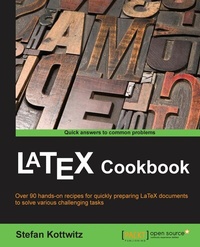
LaTeX Cookbook
Over 90 hands-on recipes for quickly preparing LaTeX documents to solve various challenging tasks
1st Edition
Published on 13. January 2025
378 pages
978-1-78439-630-5 (ISBN)
Description

A pragmatic guide with actionable recipes on LaTex to apply for tuning text, custom designs, fonts, embedding images, tables, advanced mathematics, and graphics for all your complex documentsKey Features - Work with modern document classes, such as KOMA-Script classes
- Explore the latest LaTeX packages, including TikZ, pgfplots, and biblatex
- An example-driven approach to creating stunning graphics directly within LaTeX
Book DescriptionLaTeX is a high-quality typesetting software and is very popular, especially among scientists. Its programming language gives you full control over every aspect of your documents, no matter how complex they are. LaTeX's huge amount of customizable templates and supporting packages cover most aspects of writing with embedded typographic expertise. With this book you will learn to leverage the capabilities of the latest document classes and explore the functionalities of the newest packages. The book starts with examples of common document types. It provides you with samples for tuning text design, using fonts, embedding images, and creating legible tables. Common document parts such as the bibliography, glossary, and index are covered, with LaTeX's modern approach.You will learn how to create excellent graphics directly within LaTeX, including diagrams and plots quickly and easily. Finally, you will discover how to use the new engines XeTeX and LuaTeX for advanced programming and calculating with LaTeX. The example-driven approach of this book is sure to increase your productivity.What you will learn - Choose the right document class for your project to customize its features
- Utilize fonts globally and locally
- Frame, shape, arrange, and annotate images
- Add a bibliography, a glossary, and an index
- Create colorful graphics including diagrams, flow charts, bar charts, trees, plots in 2d and 3d, time lines, and mindmaps
- Solve typical tasks for various sciences including math, physics, chemistry, electrotechnics, and computer science
- Optimize PDF output and enrich it with meta data, annotations, popups, animations, and fillin fields
- Explore the outstanding capabilities of the newest engines and formats such as XeLaTeX, LuaLaTeX, and LaTeX3
Who this book is forIf you already know the basics of LaTeX and you like to get fast, efficient solutions, this is the perfect book for you. If you are an advanced reader, you can use this book's example-driven format to take your skillset to the next level. Some familiarity with the basic syntax of LaTeX and how to use the editor of your choice for compiling is required.
- Explore the latest LaTeX packages, including TikZ, pgfplots, and biblatex
- An example-driven approach to creating stunning graphics directly within LaTeX
Book DescriptionLaTeX is a high-quality typesetting software and is very popular, especially among scientists. Its programming language gives you full control over every aspect of your documents, no matter how complex they are. LaTeX's huge amount of customizable templates and supporting packages cover most aspects of writing with embedded typographic expertise. With this book you will learn to leverage the capabilities of the latest document classes and explore the functionalities of the newest packages. The book starts with examples of common document types. It provides you with samples for tuning text design, using fonts, embedding images, and creating legible tables. Common document parts such as the bibliography, glossary, and index are covered, with LaTeX's modern approach.You will learn how to create excellent graphics directly within LaTeX, including diagrams and plots quickly and easily. Finally, you will discover how to use the new engines XeTeX and LuaTeX for advanced programming and calculating with LaTeX. The example-driven approach of this book is sure to increase your productivity.What you will learn - Choose the right document class for your project to customize its features
- Utilize fonts globally and locally
- Frame, shape, arrange, and annotate images
- Add a bibliography, a glossary, and an index
- Create colorful graphics including diagrams, flow charts, bar charts, trees, plots in 2d and 3d, time lines, and mindmaps
- Solve typical tasks for various sciences including math, physics, chemistry, electrotechnics, and computer science
- Optimize PDF output and enrich it with meta data, annotations, popups, animations, and fillin fields
- Explore the outstanding capabilities of the newest engines and formats such as XeLaTeX, LuaLaTeX, and LaTeX3
Who this book is forIf you already know the basics of LaTeX and you like to get fast, efficient solutions, this is the perfect book for you. If you are an advanced reader, you can use this book's example-driven format to take your skillset to the next level. Some familiarity with the basic syntax of LaTeX and how to use the editor of your choice for compiling is required.
All prices
More details
Other editions
New editions
E-Book
09/2024
2nd Edition
Packt Publishing
from
€23.99
Available for download
Additional editions
Stefan Kottwitz
LaTeX Cookbook
Over 90 hands-on recipes for quickly preparing LaTeX documents to solve various challenging tasks
Book
10/2015
Packt Publishing
€78.40
Shipment within 3-4 weeks
Person
Kottwitz Stefan :
Stefan Kottwitz studied mathematics in Jena and Hamburg. He works as a network and IT security engineer both for Lufthansa Industry Solutions and for Eurowings Aviation. For many years, he has been providing LaTeX support on online forums. He maintains the web forums LaTeX and goLaTeX and the Q&A sites TeXwelt and TeXnique. He runs the TeX graphics gallery sites TeXample, TikZ, and PGFplots, the TeXlive online compiler, the TeXdoc service, and the CTAN software mirror. He is a moderator of the TeX Stack Exchange site and matheplanet. He publishes ideas and news from the TeX world on his blogs LaTeX and TeX. Before this book, he authored the first edition of LaTeX Beginner's Guide in 2011, and LaTeX Cookbook in 2015, both published by Packt.
Stefan Kottwitz studied mathematics in Jena and Hamburg. He works as a network and IT security engineer both for Lufthansa Industry Solutions and for Eurowings Aviation. For many years, he has been providing LaTeX support on online forums. He maintains the web forums LaTeX and goLaTeX and the Q&A sites TeXwelt and TeXnique. He runs the TeX graphics gallery sites TeXample, TikZ, and PGFplots, the TeXlive online compiler, the TeXdoc service, and the CTAN software mirror. He is a moderator of the TeX Stack Exchange site and matheplanet. He publishes ideas and news from the TeX world on his blogs LaTeX and TeX. Before this book, he authored the first edition of LaTeX Beginner's Guide in 2011, and LaTeX Cookbook in 2015, both published by Packt.
Content
- Cover
- Copyright
- Credits
- About the Author
- About the Reviewers
- www.PacktPub.com
- Table of Contents
- Preface
- Chapter 1: The Variety of Document Types
- Introduction
- Writing a short text
- Writing a thesis
- Designing a book
- Creating a presentation
- Designing a curriculum vitae
- Writing a letter
- Producing a leaflet
- Creating a large poster
- Chapter 2: Tuning the Text
- Introduction
- Inputting accented characters
- Improving justification and hyphenation
- Converting numbers to words
- Putting text into a colorful box
- Visualizing the layout
- Visualizing boxes of letters and symbols
- Typesetting in a grid
- Absolute positioning of text
- Starting a paragraph with an over-sized letter
- Fitting text to a shape
- Creating a pull quote
- Chapter 3: Adjusting Fonts
- Introduction
- Choosing a font for a document
- Locally switching to a different font
- Importing just a single symbol from a font family
- Writing bold mathematical symbols
- Getting the sans serif mathematics font
- Writing double stroke letters as if on a blackboard
- Enabling the searching and copying of ligatures
- Suppressing ligatures
- Adding a contour
- Chapter 4: Working with Images
- Introduction
- Including images with optimal quality
- Automating image positioning
- Manipulating images
- Adding a frame to an image
- Cutting an image to get rounded corners
- Shaping an image like a circle
- Drawing over an image
- Aligning images
- Arranging images in a grid
- Stacking images
- Chapter 5: Beautiful Designs
- Introduction
- Adding a background image
- Creating beautiful ornaments
- Preparing pretty headings
- Producing a calendar
- Mimicking keys and menu items
- Chapter 6: Designing Tables
- Introduction
- Creating a legible table
- Adding footnotes to a table
- Aligning numeric data
- Coloring a table
- Merging cells
- Splitting a cell diagonally
- Adding shape, shading, and transparency
- Importing data from files
- Chapter 7: Contents, Indexes, and Bibliographies
- Introduction
- Tuning a table of contents, lists of figures, and tables
- Creating a bibliography
- Adding a glossary
- Creating a list of acronyms
- Producing an index
- Chapter 8: Getting the Most Out of the PDF
- Introduction
- Adding hyperlinks
- Adding metadata
- Adding copyright information
- Inserting comments
- Producing fillable forms
- Optimizing the output for e-book readers
- Removing white margins
- Combining PDF files
- Creating an animation
- Chapter 9: Creating Graphics
- Introduction
- Building smart diagrams
- Constructing a flowchart
- Building a tree
- Building a bar chart
- Drawing a pie chart
- Drawing a Venn diagram
- Putting thoughts in a mind map
- Generating a timeline
- Chapter 10: Advanced Mathematics
- Introduction
- Quick-start for beginners
- Fine-tuning math formulas
- Automatic line-breaking in equations
- Highlighting in a formula
- Stating definitions and theorems
- Drawing commutative diagrams
- Plotting functions in two dimensions
- Plotting in three dimensions
- Drawing geometry pictures
- Doing calculations
- Chapter 11: Science and Technology
- Introduction
- Typesetting an algorithm
- Printing a code listing
- Application in graph theory
- Writing physical quantities with units
- Writing chemical formulae
- Drawing molecules
- Representing atoms
- Drawing electrical circuits
- Chapter 12: Getting Support on the Internet
- Introduction
- Exploring online LaTeX resources
- Using web forums
- Framing a really good question
- Creating a minimal example
- Index

