

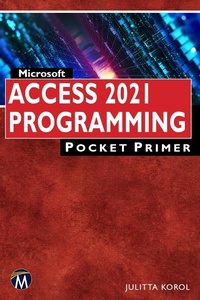
Microsoft Access 2021 Programming Pocket Primer
1st Edition
Published on 7. September 2022
218 pages
978-1-68392-888-1 (ISBN)
Description

As part of the successful Pocket Primer series, this book was designed for someone like you who needs to master Access programming fundamentals without spending too much time. All you need is this short book to get you started. It will show you only the things you need to know to feel at home with VBA. What you learn in this book on Access programming will also apply to, say, Excel programming. The book is divided into nine chapters that progressively introduce you to programming Microsoft Access 2021.
Features:
- Includes a companion disc with all of the "Hands-On" files needed to complete the chapter projects and all the images from the text (files available from the publisher by emailing info@merclearning.com with proof of purchase)
- Introduces you to using the VBA programming language in Microsoft Access 2021.
More details
Series
Language
English
Place of publication
Berlin
United States
Target group
Professional and scholarly
US School Grade: College Graduate Student
File size
8,61 MB
ISBN-13
978-1-68392-888-1 (9781683928881)
Copyright in bibliographic data and cover images is held by Nielsen Book Services Limited or by the publishers or by their respective licensors: all rights reserved.
Schweitzer Classification
Other editions
Additional editions
Julitta Korol
Microsoft Access 2021 Programming Pocket Primer
Book
11/2022
1st Edition
Mercury Learning & Information
€54.95
Article not available at the moment
Julitta Korol
Microsoft Access 2021 Programming Pocket Primer
E-Book
09/2022
1st Edition
Mercury Learning and Information
€61.49
Available for download
Content
- Cover
- Title
- Copyright
- Contents
- Acknowledgments
- Introduction
- Chapter 1 Getting Started with Access VBA
- Understanding VBA Modules and Procedure Types
- Writing Procedures in a Standard Module
- Executing Your Procedure
- Understanding Class Modules
- Events, Event Properties, and Event Procedures
- Why Use Events?
- Walking Through an Event Procedure
- Compiling Your Procedures
- Placing a Database in a Trusted Location
- Summary
- Chapter 2 Getting to Know Visual Basic Editor (VBE)
- Understanding the Project Explorer Window
- Understanding the Properties Window
- Understanding the Code Window
- Other Windows in the VBE
- Assigning a Name to the VBA Project
- Renaming the Module
- Syntax and Programming Assistance
- List Properties/Methods
- Parameter Info
- List Constants
- Quick Info
- Complete Word
- Indent/Outdent
- Comment Block/Uncomment Block
- Using the Object Browser
- Using the VBA Object Library
- Using the Immediate Window
- Summary
- Chapter 3 Access VBA Fundamentals
- Introduction to Data Types
- Understanding and Using Variables
- Declaring Variables
- Specifying the Data Type of a Variable
- Using Type Declaration Characters
- Assigning Values to Variables
- Forcing Declaration of Variables
- Understanding the Scope of Variables
- Procedure-Level (Local) Variables
- Module-Level Variables
- Project-Level Variables
- Understanding the Lifetime of Variables
- Using Temporary Variables
- Creating a Temporary Variable with a TempVars Collection Object
- Retrieving Names and Values of TempVar Objects
- Using Temporary Global Variables in Expressions
- Removing a Temporary Variable from a TempVars Collection Object
- Using Static Variables
- Using Object Variables
- Disposing of Object Variable
- Finding a Variable Definition
- Determining the Data Type of a Variable
- Using Constants in VBA Procedures
- Intrinsic Constants
- Summary
- Chapter 4 Access VBA Built-In and Custom Functions
- Writing Function Procedures
- Running Function Procedures
- Data Types and Functions
- Passing Arguments to By Reference and By Value
- Using Optional Arguments
- Using the IsMissing Function
- Using VBA Built-In Functions for User Interaction
- Using the MsgBox Function
- Returning Values from the MsgBox Function
- Using the InputBox Function
- Converting Data Types
- Summary
- Chapter 5 Adding Decisions to Your Access VBA Programs
- Relational and Logical Operators
- If.Then Statement
- Multiline If.Then Statement
- Decisions Based on More Than One Condition
- If.Then.Else Statement
- If.Then.ElseIf Statement
- Nested If.Then Statements
- Select Case Statement
- Using Is with the Case Clause
- Specifying a Range of Values in a Case Clause
- pecifying Multiple Expressions in a Case Clause
- Summary
- Chapter 6 Adding Repeating Actions to Your Access VBA Programs
- Using the Do.While Statement
- Another Approach to the Do.While Statement
- Using the Do.Until Statement
- Another Approach to the Do.Until Statement
- Using the For.Next Statement
- Using the For Each.Next Statement
- Exiting Loops Early
- Nested Loops
- Summary
- Chapter 7 Keeping Track of Multiple Values Using Arrays
- Understanding Arrays
- Declaring Arrays
- Array Upper and Lower Bounds
- Initializing and Filling an Array
- Filling an Array Using Individual Assignment Statements
- Filling an Array Using the Array Function
- Filling an Array Using the For.Next Loop
- Using a One-Dimensional Array
- Arrays and Looping Statements
- Using a Two-Dimensional Array
- Static and Dynamic Arrays
- Array Functions
- The Array Function
- The IsArray Function
- The Erase Function
- The LBound and UBound Functions
- Errors in Arrays
- Parameter Arrays
- Passing Arrays to Function Procedures
- Sorting an Array
- Summary
- Chapter 8 Keeping Track of Multiple Values Using Object Collections
- Creating Your Own Collection
- Adding Items to Your Collection
- Determine the Number of Items in Your Collection
- Accessing Items in a Collection
- Removing Items from a Collection
- Updating Items in a Collection
- Returning a Collection from a Function
- Collection vs. Arrays
- Watching the Execution of Your VBA Procedures
- Summary
- Chapter 9 Getting to Know Built-In Tools for Testing and Debugging
- Syntax, Runtime, and Logic Erros
- Stopping a Procedure
- Using Breakpoints
- Removing Breakpoints
- Using the Immediate Window in Break Mode
- Using the Stop Statement
- Using the Assert Statement
- Using the Add Watch Window
- Removing Watch Expressions
- Using Quick Watch
- Using the Locals Window
- Using the Call Stack Dialog Box
- Stepping Through VBA Procedures
- Stepping Over a Procedure
- Stepping Out of a Procedure
- Running a Procedure to Cursor
- Setting the Next Statement
- Showing the Next Statement
- Navigating with Bookmarks
- Stopping and Resetting VBA Procedures
- Trapping Errors
- Using the Err Object
- Procedure Testing
- Setting Error-Trapping Options
- Summary
- Index
