

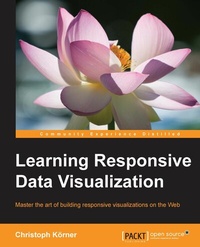
Learning Responsive Data Visualization
Create stunning data visualizations that look awesome on every device and screen resolutions
Published on 8. July 2025
258 pages
978-1-78588-433-7 (ISBN)
Description

Master the art of building responsive visualizations on the Web
Key Features
[*] Learn the techniques for building data visualizations that work well for all screen sizes
[*] Implement responsive techniques with popular libraries to get to grips with building responsive visualizations that work in the real world
[*] Incorporate responsive workflow in your data visualization process to build visualizations that take a mobile-first approach.
Book DescriptionUsing D3.js and Responsive Design principles, you will not just be able to implement visualizations that look and feel awesome across all devices and screen resolutions, but you will also boost your productivity and reduce development time by making use of Bootstrap-the most popular framework for developing responsive web applications. This book teaches the basics of scalable vector graphics (SVG), D3.js, and Bootstrap while focusing on Responsive Design as well as mobile-first visualizations; the reader will start by discovering Bootstrap and how it can be used for creating responsive applications, and then implement a basic bar chart in D3.js. You will learn about loading, parsing, and filtering data in JavaScript and then dive into creating a responsive visualization by using Media Queries, responsive interactions for Mobile and Desktop devices, and transitions to bring the visualization to life. In the following chapters, we build a fully responsive interactive map to display geographic data using GeoJSON and set up integration testing with Protractor to test the application across real devices using a mobile API gateway such as AWS Device Farm. You will finish the journey by discovering the caveats of mobile-first applications and learn how to master cross-browser complications.What you will learn
[*] Get familiar with responsive design for data visualizations
[*] Understand the main concepts of D3.js to create interactive visualizations
[*] Unleash the power of Bootstrap to create stunning and responsive visualizations for all screen resolutions
[*] Implement Touch and Mouse interactions for mobile-first applications
[*] Design Transitions and Animations that impress in portrait and landscape
[*] Build a Responsive World Map using GeoJSON and D3.js
Who this book is forWeb developers and data science professionals who want to make their visualizations work for smaller screen sizes. Some basic knowledge of JavaScript and Data visualization is expected.
Key Features
[*] Learn the techniques for building data visualizations that work well for all screen sizes
[*] Implement responsive techniques with popular libraries to get to grips with building responsive visualizations that work in the real world
[*] Incorporate responsive workflow in your data visualization process to build visualizations that take a mobile-first approach.
Book DescriptionUsing D3.js and Responsive Design principles, you will not just be able to implement visualizations that look and feel awesome across all devices and screen resolutions, but you will also boost your productivity and reduce development time by making use of Bootstrap-the most popular framework for developing responsive web applications. This book teaches the basics of scalable vector graphics (SVG), D3.js, and Bootstrap while focusing on Responsive Design as well as mobile-first visualizations; the reader will start by discovering Bootstrap and how it can be used for creating responsive applications, and then implement a basic bar chart in D3.js. You will learn about loading, parsing, and filtering data in JavaScript and then dive into creating a responsive visualization by using Media Queries, responsive interactions for Mobile and Desktop devices, and transitions to bring the visualization to life. In the following chapters, we build a fully responsive interactive map to display geographic data using GeoJSON and set up integration testing with Protractor to test the application across real devices using a mobile API gateway such as AWS Device Farm. You will finish the journey by discovering the caveats of mobile-first applications and learn how to master cross-browser complications.What you will learn
[*] Get familiar with responsive design for data visualizations
[*] Understand the main concepts of D3.js to create interactive visualizations
[*] Unleash the power of Bootstrap to create stunning and responsive visualizations for all screen resolutions
[*] Implement Touch and Mouse interactions for mobile-first applications
[*] Design Transitions and Animations that impress in portrait and landscape
[*] Build a Responsive World Map using GeoJSON and D3.js
Who this book is forWeb developers and data science professionals who want to make their visualizations work for smaller screen sizes. Some basic knowledge of JavaScript and Data visualization is expected.
All prices
More details
Edition
Digital original
Language
English
Place of publication
Birmingham
United Kingdom
Target group
US School Grade: College Graduate Student
Edition type
Digital original
File size
9,98 MB
ISBN-13
978-1-78588-433-7 (9781785884337)
Copyright in bibliographic data and cover images is held by Nielsen Book Services Limited or by the publishers or by their respective licensors: all rights reserved.
Schweitzer Classification
Other editions
Additional editions
Christoph Körner
Learning Responsive Data Visualization
Book
03/2016
Packt Publishing
€55.80
Shipment within 3-4 weeks
Person
Hanchett Erik :
Erik Hanchett is a software developer, blogger, and perpetual student who has been writing code for over 10 years. He currently resides in Reno Nevada, with his wife and two kids. He blogs about software development at ProgramWithErik.com. I would like to thank my wife Susan for helping me stay motivated. My friend F.B. Woods for all his help on the English language and Dr. Bret Simmons for teaching me the value of a personal brand. I would also like to thank all my friends and family that encouraged me along the way.Koerner Christoph :
Christoph Koerner previously worked as a cloud solution architect for Microsoft, specializing in Azure-based big data and machine learning solutions, where he was responsible for designing end-to-end machine learning and data science platforms. He currently works for a large cloud provider on highly scalable distributed in-memory database services. Christoph has authored four books: Deep Learning in the Browser for Bleeding Edge Press, as well as Mastering Azure Machine Learning (first edition), Learning Responsive Data Visualization, and Data Visualization with D3 and AngularJS for Packt Publishing.
Erik Hanchett is a software developer, blogger, and perpetual student who has been writing code for over 10 years. He currently resides in Reno Nevada, with his wife and two kids. He blogs about software development at ProgramWithErik.com. I would like to thank my wife Susan for helping me stay motivated. My friend F.B. Woods for all his help on the English language and Dr. Bret Simmons for teaching me the value of a personal brand. I would also like to thank all my friends and family that encouraged me along the way.Koerner Christoph :
Christoph Koerner previously worked as a cloud solution architect for Microsoft, specializing in Azure-based big data and machine learning solutions, where he was responsible for designing end-to-end machine learning and data science platforms. He currently works for a large cloud provider on highly scalable distributed in-memory database services. Christoph has authored four books: Deep Learning in the Browser for Bleeding Edge Press, as well as Mastering Azure Machine Learning (first edition), Learning Responsive Data Visualization, and Data Visualization with D3 and AngularJS for Packt Publishing.
Content
Table of Contents
Getting Started with Respon-sive Design, Bootstrap and D3.js
Creating a Bar Chart using D3.js and SVG
Loading, Filtering and Grouping Data
Making the Chart Responsive using Bootstrap and Media Queries
Building Responsive Interactions
Designing Transitions and Animations
Creating Maps and Cartograph-ic Visualizations using GeoJSON
Testing Responsive Visualizations
Solving Cross-Browser Issues
Getting Started with Respon-sive Design, Bootstrap and D3.js
Creating a Bar Chart using D3.js and SVG
Loading, Filtering and Grouping Data
Making the Chart Responsive using Bootstrap and Media Queries
Building Responsive Interactions
Designing Transitions and Animations
Creating Maps and Cartograph-ic Visualizations using GeoJSON
Testing Responsive Visualizations
Solving Cross-Browser Issues

