

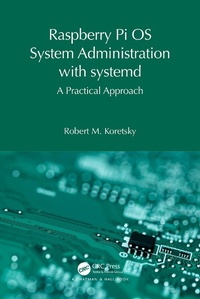
Raspberry Pi OS System Administration with systemd
A Practical Approach
1st Edition
Published on 22. November 2023
268 pages
978-1-003-81006-3 (ISBN)
Description

The first in a new series exploring the basics of Raspberry Pi Operating System (OS) administration, this volume is a compendium of easy-to-use and essential system administration for the novice user of the Raspberry Pi OS.
The overriding idea behind the system administration of a modern, 21st-century Linux system such as the Raspberry Pi OS is the use of systemd to ensure that the Linux kernel works efficiently and effectively to provide the three foundation stones of computer operation and management: computer system concurrency, virtualization, and secure persistence. Exercises are included throughout to reinforce the readers' learning goals with solutions and example code provided on the accompanying GitHub site.
This book is aimed at students and practitioners looking to maximize their use of the Raspberry Pi OS. With plenty of practical examples, projects, and exercises, this volume can also be adopted in a more formal learning environment to supplement and extend the basic knowledge of a Linux operating system.
The overriding idea behind the system administration of a modern, 21st-century Linux system such as the Raspberry Pi OS is the use of systemd to ensure that the Linux kernel works efficiently and effectively to provide the three foundation stones of computer operation and management: computer system concurrency, virtualization, and secure persistence. Exercises are included throughout to reinforce the readers' learning goals with solutions and example code provided on the accompanying GitHub site.
This book is aimed at students and practitioners looking to maximize their use of the Raspberry Pi OS. With plenty of practical examples, projects, and exercises, this volume can also be adopted in a more formal learning environment to supplement and extend the basic knowledge of a Linux operating system.
More details
Series
Edition
1. Auflage
Language
English
Place of publication
London
United Kingdom
Publishing group
Taylor & Francis Ebooks
Target group
Professional and scholarly
Illustrations
18 Tables, black and white; 4 Line drawings, black and white; 4 Illustrations, black and white
ISBN-13
978-1-003-81006-3 (9781003810063)
Copyright in bibliographic data and cover images is held by Nielsen Book Services Limited or by the publishers or by their respective licensors: all rights reserved.
Schweitzer Classification
Other editions
Additional editions
Book
11/2023
1st Edition
Chapman & Hall/CRC
€176.20
Shipment within 10-20 days
Book
11/2023
1st Edition
Chapman & Hall/CRC
€66.00
Shipment within 10-20 days
Person
Robert M. Koretsky is a retired lecturer in Mechanical Engineering at the University of Portland School of Engineering. He previously worked as an automotive engineering designer at the Freightliner Corp. in Portland, Oregon. He's married and has two kids and two grandkids.
Content
Series Preface. Volume 1 Preface. 0. "Quick Start" into Sysadmin for the Raspberry Pi OS. 1. Basic System Administration. 2. Applications of systemd for the Beginner. Questions, Problems, and Projects. Index.
