

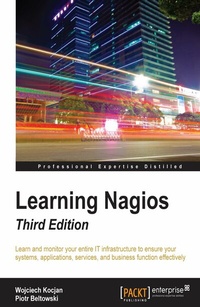
Learning Nagios
A beginners guide on Nagios
3rd Edition
Published on 3. February 2025
414 pages
978-1-78588-153-4 (ISBN)
Description

Learn and monitor your entire IT infrastructure to ensure your systems, applications, services, and business function effectively.
Key Features
[*]Packed with tips, tricks and illustrations, the book will explain the configuration and monitoring concepts in a simplified manner
[*]Experience the scalability and flexibility of Nagios in a very practical and easy-to-understand approach.
[*]Unleash the power of Nagios Core and Nagios XI 5 to monitor and secure your infrastructure with ease.
Book DescriptionNagios, a powerful and widely used IT monitoring and management software for problem -solving. It detects problems related to your organizations infrastructure and helps in resolving the issue before it impacts the business. Following the success of the previous edition, this book will continue to help you monitor the status of network devices and also notify the system administrators of network problems. Starting with the fundamentals, the book will teach you how to install and configure Nagios for your environment. The book helps you learn how to end downtimes, adding comments and generating reports using the built-in Web interface of Nagios. Moving on, you will be introduced to the third-party web interfaces and applications for checking the status and report specific information. As you progress further in Learning Nagios, you will focus on the standard set of Nagios plugins and also focus on teach you how to efficiently manage large configurations and using templates. Once you are up to speed with this, you will get to know the concept and working of notifications and events in Nagios. The book will then uncover the concept of passive check and shows how to use NRDP (Nagios Remote Data Processor). The focus then shifts to how Nagios checks can be run on remote machines and SNMP (Simple Network Management Protocol) can be used from Nagios. Lastly, the book will demonstrate how to extend Nagios by creating custom check commands, custom ways of notifying users and showing how passive checks and NRDP can be used to integrate your solutions with Nagios. By the end of the book, you will be a competent system administrator who could monitor mid-size businesses or even large scale enterprises.What you will learn
[*]Set up and use the built-in Nagios web interface
[*]Upskill the additional interfaces available for Nagios to monitor your IT infrastructure
[*]Learn how to perform various checks using both, Nagios standard plugins and third-party plugins
[*]Explore the working of notifications and events in Nagios
[*]Familiarize yourself with SNMP and use it for monitoring devices such as routers, switches, modems and printers
[*]Discover how can be Nagios can be customized and tailored to your needs
[*]Get to know more about the entreprise version of Nagios, Nagios XI
Who this book is forThis book is targeted at System Administrators, both, who have no prior knowledge of Nagios as well as readers experienced with it. It not only covers the basics of Nagios but also the advanced features."
Key Features
[*]Packed with tips, tricks and illustrations, the book will explain the configuration and monitoring concepts in a simplified manner
[*]Experience the scalability and flexibility of Nagios in a very practical and easy-to-understand approach.
[*]Unleash the power of Nagios Core and Nagios XI 5 to monitor and secure your infrastructure with ease.
Book DescriptionNagios, a powerful and widely used IT monitoring and management software for problem -solving. It detects problems related to your organizations infrastructure and helps in resolving the issue before it impacts the business. Following the success of the previous edition, this book will continue to help you monitor the status of network devices and also notify the system administrators of network problems. Starting with the fundamentals, the book will teach you how to install and configure Nagios for your environment. The book helps you learn how to end downtimes, adding comments and generating reports using the built-in Web interface of Nagios. Moving on, you will be introduced to the third-party web interfaces and applications for checking the status and report specific information. As you progress further in Learning Nagios, you will focus on the standard set of Nagios plugins and also focus on teach you how to efficiently manage large configurations and using templates. Once you are up to speed with this, you will get to know the concept and working of notifications and events in Nagios. The book will then uncover the concept of passive check and shows how to use NRDP (Nagios Remote Data Processor). The focus then shifts to how Nagios checks can be run on remote machines and SNMP (Simple Network Management Protocol) can be used from Nagios. Lastly, the book will demonstrate how to extend Nagios by creating custom check commands, custom ways of notifying users and showing how passive checks and NRDP can be used to integrate your solutions with Nagios. By the end of the book, you will be a competent system administrator who could monitor mid-size businesses or even large scale enterprises.What you will learn
[*]Set up and use the built-in Nagios web interface
[*]Upskill the additional interfaces available for Nagios to monitor your IT infrastructure
[*]Learn how to perform various checks using both, Nagios standard plugins and third-party plugins
[*]Explore the working of notifications and events in Nagios
[*]Familiarize yourself with SNMP and use it for monitoring devices such as routers, switches, modems and printers
[*]Discover how can be Nagios can be customized and tailored to your needs
[*]Get to know more about the entreprise version of Nagios, Nagios XI
Who this book is forThis book is targeted at System Administrators, both, who have no prior knowledge of Nagios as well as readers experienced with it. It not only covers the basics of Nagios but also the advanced features."
All prices
More details
Edition
3rd Revised edition
Language
English
Place of publication
Birmingham
United Kingdom
Target group
Professional and scholarly
US School Grade: College Graduate Student
Edition type
Revised edition
File size
11,78 MB
ISBN-13
978-1-78588-153-4 (9781785881534)
Copyright in bibliographic data and cover images is held by Nielsen Book Services Limited or by the publishers or by their respective licensors: all rights reserved.
Schweitzer Classification
Other editions
Additional editions
Book
08/2016
3rd Edition
Packt Publishing
€64.00
Shipment within 3-4 weeks
Persons
Kocjan Wojciech :
Wojciech Kocjan is a system administrator and programmer with 10 years of experience. His work experience includes several years of using Nagios for enterprise IT infrastructure monitoring. He also has experience with wide variety of devices and servers, routers, Linux, Solaris, AIX servers and i5/OS mainframes. His programming experience includes multiple languages (such as Java, Ruby, Python, and Perl) and focuses on web applications as well as client-server solutions.Beltowski Piotr :
Piotr Beltowski is an IT and software engineer, and co-author of several US patents and publications. A Master of Science in telecommunications, his technical experience includes various aspects of telecommunication, such as designing IP networks or implementing support for network protocols. Piotr's experience as Level 3 customer support lead makes him focused on finding simple solutions to complex technical issues. His professional career includes working in international corporations such as IBM and Ericsson.
Wojciech Kocjan is a system administrator and programmer with 10 years of experience. His work experience includes several years of using Nagios for enterprise IT infrastructure monitoring. He also has experience with wide variety of devices and servers, routers, Linux, Solaris, AIX servers and i5/OS mainframes. His programming experience includes multiple languages (such as Java, Ruby, Python, and Perl) and focuses on web applications as well as client-server solutions.Beltowski Piotr :
Piotr Beltowski is an IT and software engineer, and co-author of several US patents and publications. A Master of Science in telecommunications, his technical experience includes various aspects of telecommunication, such as designing IP networks or implementing support for network protocols. Piotr's experience as Level 3 customer support lead makes him focused on finding simple solutions to complex technical issues. His professional career includes working in international corporations such as IBM and Ericsson.
Content
Table of Contents
Introducing Nagios
Installing Nagios 4
Configuring Nagios
Using the Built-in Web interface
Using Additional Web Interfaces
Using the Nagios Plugins
Advanced Configuration
Notifications and Events
Passive Checks and NRDP
Monitoring Remote Hosts
Monitoring using SNMP
Advanced Monitoring
Programming Nagios
Introducing Nagios
Installing Nagios 4
Configuring Nagios
Using the Built-in Web interface
Using Additional Web Interfaces
Using the Nagios Plugins
Advanced Configuration
Notifications and Events
Passive Checks and NRDP
Monitoring Remote Hosts
Monitoring using SNMP
Advanced Monitoring
Programming Nagios

