

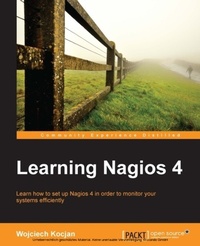
Learning Nagios 4
For system administrators who want a fast, easily understood introduction to Nagios 4, this is the perfect book. Get to grips with the latest version of this powerful monitoring tool and transform the stability of your whole system.
2nd Edition
Published on 7. October 2025
400 pages
978-1-78328-865-6 (ISBN)
Description

Key Features
Book DescriptionThis book will introduce Nagios to readers who are interested in monitoring their systems. All the concepts in the book are explained in a simplified manner, presented in an easy-to-understand language with lots of tips, tricks, and illustrations. This book is great for system administrators interested in using Nagios to monitor their systems. It will also help professionals who have already worked with earlier versions of Nagios to understand the new features of Nagios 4 and provides usable solutions to real-life problems related to Nagios administration. To effectively use this book, system administration knowledge is required. If you want to create your own plug-ins, knowledge of scripting languages like Perl, shell and Python is expected.What you will learn
Install and configure Nagios to administer your network and system Deploy agents and plug-ins, and monitor assets with advanced features of Nagios Notify users of current and future incidents to protect the availability, performance, and security of monitored assets Configure and work your way around the Nagios web interface Pass service and host check results over the network using NSCA Set up a working and usable distributed monitoring system using NSClient++ Develop custom plug-ins responsible for performing checks and analyzing results Use the web interface to manage scheduled downtimes for hosts and services Implement adaptive monitoring to modify various check-related parameters Make use of SSH and NRPE to perform remote checks Use SNMP to retrieve information from a device, set options, and also cover means for a device to notify other machines about a failure
Who this book is for
Book DescriptionThis book will introduce Nagios to readers who are interested in monitoring their systems. All the concepts in the book are explained in a simplified manner, presented in an easy-to-understand language with lots of tips, tricks, and illustrations. This book is great for system administrators interested in using Nagios to monitor their systems. It will also help professionals who have already worked with earlier versions of Nagios to understand the new features of Nagios 4 and provides usable solutions to real-life problems related to Nagios administration. To effectively use this book, system administration knowledge is required. If you want to create your own plug-ins, knowledge of scripting languages like Perl, shell and Python is expected.What you will learn
Install and configure Nagios to administer your network and system Deploy agents and plug-ins, and monitor assets with advanced features of Nagios Notify users of current and future incidents to protect the availability, performance, and security of monitored assets Configure and work your way around the Nagios web interface Pass service and host check results over the network using NSCA Set up a working and usable distributed monitoring system using NSClient++ Develop custom plug-ins responsible for performing checks and analyzing results Use the web interface to manage scheduled downtimes for hosts and services Implement adaptive monitoring to modify various check-related parameters Make use of SSH and NRPE to perform remote checks Use SNMP to retrieve information from a device, set options, and also cover means for a device to notify other machines about a failure
Who this book is for
More details
Edition
2nd Revised edition
Language
English
Place of publication
Birmingham
United Kingdom
Target group
Professional and scholarly
US School Grade: College Graduate Student
Edition type
Revised edition
File size
4,45 MB
ISBN-13
978-1-78328-865-6 (9781783288656)
Copyright in bibliographic data and cover images is held by Nielsen Book Services Limited or by the publishers or by their respective licensors: all rights reserved.
Schweitzer Classification
Other editions
Additional editions
Person
Kocjan Wojciech :
Wojciech Kocjan is a system administrator and programmer with 10 years of experience. His work experience includes several years of using Nagios for enterprise IT infrastructure monitoring. He also has experience with wide variety of devices and servers, routers, Linux, Solaris, AIX servers and i5/OS mainframes. His programming experience includes multiple languages (such as Java, Ruby, Python, and Perl) and focuses on web applications as well as client-server solutions.
Wojciech Kocjan is a system administrator and programmer with 10 years of experience. His work experience includes several years of using Nagios for enterprise IT infrastructure monitoring. He also has experience with wide variety of devices and servers, routers, Linux, Solaris, AIX servers and i5/OS mainframes. His programming experience includes multiple languages (such as Java, Ruby, Python, and Perl) and focuses on web applications as well as client-server solutions.
Content
Table of Contents
