

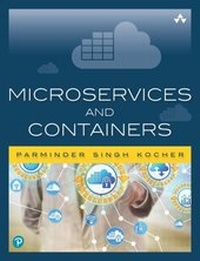
Microservices and Containers
1st Edition
Published on 15. March 2021
304 pages
978-0-13-459733-1 (ISBN)
Description

Transition to Microservices and DevOps to Transform Your Software Development Effectiveness
Thanks to the tech sector's latest game-changing innovations-the Internet of Things (IoT), software-enabled networking, and software as a service (SaaS), to name a few-there is now a seemingly insatiable demand for platforms and architectures that can improve the process of application development and deployment.
In Microservices and Containers, longtime systems architect and engineering team leader Parminder Kocher analyzes two of the hottest new technology trends: microservices and containers. Together, as Kocher demonstrates, microservices and Docker containers can bring unprecedented agility and scalability to application development and deployment, especially in large, complex projects where speed is crucial but small errors can be disastrous.
Learn how to leverage microservices and Docker to drive modular architectural design, on-demand scalability, application performance and reliability, time-to-market, code reuse, and exponential improvements in DevOps effectiveness. Kocher offers detailed guidance and a complete roadmap for transitioning from monolithic architectures, as well as an in-depth case study that walks the reader through the migration of an enterprise-class SOA system.
Understand how microservices enable you to organize applications into standalone components that are easier to manage, update, and scale
Decide whether microservices and containers are worth your investment, and manage the organizational learning curve associated with them
Apply best practices for interprocess communication among microservices
Migrate monolithic systems in an orderly fashion
Understand Docker containers, installation, and interfaces
Network, orchestrate, and manage Docker containers effectively
Use Docker to maximize scalability in microservices-based applications
Apply your learning with an in-depth, hands-on case study
Whether you are a software architect/developer or systems professional looking to move on from older approaches or a manager trying to maximize the business value of these technologies, Microservices and Containers will be an invaluable addition to your library.
Register your product at informit.com/register for convenient access to downloads, updates, and/or corrections as they become available.
Thanks to the tech sector's latest game-changing innovations-the Internet of Things (IoT), software-enabled networking, and software as a service (SaaS), to name a few-there is now a seemingly insatiable demand for platforms and architectures that can improve the process of application development and deployment.
In Microservices and Containers, longtime systems architect and engineering team leader Parminder Kocher analyzes two of the hottest new technology trends: microservices and containers. Together, as Kocher demonstrates, microservices and Docker containers can bring unprecedented agility and scalability to application development and deployment, especially in large, complex projects where speed is crucial but small errors can be disastrous.
Learn how to leverage microservices and Docker to drive modular architectural design, on-demand scalability, application performance and reliability, time-to-market, code reuse, and exponential improvements in DevOps effectiveness. Kocher offers detailed guidance and a complete roadmap for transitioning from monolithic architectures, as well as an in-depth case study that walks the reader through the migration of an enterprise-class SOA system.
Understand how microservices enable you to organize applications into standalone components that are easier to manage, update, and scale
Decide whether microservices and containers are worth your investment, and manage the organizational learning curve associated with them
Apply best practices for interprocess communication among microservices
Migrate monolithic systems in an orderly fashion
Understand Docker containers, installation, and interfaces
Network, orchestrate, and manage Docker containers effectively
Use Docker to maximize scalability in microservices-based applications
Apply your learning with an in-depth, hands-on case study
Whether you are a software architect/developer or systems professional looking to move on from older approaches or a manager trying to maximize the business value of these technologies, Microservices and Containers will be an invaluable addition to your library.
Register your product at informit.com/register for convenient access to downloads, updates, and/or corrections as they become available.
All prices
More details
Edition
1. Auflage
Language
English
Place of publication
Boston
United States
Publishing group
Pearson Education (US)
Target group
College/higher education
File size
11,59 MB
ISBN-13
978-0-13-459733-1 (9780134597331)
Copyright in bibliographic data and cover images is held by Nielsen Book Services Limited or by the publishers or by their respective licensors: all rights reserved.
Schweitzer Classification
Other editions
Additional editions
Parminder Kocher
Microservices and Containers
Book
08/2018
Addison Wesley
€37.50
Shipment within 15-20 days
Person
Parminder Kocher is a lifelong technology learner with two decades of hands-on experience in building enterprise-grade software systems. He is with Cisco Systems since 2005 and managed company's Remote Management Service (RMS) platform, and has since worked as an innovation evangelist leading multiple software groups. Currently, he is engineering director for Cisco Networking Academy platform, where he leads the engineering teams responsible for developing the Academy's next-gen platform. In addition to bachelor's and master's degrees in computer science, Kocher has an executive MBA from Baylor's Hankamer School of Business, and an executive certificate in strategy and innovation from MIT's Sloan School of Management. Kocher was born and raised in India, and currently lives in Austin, Texas, with his wife and three children, and serves as committee chair of the Boy Scout troop he founded in 2013.
Content
Preface xiii
Acknowledgments xv
About the Author xvii
Part I: Microservices 1
Chapter 1: An Introduction to Microservices 3
What Are Microservices? 3
Modular Architecture 8
Other Advantages of Microservices 9
Disadvantages of Microservices 11
Chapter 2: Switching to Microservices 13
Fatigues and Attributes 14
Learning Curve for the Organization 15
Business Case for Microservices 17
Cost Components 18
Chapter 3: Interprocess Communication 23
Types of Interactions 23
Preparing to Write Web Services 24
Microservice Maintenance 25
Discovery Service 26
Putting It All Together 28
Chapter 4: Migrating and Implementing Microservices 33
The Need for Transition 33
Creating a New Application with Microservices 35
Migrating a Monolithic Application to Microservices 40
A Hybrid Approach 45
Part II: Containers 47
Chapter 5: Docker Containers 49
Virtual Machines 50
Containers 52
Docker Architecture and Components 54
The Power of Docker: A Simple Example 57
Chapter 6: Docker Installation 61
Installing Docker on Mac OS X 61
Installing Docker on Windows 66
Installing Docker on Ubuntu Linux 68
Chapter 7: Docker Interface 73
Key Docker Commands 73
Dockerfile 95
Docker Compose 100
Chapter 8: Containers Networking 105
Key Linux Concepts 105
Linking 106
Default Options 110
Custom Networks 116
Chapter 9: Container Orchestration 123
Kubernetes 123
Apache Mesos and Marathon 129
Docker Swarm 132
Service Discovery 136
Service Registry 139
Chapter 10: Containers Management 143
Monitoring 143
Logging 144
Metrics Collection 147
Cluster-wide Monitoring Tools 150
Part III: Hands-On Project-Putting Learning into Practice 169
Chapter 11: Case Study: Monolithic Helpdesk Application 171
Helpdesk Application Overview 171
Application Architecture 172
Building the Application 190
New Requirements and Bug Fixes 200
Chapter 12: Case Study: Migration to Microservices 203
Planning for Migration 203
Converting to Microservices 207
Application Build and Deployment 212
New Requirements and Bug Fixes 217
Chapter 13: Case Study: Containerizing a Helpdesk Application 221
Containerizing Microservices 221
Deploying the Catalog Microservice 235
Updating the Monolithic Application 246
Conclusion 247
What Is DevOps? 247
Only the Beginning 250
Appendix A: Helpdesk Application Flow 251
Administrator Flows 252
Customer Flows 255
Support Desk Engineer Flows 260
Appendix B: Installing the Solr Search Engine 263
Prerequisites 263
Installation Steps 263
Configuring Solr for Simple Data Import 265
Index 267
Acknowledgments xv
About the Author xvii
Part I: Microservices 1
Chapter 1: An Introduction to Microservices 3
What Are Microservices? 3
Modular Architecture 8
Other Advantages of Microservices 9
Disadvantages of Microservices 11
Chapter 2: Switching to Microservices 13
Fatigues and Attributes 14
Learning Curve for the Organization 15
Business Case for Microservices 17
Cost Components 18
Chapter 3: Interprocess Communication 23
Types of Interactions 23
Preparing to Write Web Services 24
Microservice Maintenance 25
Discovery Service 26
Putting It All Together 28
Chapter 4: Migrating and Implementing Microservices 33
The Need for Transition 33
Creating a New Application with Microservices 35
Migrating a Monolithic Application to Microservices 40
A Hybrid Approach 45
Part II: Containers 47
Chapter 5: Docker Containers 49
Virtual Machines 50
Containers 52
Docker Architecture and Components 54
The Power of Docker: A Simple Example 57
Chapter 6: Docker Installation 61
Installing Docker on Mac OS X 61
Installing Docker on Windows 66
Installing Docker on Ubuntu Linux 68
Chapter 7: Docker Interface 73
Key Docker Commands 73
Dockerfile 95
Docker Compose 100
Chapter 8: Containers Networking 105
Key Linux Concepts 105
Linking 106
Default Options 110
Custom Networks 116
Chapter 9: Container Orchestration 123
Kubernetes 123
Apache Mesos and Marathon 129
Docker Swarm 132
Service Discovery 136
Service Registry 139
Chapter 10: Containers Management 143
Monitoring 143
Logging 144
Metrics Collection 147
Cluster-wide Monitoring Tools 150
Part III: Hands-On Project-Putting Learning into Practice 169
Chapter 11: Case Study: Monolithic Helpdesk Application 171
Helpdesk Application Overview 171
Application Architecture 172
Building the Application 190
New Requirements and Bug Fixes 200
Chapter 12: Case Study: Migration to Microservices 203
Planning for Migration 203
Converting to Microservices 207
Application Build and Deployment 212
New Requirements and Bug Fixes 217
Chapter 13: Case Study: Containerizing a Helpdesk Application 221
Containerizing Microservices 221
Deploying the Catalog Microservice 235
Updating the Monolithic Application 246
Conclusion 247
What Is DevOps? 247
Only the Beginning 250
Appendix A: Helpdesk Application Flow 251
Administrator Flows 252
Customer Flows 255
Support Desk Engineer Flows 260
Appendix B: Installing the Solr Search Engine 263
Prerequisites 263
Installation Steps 263
Configuring Solr for Simple Data Import 265
Index 267
