

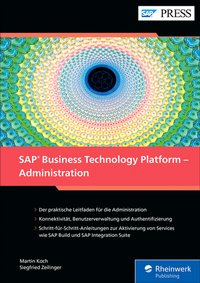
SAP Business Technology Platform - Administration
Description

Vereinheitlichen Sie Ihre SAP-Landschaft auf einer zentralen Plattform! Dieser praktische Leitfaden beinhaltet alles, was Sie für die Administration der BTP wissen müssen: von der neuen Account-Struktur über die Benutzerverwaltung und die Lizenzmodelle der SAP BTP bis hin zum Cloud Connector.
Aus dem Inhalt:
- Cloud Connector
- Global Accounts und Subaccounts administrieren
- SAP Build
- SAP Business Application Studio
- SAP Integration Suite
- Cloud Transport Management
- Identity Authentication
- SAP Discovery Center
- Open ID Connect
- SAP BTP Boosters
- SAML
More details
Other editions
Additional editions
Persons
ISNI:
Content
Einleitung ... 13
1. Einführung in die SAP BTP ... 17
1.1 ... Historie und Positionierung ... 18
1.2 ... SAP-BTP-Lizenzmodelle, Service Level Agreements und wichtige Dokumente ... 22
1.3 ... Global Accounts und Subaccounts ... 26
1.4 ... SAP Discovery Center ... 28
1.5 ... Entitlements und Servicepläne ... 36
1.6 ... Best Practices ... 39
1.7 ... Troubleshooting ... 53
1.8 ... Ressourcen ... 56
2. Benutzerverwaltung ... 57
2.1 ... Sicherheit und Berechtigungen ... 58
2.2 ... SAP Cloud Identity Services ... 73
3. Fortgeschrittene Identity-Authentication-Service-Themen ... 115
3.1 ... SAML 2.0 ... 116
3.2 ... OpenID Connect ... 119
3.3 ... Praxisbeispiel: SAP Identity Authentication Service als Proxy zu Microsoft Entra ID ... 123
3.4 ... Praxisbeispiel: Zwei-Faktor Authentifizierung/risikobasierte Authentifizierung ... 151
3.5 ... Praxisbeispiel: Conditional Authentication ... 158
4. Global Accounts administrieren ... 163
4.1 ... Zugang zum Global Account ... 164
4.2 ... Authentication und Authorization Management ... 165
4.3 ... Verzeichnisse ... 187
4.4 ... SAP-BTP-Booster ... 194
4.5 ... Systemlandschaft ... 200
4.6 ... Resource Provider ... 202
4.7 ... Entitlements ... 204
4.8 ... Usage Monitoring ... 206
5. Subaccounts administrieren ... 209
5.1 ... Einen Subaccount anlegen ... 210
5.2 ... Authentifizierung und Autorisierung ... 215
5.3 ... Organizations, Spaces und Quotas ... 255
5.4 ... Subscriptions und Services ... 261
5.5 ... Audit Log Viewer Service ... 263
6. Cloud Connector ... 265
6.1 ... Installation und Konfiguration des Cloud Connectors ... 265
6.2 ... Hochverfügbarkeit sicherstellen ... 289
6.3 ... Connectivity ... 299
7. SAP Business Application Studio aktivieren und einrichten ... 309
7.1 ... SAP Business Application Studio einrichten ... 310
7.2 ... Berechtigungen erteilen ... 316
7.3 ... Mit Dev Spaces arbeiten ... 316
7.4 ... Externe Systeme in SAP Business Application Studio nutzen ... 318
7.5 ... Versionierung mit Git Repositorys ... 323
8. Die SAP Integration Suite aktivieren und einrichten ... 333
8.1 ... Funktionen und Historie der SAP Integration Suite ... 334
8.2 ... Subaccount anlegen und Entitlements zuordnen ... 335
8.3 ... Subscription erstellen ... 340
8.4 ... Capabilities aktivieren ... 345
8.5 ... Process Integration Runtime instanziieren ... 352
8.6 ... Service Key anlegen ... 356
9. SAP Cloud Transport Management für die SAP Integration Suite aktivieren und einrichten ... 359
9.1 ... SAP Cloud Transport Management aktivieren ... 360
9.2 ... SAP Cloud Transport Management in der Test- und Produktivinstanz bereitstellen ... 367
9.3 ... Systemlandschaft in SAP Cloud Transport Management anlegen ... 369
9.4 ... SAP Content Agent Service im Subaccount bereitstellen ... 373
9.5 ... SAP Cloud Transport Management in der SAP Integration Suite konfigurieren ... 385
10. SAP Build aktivieren und einrichten ... 393
10.1 ... SAP Build Apps ... 394
10.2 ... SAP Build Process Automation ... 407
10.3 ... SAP Build Work Zone ... 415
Die Autoren ... 451
Index ... 453
