

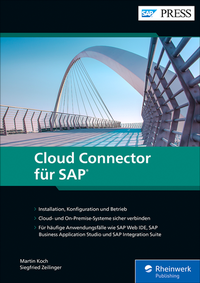
Cloud Connector für SAP
Description

More details
Other editions
Additional editions
Persons
ISNI:
Content
Einleitung ... 13
Teil I. Grundlagen und Einrichtung ... 19
1. Einführung in die SAP Business Technology Platform ... 21
1.1 ... Positionierung von SAP BTP ... 22
1.2 ... Umgebungen ... 30
1.3 ... Architektur ... 39
1.4 ... Zusammenfassung ... 52
2. Sicherheitsgrundlagen ... 55
2.1 ... Protokolle ... 57
2.2 ... Authentifizierung ... 68
2.3 ... Zusammenfassung ... 76
3. Einrichtung des Cloud Connectors ... 77
3.1 ... Dimensionierung ... 77
3.2 ... Netzwerkzonen ... 83
3.3 ... Installation ... 85
3.4 ... Konfiguration ... 93
3.5 ... Hochverfügbarkeit ... 109
3.6 ... Zusammenfassung ... 118
4. Connectivity mit SAP Business Technology Platform ... 119
4.1 ... SAP-Destination-Service im SAP BTP, Neo Environment ... 121
4.2 ... SAP-Destination-Service im SAP BTP, Cloud Foundry Environment ... 126
4.3 ... SAP-Connectivity-Service ... 133
4.4 ... Zusammenfassung ... 137
Teil II. Arbeiten mit dem Cloud Connector ... 139
5. SAP Web IDE ... 141
5.1 ... Aktivierung und Konfiguration ... 142
5.2 ... OData-Services von einem On-Premise-ABAP-System konsumieren ... 145
5.3 ... Verbindung zu einem On-Premise-Git-Repository herstellen ... 159
5.4 ... Einen OData-Service aus einem Cloud-System konsumieren ... 167
5.5 ... Zusammenfassung ... 172
6. SAP Business Application Studio ... 173
6.1 ... Aktivierung und Konfiguration ... 174
6.2 ... Integration mit On-Premise-ABAP-Systemen ... 177
6.3 ... Verbindung zu einem On-Premise-Git-Repository herstellen ... 196
6.4 ... Einen OData-Service aus einem Cloud-System konsumieren ... 206
6.5 ... Zusammenfassung ... 211
7. SAP Integration Suite ... 213
7.1 ... Die Evolution der SAP Integration Suite ... 213
7.2 ... Cloud Integration ... 215
7.3 ... API Management ... 249
7.4 ... Zusammenfassung ... 254
8. SAP Build Work Zone, Standard Edition ... 255
8.1 ... Backend-Konfiguration in SAP S/4HANA ... 256
8.2 ... Konfiguration des Cloud Connectors ... 258
8.3 ... Konfiguration des SAP-BTP-Subaccounts ... 263
8.4 ... Konfiguration von SAP Build Work Zone, Standard Edition ... 266
8.5 ... Zusammenfassung ... 272
Teil III. Administration und Betrieb ... 273
9. Sichere Konfiguration ... 275
9.1 ... UI-Zertifikate ersetzen ... 275
9.2 ... Benutzer gegenüber dem LDAP-Service authentifizieren ... 279
9.3 ... Trust Store pflegen ... 282
9.4 ... HTTPS Mutual Authentication ... 286
9.5 ... Secure Network Communication ... 292
9.6 ... Zusammenfassung ... 299
10. Administration ... 301
10.1 ... Rollen ... 301
10.2 ... Verwaltung der Subaccounts ... 302
10.3 ... Sicherung und Wiederherstellung ... 310
10.4 ... Upgrade ... 313
10.5 ... APIs für die Verwaltung ... 315
10.6 ... Zusammenfassung ... 321
11. Monitoring ... 323
11.1 ... Hardware-Monitoring ... 324
11.2 ... Monitoring des Subaccounts ... 326
11.3 ... Monitoring-APIs ... 330
11.4 ... Alerting ... 340
11.5 ... Audit-Protokollierung ... 342
11.6 ... Zusammenfassung ... 343
12. Principal Propagation ... 345
12.1 ... Ausgangskonfiguration für die Principal Propagation ... 345
12.2 ... SAP BTP, Neo Environment zu On-Premise-ABAP-System ... 365
12.3 ... SAP BTP, Cloud Foundry Environment zu On-Premise-ABAP-System ... 367
12.4 ... Zusammenfassung ... 370
Die Autoren ... 373
Index ... 375
