

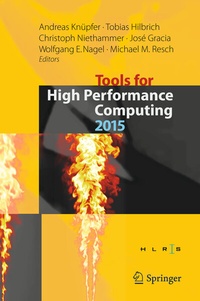
Tools for High Performance Computing 2015
Proceedings of the 9th International Workshop on Parallel Tools for High Performance Computing, September 2015, Dresden, Germany
1st Edition
Published on 27. July 2016
VIII, 181 pages
978-3-319-39589-0 (ISBN)
Description

High Performance Computing (HPC) remains a driver that offers huge potentials and benefits for science and society. However, a profound understanding of the computational matters and specialized software is needed to arrive at effective and efficient simulations. Dedicated software tools are important parts of the HPC software landscape, and support application developers. Even though a tool is by definition not a part of an application, but rather a supplemental piece of software, it can make a fundamental difference during the development of an application. Such tools aid application developers in the context of debugging, performance analysis, and code optimization, and therefore make a major contribution to the development of robust and efficient parallel software. This book introduces a selection of the tools presented and discussed at the 9th International Parallel Tools Workshop held in Dresden, Germany, September 2-3, 2015, which offered an established forum for discussingthe latest advances in parallel tools.
More details
Series
Language
English
Place of publication
Cham
Switzerland
Publishing group
Springer International Publishing
Target group
Professional and scholarly
Product notice
Reflowable
Illustrations
VIII, 181 p. 64 illus., 41 illus. in color.
File size
7,32 MB
ISBN-13
978-3-319-39589-0 (9783319395890)
DOI
10.1007/978-3-319-39589-0
Schweitzer Classification
Other editions
Additional editions
Andreas Knüpfer | Tobias Hilbrich | Christoph Niethammer
Tools for High Performance Computing 2015
Proceedings of the 9th International Workshop on Parallel Tools for High Performance Computing, September 2015, Dresden, Germany
Book
07/2016
Springer
€106.99
Shipment within 10-15 days
Content
- Intro
- Preface
- Contents
- 1 Dyninst and MRNet: Foundational Infrastructure for Parallel Tools
- 1.1 Introduction
- 1.2 DyninstAPI and Components
- 1.3 MRNet
- 1.4 Performance Tools
- 1.4.1 Sampling Tools
- 1.4.2 Tracing Tools
- 1.5 Debugging Tools
- 1.5.1 Stack Trace Aggregation
- 1.5.2 Distributed Debuggers with MRNet
- 1.5.3 Dynamic Instrumentation for Debugging
- 1.6 Analysis Tools
- 1.6.1 Slicing
- 1.6.2 Binary Parsing
- 1.7 Modification Tools
- 1.8 Future Work
- References
- 2 Validation of Hardware Events for Successful Performance Pattern Identification in High Performance Computing
- 2.1 Introduction and Related Work
- 2.2 Identification of Signatures for Performance Patterns
- 2.2.1 Bandwidth Saturation
- 2.2.2 Load Imbalance
- 2.2.3 False Cache Line Sharing
- 2.3 Useful Event Sets
- 2.4 Validation of Performance Patterns
- 2.5 Conclusion
- References
- 3 Performance Optimization for the Trinity RNA-Seq Assembler
- 3.1 Introduction
- 3.2 Tool Infrastructure
- 3.2.1 Collectl
- 3.2.2 Score-P and Vampir
- 3.3 Analysis and Optimization
- 3.3.1 Identification of Optimization Targets
- 3.3.2 Optimization of Samtools and Scaffold_iworm_contigs
- 3.3.3 Optimization of Sort
- 3.3.4 Optimization of ReadsToTranscripts
- 3.3.5 Optimization of GraphFromFasta
- 3.3.6 Optimization Results
- 3.4 Tool Challenges and Restrictions
- 3.5 Conclusion
- References
- 4 Power Management and Event Verification in PAPI
- 4.1 Introduction
- 4.2 Power Management Using the Intel RAPL Interface
- 4.2.1 Case Study: LU Factorization
- 4.3 Counter Inspection Toolkit
- 4.4 Related Work
- 4.5 Conclusion and Future Work
- References
- 5 Gleaming the Cube: Online Performance Analysis and Visualization Using MALP
- 5.1 Introduction
- 5.1.1 From Performance Data Management to Performance Valorization
- 5.1.2 In-Place Performance Data Processing
- 5.1.3 Trace-Based Performance Data Processing
- 5.1.4 OnLine Performance Data Processing
- 5.1.5 Summary
- 5.2 MALP Architecture
- 5.3 Profiling with MALP
- 5.4 Introducing Parallel Application Dashboards with MALP
- 5.5 Conclusion an Future Work
- References
- 6 Evaluation of Tool Interface Standards for Performance Analysis of OpenACC and OpenMP Programs
- 6.1 Introduction
- 6.2 OpenACC and OpenMP
- 6.2.1 OpenACC
- 6.2.2 OpenMP
- 6.3 The OpenACC Tools Interface
- 6.3.1 Runtime Events
- 6.3.2 Callback Signature and Low-Level API Interface
- 6.3.3 Tool Registration, Initialization and Control
- 6.4 OMPT---An OpenMP Tools Interface
- 6.4.1 Runtime States
- 6.4.2 Runtime Events and Callbacks
- 6.4.3 Tool Registration, Initialization and Control
- 6.5 Evaluation
- 6.5.1 Interface Design
- 6.5.2 Tool Integration
- 6.5.3 Comparison of OMPT and ACCT Key Facts
- 6.5.4 Extension Proposals
- 6.6 Conclusion
- References
- 7 Extending MUST to Check Hybrid-Parallel Programs for Correctness Using the OpenMP Tools Interface
- 7.1 Introduction
- 7.2 OpenMP Error Classification
- 7.2.1 Syntactic Defects
- 7.2.2 Semantic Defects
- 7.2.3 Detectability
- 7.3 OpenMP Tools Interface
- 7.4 MUST Extensions
- 7.4.1 Thread-Safety
- 7.4.2 Extended Event Model
- 7.5 MUST Evaluation Run
- 7.6 Conclusion and Outlook
- References
- 8 Event Flow Graphs for MPI Performance Monitoring and Analysis
- 8.1 Introduction
- 8.2 Event Flow Graphs (EFGs)
- 8.3 Temporal Event Flow Graphs (t-EFGs)
- 8.4 Three Different Use Case Scenarios for Event Flow Graphs
- 8.4.1 Event Flow Graphs and Trace Compression
- 8.4.2 Event Flow Graphs and Application Structure Detection
- 8.4.3 Event Flow Graphs and Visual Performance Analysis
- 8.5 Related Work
- 8.6 Future Work
- 8.7 Conclusion
- References
- 9 Aura: A Flexible Dataflow Engine for Scalable Data Processing
- 9.1 Introduction
- 9.2 Related Work
- 9.2.1 Distributed Execution Engines for Parallel Dataflows
- 9.2.2 Programming Abstractions for Parallel Dataflows
- 9.3 System Architecture
- 9.3.1 Workload Manager
- 9.3.2 Task Manager
- 9.3.3 Client
- 9.4 Program Representation and Translation
- 9.4.1 Operator Plan
- 9.4.2 Physical Plan
- 9.4.3 Plan Translation and Deployment
- 9.5 Distributed Execution
- 9.5.1 Push/Pull-Based Data Streams
- 9.5.2 Control-Flow Execution
- 9.6 Summary
- References
- 10 Parallel Code Analysis in HPC User Support
- 10.1 Introduction
- 10.2 The Competence Center for HPC in Hesse
- 10.2.1 Structure and Goals
- 10.2.2 User Support in a HPC Environment
- 10.3 Parallel Performance Analysis Tools: Requirements and User Insights
- 10.3.1 Motivations for Parallel Analysis
- 10.3.2 Requirements for Parallel Code Analysis Tools in HPC User Support
- 10.3.3 Parallel Analysis Tools in Use at the HKHLR
- 10.3.4 User Insights
- 10.4 Conclusion
- References
- 11 PARCOACH Extension for Hybrid Applications with Interprocedural Analysis
- 11.1 Introduction
- 11.1.1 Motivating Examples
- 11.2 PARCOACH Static and Dynamic Analyses for Hybrid Applications
- 11.2.1 MPI Thread-Level Checking
- 11.2.2 MPI Collective Communication Verification
- 11.3 Interprocedural Analysis
- 11.4 Experimental Results
- 11.5 Conclusion
- References
- 12 Enabling Model-Centric Debugging for Task-Based Programming Models---A Tasking Control Interface
- 12.1 Introduction
- 12.2 Background
- 12.2.1 Temanejo
- 12.2.2 OMPT
- 12.3 Tasking Control Interface
- 12.3.1 Preliminaries
- 12.3.2 Tool Data Structures
- 12.3.3 Control Request Functions
- 12.3.4 Initialization of Tools
- 12.3.5 Implementation By Example
- 12.4 Debugging for OmpSs with Temanejo Through TCA
- 12.5 Conclusions
- References
- 13 Evaluating Out-of-Order Engine Limitations Using Uop Flow Simulation
- 13.1 Introduction
- 13.2 Motivating Example
- 13.3 Model Presentation
- 13.3.1 Limited Input
- 13.3.2 Model Overview
- 13.3.3 Simplified Front-End
- 13.3.4 Resource Allocation Table (RAT)
- 13.3.5 Out-of-Order Flow
- 13.3.6 Retirement
- 13.3.7 Overlooked Issues
- 13.4 Validation
- 13.4.1 Fidelity
- 13.4.2 Simulation Speed
- 13.5 Sensitivity Analyses
- 13.5.1 Latency Sensitivity Analysis
- 13.5.2 Resource Size Sensitivity Analysis
- 13.6 Related Work
- 13.7 Future Work
- 13.8 Conclusion
- References
