
Between the Lines
Description
Alles über E-Books | Antworten auf Fragen rund um E-Books, Kopierschutz und Dateiformate finden Sie in unserem Info- & Hilfebereich.
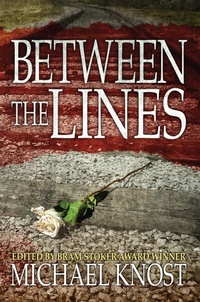
Bram Stoker Award-winning editor and author Michael Knost gave his online writing students an opening sentence and a closing sentence and asked them to write a story Between the Lines.
Every story opens with: "Kelvin pressed against the wound as blood seeped around his hands."
And ends with: "Watching the train disappear into the night, he brought the flower to his nose before tossing it to the tracks."
This anthology is the amazing results.
More details
Person
Michael Knost is an author, editor, and columnist of science fiction, fantasy, horror, and supernatural thrillers.
He has written in various genres and helmed several anthologies. His Writers Workshop of Horror won the 2009 Bram Stoker Award® for superior achievement in non-fiction. His critically acclaimed Writers Workshop of Science Fiction & Fantasy is an Amazon #1 bestseller. His latest novel, Return of the Mothman, was a finalist for the Bram Stoker Award® for superior achievement in first novel.
He resides in Chapmanville, West Virginia with his wife, daughter, and a zombie goldfish.

System requirements
File format: ePUB
Copy protection: Adobe-DRM (Digital Rights Management)
System requirements:
- Computer (Windows; MacOS X; Linux): Install the free reader Adobe Digital Editions prior to download (see eBook Help).
- Tablet/smartphone (Android; iOS): Install the free app Adobe Digital Editions or the app PocketBook before downloading (see eBook Help).
- E-reader: Bookeen, Kobo, Pocketbook, Sony, Tolino and many more (not Kindle).
The file format ePub works well for novels and non-fiction books – i.e., „flowing” text without complex layout. On an e-reader or smartphone, line and page breaks automatically adjust to fit the small displays.
This eBook uses Adobe-DRM, a „hard” copy protection. If the necessary requirements are not met, unfortunately you will not be able to open the eBook. You will therefore need to prepare your reading hardware before downloading.
Please note: We strongly recommend that you authorise using your personal Adobe ID after installation of any reading software.
For more information, see our ebook Help page.