
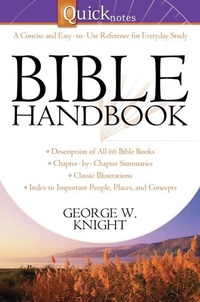
Quicknotes Bible Handbook
Description
Alles über E-Books | Antworten auf Fragen rund um E-Books, Kopierschutz und Dateiformate finden Sie in unserem Info- & Hilfebereich.
Here's the perfect tool for understanding scripture better-the QuickNotes Bible Handbook provides overviews and chapter-by-chapter summaries for every book of the Bible, plus a helpful topical index! Concise, easy-to-read entries will give you the "big picture" view of scripture, helping you to see how all of the people, places, and ideas fit together. Also featuring intriguing sidebars and classic illustrations that bring the Bible text to life, the QuickNotes Bible Handbook is an excellent resource for everyday Bible study. It's priced right at under $5!
More details
Other editions
Additional editions

Person
George W. Knight developed the original Layman's Bible Dictionary in 1997, spawning a series that has sold nearly a half-million books. A former Bible reference editor with a major Christian publisher, George now operates his own editorial services company, Knight Media. He lives in Alabama with his wife, Dorothy.

System requirements
File format: ePUB
Copy protection: Adobe-DRM (Digital Rights Management)
System requirements:
- Computer (Windows; MacOS X; Linux): Install the free reader Adobe Digital Editions prior to download (see eBook Help).
- Tablet/smartphone (Android; iOS): Install the free app Adobe Digital Editions or the app PocketBook before downloading (see eBook Help).
- E-reader: Bookeen, Kobo, Pocketbook, Sony, Tolino and many more (not Kindle).
The file format ePub works well for novels and non-fiction books – i.e., „flowing” text without complex layout. On an e-reader or smartphone, line and page breaks automatically adjust to fit the small displays.
This eBook uses Adobe-DRM, a „hard” copy protection. If the necessary requirements are not met, unfortunately you will not be able to open the eBook. You will therefore need to prepare your reading hardware before downloading.
Please note: We strongly recommend that you authorise using your personal Adobe ID after installation of any reading software.
For more information, see our ebook Help page.