

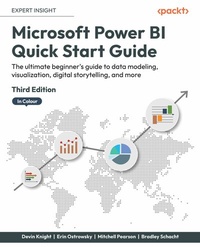
Microsoft Power BI Quick Start Guide
The ultimate beginner's guide to data modeling, visualization, digital storytelling, and more
3rd Edition
Published on 21. May 2024
338 pages
978-1-80461-266-8 (ISBN)
Description

Bring your data to life with this accessible yet fast-paced introduction to Power BI, now in color. Purchase of the print or Kindle book includes a free eBook in PDF format.Key Features - Learn faster with practical examples of the latest features of Power BI, including navigator buttons, column-level security, visualizing goals, and more
- Migrate your existing Excel and data analysis skills to Power BI
- Build accurate analytical models, reports, and dashboards, now in color
Book DescriptionUpdated with the latest features and improvements in Power BI, this fast-paced yet comprehensive guide will help you master the core concepts of data visualization quickly. You'll learn how to install Power BI, design effective data models, and build basic dashboards and visualizations to help you make better business decisions. This new edition will also help you bridge the gap between MS Excel and Power BI. Throughout this book, you'll learn how to obtain data from a variety of sources and clean it using the Power Query Editor. You'll also start designing data models to navigate and explore relationships within your data and building DAX formulas to make data easier to work with. Visualizing data is a key element of this book, so there's an emphasis on helping you get to grips with data visualization styles and enhanced digital storytelling. As you progress, you'll start building your own dataflows, gain an understanding of the Common Data Model, and automate dataflow refreshes to eradicate data cleaning inefficiency. You'll learn how to administer your organization's Power BI environment so that deployment can be made seamless, data refreshes can run properly, and security can be fully implemented. By the end of this Power BI book, you'll know how to get the most out of Power BI for better business intelligence.What you will learn - Connect to data sources using import, DirectQuery, and live connection options
- Use Power Query Editor for data transformation and data cleansing processes, and write M and R scripts and dataflows to do the same in the cloud
- Design effective reports with built-in and custom visuals to optimize user experience
- Implement row-level and column-level security in your dashboards
- Administer a Power BI cloud tenant for your organization
- Use built-in AI capabilities to enhance Power BI data transformation techniques
- Deploy your Power BI Desktop files into Power BI Report Server
Who this book is forThis book is for aspiring business intelligence and data professionals with a basic understanding of BI concepts, who want to learn Power BI quickly. Complete beginners with no BI background can also get plenty of useful information from this book.
- Migrate your existing Excel and data analysis skills to Power BI
- Build accurate analytical models, reports, and dashboards, now in color
Book DescriptionUpdated with the latest features and improvements in Power BI, this fast-paced yet comprehensive guide will help you master the core concepts of data visualization quickly. You'll learn how to install Power BI, design effective data models, and build basic dashboards and visualizations to help you make better business decisions. This new edition will also help you bridge the gap between MS Excel and Power BI. Throughout this book, you'll learn how to obtain data from a variety of sources and clean it using the Power Query Editor. You'll also start designing data models to navigate and explore relationships within your data and building DAX formulas to make data easier to work with. Visualizing data is a key element of this book, so there's an emphasis on helping you get to grips with data visualization styles and enhanced digital storytelling. As you progress, you'll start building your own dataflows, gain an understanding of the Common Data Model, and automate dataflow refreshes to eradicate data cleaning inefficiency. You'll learn how to administer your organization's Power BI environment so that deployment can be made seamless, data refreshes can run properly, and security can be fully implemented. By the end of this Power BI book, you'll know how to get the most out of Power BI for better business intelligence.What you will learn - Connect to data sources using import, DirectQuery, and live connection options
- Use Power Query Editor for data transformation and data cleansing processes, and write M and R scripts and dataflows to do the same in the cloud
- Design effective reports with built-in and custom visuals to optimize user experience
- Implement row-level and column-level security in your dashboards
- Administer a Power BI cloud tenant for your organization
- Use built-in AI capabilities to enhance Power BI data transformation techniques
- Deploy your Power BI Desktop files into Power BI Report Server
Who this book is forThis book is for aspiring business intelligence and data professionals with a basic understanding of BI concepts, who want to learn Power BI quickly. Complete beginners with no BI background can also get plenty of useful information from this book.
All prices
More details
Other editions
Previous edition
Devin Knight | Erin Ostrowsky | Mitchell Pearson
Microsoft Power BI Quick Start Guide
Bring your data to life through data modeling, visualization, digital storytelling, and more
E-Book
10/2020
2nd Edition
Packt Publishing Limited
€19.49
Available for download
Persons
Knight Devin :
Devin Knight a Microsoft Data Platform MVP and the President at Pragmatic Works Training. At Pragmatic Works, Devin determines which courses are created, delivered, and updated for customers, including 15+ Power BI courses. This is the tenth SQL Server and Business Intelligence book that he has authored. Devin often speaks at conferences such as PASS Summit, PASS Business Analytics Conference, SQL Saturdays, and Code Camps. He is also a contributing member to several PASS Virtual Chapters. Making his home in Jacksonville, FL, Devin is a contributor at the local Power BI User Group.Ostrowsky Erin :
Erin Ostrowsky is a creative and passionate lifelong learner. She began her career as a business journalist and researcher and found herself drawn to the power of beautifully visualized data analysis. After living overseas, Erin returned to the USA looking to marry her communication background with a technical focus and found a life changing opportunity to work as a trainer for Pragmatic Works where she focused on creating new educational materials and delivering Power BI training around the country. Erin focuses on the Power Platform tools and loves working on teams to build business intelligence solutions that businesses use and enjoy.Pearson Mitchell :
Mitchell Pearson has worked as a Data Platform Consultant and Trainer for the last 8 years. Mitchell has authored books on SQL Server, Power BI and the Power Platform. Data Platform experience includes designing and implementing enterprise level Business Intelligence solutions with the Microsoft SQL Server stack (T-SQL, SSIS, SSAS, SSRS), the Power Platform and Microsoft Azure. Mitchell is very active in the community: Running the local Power BI User Group, presenting at user groups locally and virtually, and creating YouTube videos for MitchellSQLSchacht Bradley :
Bradley Schacht is a principal program manager on the Microsoft Fabric product team based in Saint Augustine, Florida. Bradley is a former consultant and trainer and has co-authored five books on SQL Server and Power BI. As a member of the Microsoft Fabric product team, Bradley works directly with customers to solve some of their most complex data problems and helps shape the future of Microsoft Fabric. Bradley gives back to the community by speaking at events, such as the PASS Summit, SQL Saturday, Code Camp, and user groups across the country, including locally at the Jacksonville SQL Server User Group (JSSUG). He is a contributor on SQLServerCentral and blogs on his personal site, BradleySchacht.
Devin Knight a Microsoft Data Platform MVP and the President at Pragmatic Works Training. At Pragmatic Works, Devin determines which courses are created, delivered, and updated for customers, including 15+ Power BI courses. This is the tenth SQL Server and Business Intelligence book that he has authored. Devin often speaks at conferences such as PASS Summit, PASS Business Analytics Conference, SQL Saturdays, and Code Camps. He is also a contributing member to several PASS Virtual Chapters. Making his home in Jacksonville, FL, Devin is a contributor at the local Power BI User Group.Ostrowsky Erin :
Erin Ostrowsky is a creative and passionate lifelong learner. She began her career as a business journalist and researcher and found herself drawn to the power of beautifully visualized data analysis. After living overseas, Erin returned to the USA looking to marry her communication background with a technical focus and found a life changing opportunity to work as a trainer for Pragmatic Works where she focused on creating new educational materials and delivering Power BI training around the country. Erin focuses on the Power Platform tools and loves working on teams to build business intelligence solutions that businesses use and enjoy.Pearson Mitchell :
Mitchell Pearson has worked as a Data Platform Consultant and Trainer for the last 8 years. Mitchell has authored books on SQL Server, Power BI and the Power Platform. Data Platform experience includes designing and implementing enterprise level Business Intelligence solutions with the Microsoft SQL Server stack (T-SQL, SSIS, SSAS, SSRS), the Power Platform and Microsoft Azure. Mitchell is very active in the community: Running the local Power BI User Group, presenting at user groups locally and virtually, and creating YouTube videos for MitchellSQLSchacht Bradley :
Bradley Schacht is a principal program manager on the Microsoft Fabric product team based in Saint Augustine, Florida. Bradley is a former consultant and trainer and has co-authored five books on SQL Server and Power BI. As a member of the Microsoft Fabric product team, Bradley works directly with customers to solve some of their most complex data problems and helps shape the future of Microsoft Fabric. Bradley gives back to the community by speaking at events, such as the PASS Summit, SQL Saturday, Code Camp, and user groups across the country, including locally at the Jacksonville SQL Server User Group (JSSUG). He is a contributor on SQLServerCentral and blogs on his personal site, BradleySchacht.
Content
Table of Contents - Gaining Data Literacy with Power BI
- Connecting to Data
- Data Transformation Strategies
- Building the Data Model
- Leveraging DAX
- Visualizing Data
- Digital Storytelling with Power BI
- Using a Cloud Deployment with the Power BI Service
- Data Cleansing in the Cloud with Dataflows
- On-Premises Solutions with Power BI Report Server
- Connecting to Data
- Data Transformation Strategies
- Building the Data Model
- Leveraging DAX
- Visualizing Data
- Digital Storytelling with Power BI
- Using a Cloud Deployment with the Power BI Service
- Data Cleansing in the Cloud with Dataflows
- On-Premises Solutions with Power BI Report Server
Contents
- Preface
- Gaining Data Literacy with Power BI
- Connecting to Data
- Data Transformation Strategies
- Building the Data Model
- Leveraging DAX
- Visualizing Data
- Digital Storytelling with Power BI
