

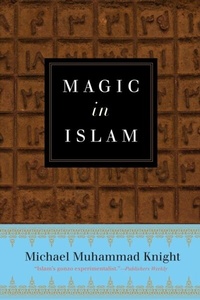
Magic In Islam
1st Edition
Published on 24. May 2016
256 pages
978-1-101-98349-2 (ISBN)
Description

The progenitor of "Muslim punk rock" and one of today's freshest spiritual voices pushes back against the common assumption that the historic faiths have no occult or magical tradition in this richly learned historical and personal journey through the practice of magic in Islam.
Magic in Islam offers a look at magical and occult technologies throughout Muslim history, starting with Islam's earliest and most canonical sources. In addition to providing a highly accessible introduction to magic as it is defined, practiced, condemned, and defended within Muslim traditions, Magic in Islam challenges common assumptions about organized religion.
Michael Muhammad Knight's deeply original book fills a gap within existing literature on the place of magic in Islamic traditions and opens a new window on Islam for general readers and students of religion alike. In doing so, the book counters and complicates widespread perceptions of Islam, as well as of magic as it is practiced outside of European contexts.
Magic in Islam also challenges our view of "organized religions" as clearly defined systems that can be reduced to checklists of key doctrines, texts, and rules. As a result, Magic in Islam throws a monkey wrench into the conventions of the "intro to Islam" genre, threatening to flip popular notions of a religion's "center" and "margins."
Magic in Islam offers a look at magical and occult technologies throughout Muslim history, starting with Islam's earliest and most canonical sources. In addition to providing a highly accessible introduction to magic as it is defined, practiced, condemned, and defended within Muslim traditions, Magic in Islam challenges common assumptions about organized religion.
Michael Muhammad Knight's deeply original book fills a gap within existing literature on the place of magic in Islamic traditions and opens a new window on Islam for general readers and students of religion alike. In doing so, the book counters and complicates widespread perceptions of Islam, as well as of magic as it is practiced outside of European contexts.
Magic in Islam also challenges our view of "organized religions" as clearly defined systems that can be reduced to checklists of key doctrines, texts, and rules. As a result, Magic in Islam throws a monkey wrench into the conventions of the "intro to Islam" genre, threatening to flip popular notions of a religion's "center" and "margins."
More details
Other editions
Additional editions
Michael Muhammad Knight
Magic in Islam
Book
05/2016
Tarcherperigee
€24.70
Article exhausted; check different version
Person
MICHAEL MUHAMMAD KNIGHT became a Muslim at sixteen after reading The Autobiography of Malcolm X. He is the author of ten previous books, including The Taqwacores, Tripping with Allah: Islam, Drugs, and Writing, and Why I am a Five Percenter. He lives in North Carolina.
